


Using videos in customer service means swapping out static text and painful phone calls for dynamic, visual answers that get to the point, fast. It's about turning customer support from a slow, confusing chore into an efficient and genuinely helpful experience.
Think of it this way: would you rather follow a dense, printed instruction manual or watch a quick, guided walkthrough? One is a headache, the other is a breath of fresh air.
Why Video Is Reshaping Customer Support
Let's face it, customer expectations have completely changed. The patience for long hold music and endless email threads is gone. People now expect immediate, crystal-clear solutions. This is exactly where video steps in—not as some shiny new trend, but as a practical answer to how people actually behave today. We already turn to video to learn new skills, fix things, and connect with others; support is just the next logical step.
A text-only guide trying to explain a complex software setup is a recipe for frustration and misinterpretation. But a short screen recording showing the exact clicks you need to make? That leaves zero room for error. This simple clarity is why video is making such a big impact.

Tackling The Biggest Customer Headaches
Old-school support often creates more problems than it solves. We've all been there—the long wait times, repeating the same information to different agents, and the struggle to describe a technical problem over the phone. Video cuts right through that noise.
- No More Guesswork: Instead of trying to describe a weird error message, a customer can just show you. And instead of you writing out a five-step process, you can show them. This "show, don't tell" method slashes confusion and gets problems solved way faster.
- Answers on Demand: A solid library of how-to videos means customers can help themselves whenever they want, 24/7. This kind of self-service gives them control and frees up your agents to focus on the really tricky issues.
- A Real Human Connection: Getting a personalized video from an agent feels completely different than a canned email response. Seeing a friendly face and hearing a helpful voice builds instant trust. It can turn a frustrating situation into a surprisingly positive moment. In fact, 79% of customers prefer live video chat because they know it's the fastest way to get help.
The real goal is to make support feel less like a robotic transaction and more like a helpful conversation. Video brings in that human element—the empathy and personality that text just can't deliver.
Moving from Reactive to Proactive Support
At its core, using videos for customer service allows you to get ahead of problems. Instead of just reacting to a flood of support tickets, you can build a library of helpful videos that answer common questions before they're even asked.
This proactive approach doesn't just make customers happier; it makes your entire operation more efficient. Every customer who finds their answer in a video is one less ticket your team has to handle. This lets your agents focus their time and energy on the conversations that matter most, creating a support system that’s built to last.
It’s a fundamental shift from constantly putting out fires to preventing them from starting in the first place.
The Real Business Impact of Video Support
Adding video to your customer service isn't just about bumping up your satisfaction scores. It delivers real, measurable results that hit your bottom line. Think of it as an investment that pays you back in both efficiency and trust. A solid library of video tutorials, for example, acts like a support agent who works 24/7, solving common problems before they ever land in your inbox.
This proactive approach completely changes the game for your ticket volume. Instead of your agents answering the same questions over and over, they’re freed up to tackle the complex, high-value issues that actually need a human touch. That makes your team more efficient and, over time, seriously cuts down on operational costs.
Slashing Support Tickets and Building Self-Sufficiency
Every how-to video you create is a permanent fix for a recurring problem. When customers can find a quick, visual answer on their own, they feel capable and in control. This self-service model is exactly what people want today, and it has a direct, positive effect on your support queue.
Imagine a customer is stuck on a new software feature. A dense, text-only guide might just confuse them more, leading them to open a ticket. But a clear, two-minute video walkthrough solves their problem instantly. The ticket is avoided, and a moment of frustration becomes a win.
This shift does wonders for customer loyalty. By giving them the tools to help themselves, you’re not just solving one problem—you’re teaching them how to get more value from your product. That’s how you turn happy customers into your biggest fans. For a deeper look, check out our guide on the power of video customer support.
Forging Deeper Brand Trust and Credibility
Trust is the foundation of any good customer relationship, and video is an incredibly powerful tool for building it. Seeing a real person on screen—even in a pre-recorded tutorial—creates a human connection that an anonymous email or chatbot just can't match. It proves there are real, helpful people behind your brand.
This personal touch makes a huge difference. A staggering 98% of consumers have watched an explainer video to learn about a product, and 87% have been convinced to buy after watching one. Quality also matters—a lot. 91% of consumers say that good video quality increases their trust in a brand.
When a customer gets a personalized video reply from a support agent, it turns a routine interaction into a genuinely positive, memorable experience. That level of care shows you value their business and are invested in their success.
These stronger interactions are a core part of building lasting relationships. Learning a few proven strategies for building customer trust can make your video efforts even more effective.
The Clear ROI of a Video-First Strategy
The return on investment for using videos for customer service comes from multiple places. It’s not just about saving money by deflecting tickets; it's about increasing customer lifetime value and even driving new sales.
Here’s how it all adds up:
- Higher Conversion Rates: A great explainer video on a product page can answer questions before they're asked, show off your product's value, and lead directly to more sales.
- Improved Customer Retention: Customers who feel supported and empowered are far more likely to stick with you. Video support helps reduce churn by solving problems quickly and building that brand connection.
- Increased Efficiency: When your video library handles the common questions, your support team has more time to focus on complex issues, making the whole team more productive.
At the end of the day, a video-first support strategy isn't just another expense—it's a smart investment. It creates a customer experience that’s more efficient, more trustworthy, and more human, paying you back in loyalty, retention, and growth. It’s how you turn your support department from a cost center into a powerful engine for your business.
Choosing the Right Video for the Job
You wouldn't use a hammer to turn a screw, right? The same logic applies to using videos in customer service. The real magic happens when you match the right kind of video to the specific problem your customer is trying to solve. Get it right, and you can turn a moment of frustration into an "aha!" moment.
Think of it this way: some situations just need a quick, helpful tutorial, while others need a more personal, human touch. Understanding that difference is the first step to building a video support strategy that actually works and solves problems efficiently.
Proactive Tutorials and How-To Guides
The best kind of customer support is the kind that stops a problem before it even starts. That's where proactive tutorials and how-to guides come in. They act as your 24/7 knowledge base, empowering customers to find answers on their own schedule.
These videos are perfect for tackling those common, repetitive questions that always seem to clog up your support queue. We're talking about things like setting up a new account, walking through a specific software feature, or showing basic troubleshooting steps. A clear, concise video on each of these topics can head off countless support tickets, freeing up your team to focus on more complex customer issues.
Remember, clear communication is everything. It's crucial to ensure crystal-clear audio in your videos so your message comes through without any distracting background noise.
This image breaks down the main ways you can use video to support your customers.
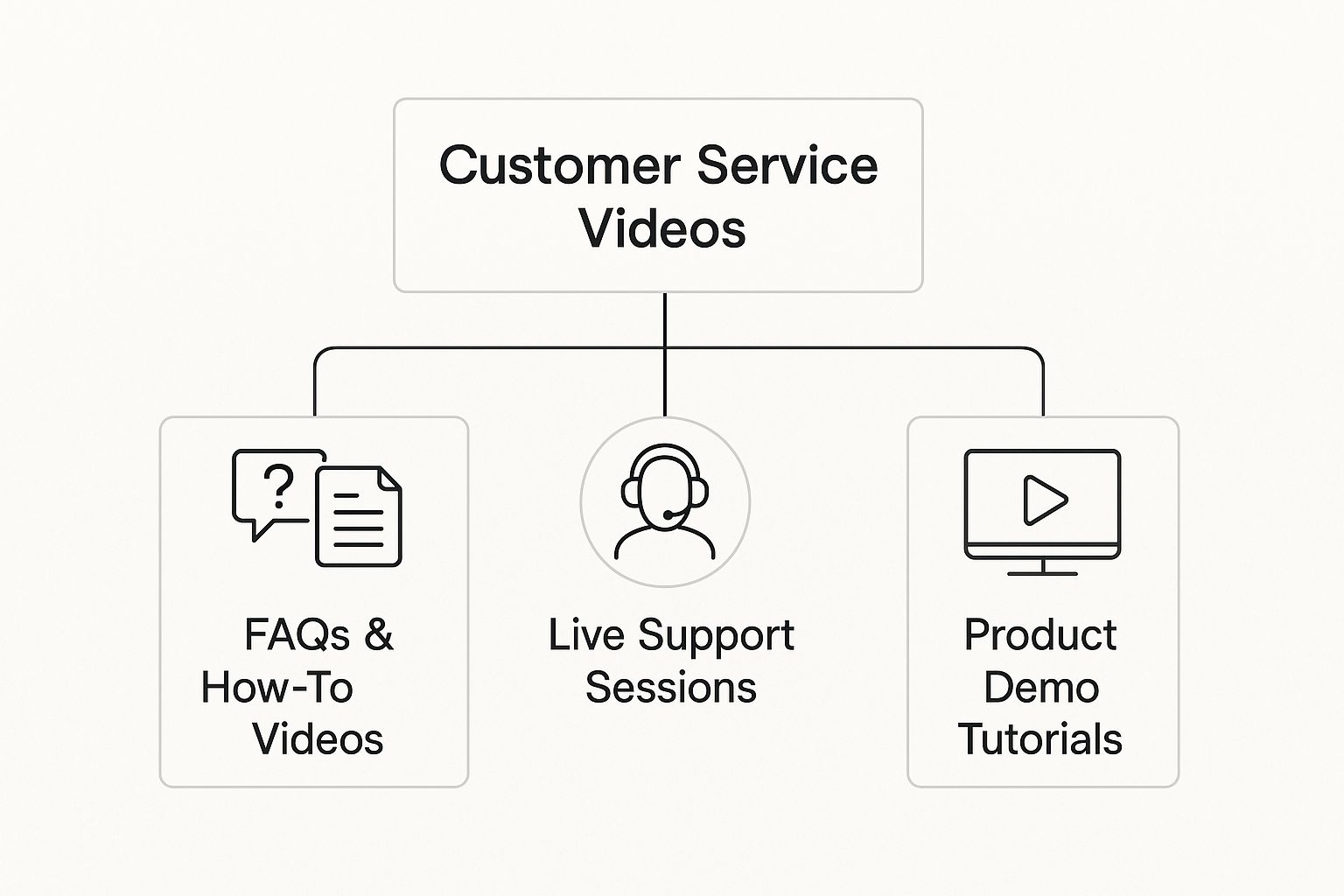
As you can see, each type of video serves a different purpose, from self-help learning to direct, live assistance.
To help you decide which format fits your needs, here's a quick breakdown of the most common video types and what they're best for.
Matching Video Formats to Your Customer Service Goals
A practical comparison of different customer service video types, their primary use cases, and the key benefits they offer to help you select the most effective format.
| Video Type | Primary Goal | Best For | Key Benefit |
|---|---|---|---|
| Proactive How-To | Deflect Tickets | Common, repeatable questions | Empowers customers with self-service, saving agent time. |
| Personalized Reply | Solve Complex Issues | Unique, account-specific problems | Builds strong customer loyalty with a personal touch. |
| FAQ Video Library | Provide Quick Answers | The top 5-10 most frequent questions | Creates an accessible, on-demand knowledge hub. |
| Live Video Chat | Offer Real-Time Help | Urgent or high-stakes issues | Resolves problems immediately and adds a human connection. |
Choosing the right format really comes down to understanding the customer's immediate need—whether it's a quick answer they can find themselves or a complex issue that requires a personal walkthrough.
Personalized Video Replies for Complex Issues
Sometimes, a pre-made tutorial just doesn't cut it. For those tricky, one-of-a-kind customer issues, a personalized video reply is an incredibly effective tool. Instead of typing out a long, potentially confusing email, an agent can just hit record on a quick screen share and walk the customer through the exact solution.
This approach delivers a one-two punch. First, it solves the problem with total clarity, leaving zero room for misunderstanding. Second, it injects a powerful human element into the conversation. When a customer can see and hear a real person who is dedicated to solving their specific problem, it builds a massive amount of trust.
A personalized video shows you're not just closing a ticket; you're taking the time to genuinely help a specific person. This simple act can transform a frustrated customer into a loyal brand advocate.
This method is perfect for:
- Visual Troubleshooting: Guiding a customer through steps inside their own account.
- Explaining Complex Features: Demonstrating how a feature works for their specific use case.
- Confirming Bug Reports: Showing the customer you've been able to replicate their issue and are getting to work on a fix.
Self-Service FAQ Video Libraries
Think of a well-organized library of FAQ videos as the ultimate self-service destination. It's a central hub where customers can get quick, reliable answers to their most common questions without ever having to contact your support team. It’s all about making information easy to find and even easier to understand.
This is basically the video version of a traditional FAQ page, but way more engaging. Short, focused videos that answer just one question at a time are much simpler for people to digest than scanning through long walls of text.
Ready to build your library? Start by digging into your support tickets. Pinpoint the top 5-10 questions your team answers over and over again. These are your prime candidates for your first batch of FAQ videos. By tackling the most frequent issues first, you'll see an immediate drop in your ticket volume and a jump in customer satisfaction.
Weaving Video Into Your Support Workflow

Jumping into a video-first support strategy doesn't mean you have to tear down your whole operation and start over. Not at all. The smartest way to begin is by picking off small, practical wins that deliver an immediate payoff.
Think of it less like building a new house and more like renovating a single room. You start where the changes will make the biggest difference, right away.
The best place to find those opportunities? Your own support data. Dig into your helpdesk tickets and pinpoint the most common, repetitive questions your team fields every single day. These are your low-hanging fruit—the perfect starting point for your first batch of support videos.
Finding the Best Opportunities for Video
Before you even think about hitting "record," you need to know exactly what problem you're trying to solve. The goal is to find customer pain points where a quick visual explanation is simply better than a wall of text.
Look for these patterns in your support tickets:
- "How do I…?" Questions: Any ticket asking for a step-by-step process is a golden opportunity for a screen recording. This is especially true for software walkthroughs or guiding a user through their account setup.
- Complex Explanations: Are your agents constantly writing multi-paragraph emails to explain a single feature? That's a huge sign that a two-minute video could do the job much more effectively.
- Visual Troubleshooting: When a customer says, "I'm getting this weird error message," a video showing them exactly where to click to fix it is a game-changer.
By starting here, you guarantee your first videos will have the biggest impact, helping to lower ticket volume and give your agents some much-needed breathing room.
Getting Your Team the Right Tools
You don't need a Hollywood-sized budget to create genuinely helpful support videos. For most teams, a few simple and accessible tools are all it takes to make a real difference.
The heart of your toolkit is a reliable screen recorder. This will be your workhorse for creating quick tutorials and personalized video replies. Many modern tools, like Screendesk, plug directly into helpdesks like Zendesk or Intercom, making it incredibly easy for agents to record and send videos without ever leaving their workflow.
The key is to pick tools that are easy for your team to learn and use. The simpler the tech, the more likely your agents will be to actually embrace video as a go-to solution for helping customers.
Training Agents for On-Camera Confidence
Putting your team on camera can feel a little daunting at first. It's crucial to remind everyone that authenticity beats perfection every time. When a customer receives a personalized video, they want to see a real, helpful person—not a polished actor reading a script.
Your training should be all about clear communication and empathy. Encourage agents to just be themselves and speak naturally, as if they were explaining something to a friend. For a deeper dive, there are great resources on creating effective customer service training videos that cover best practices for on-screen presence.
A few simple tips go a long way:
- Start with a warm greeting and use the customer's name.
- Get straight to the point and show them the solution.
- Keep it short and sweet. Respect their time.
- End with a friendly closing and let them know you're there if they need anything else.
Getting Your Videos Seen for Maximum Impact
Making great videos is only half the job. You also have to get them in front of your customers at the exact moment they need answers. Your distribution strategy should be just as thoughtful as the content itself.
This shift toward video isn't just a hunch; it's backed by massive global trends. By 2025, an estimated 3.78 billion people will watch digital videos, and video already makes up a staggering 82% of all internet traffic. More to the point, 62% of video marketers say that using video has actively reduced their customer support queries.
To get the most out of your videos, put them where your customers are already looking. Embed them in your FAQ and knowledge base articles. Link them in your chatbot's automated responses. Set up email triggers to send a specific video when a ticket with a certain keyword comes in. The goal is to make video a seamless part of your support ecosystem, providing instant value without the customer having to lift a finger.
How to Measure Your Video Support Success
Launching a video strategy without a way to measure it is like driving with your eyes closed. Sure, you're moving, but you have no idea if you're actually getting anywhere. To prove that using videos for customer service is really paying off, you have to look past simple vanity metrics like view counts and focus on the numbers that actually move the needle for your business.
Tracking the right key performance indicators (KPIs) gives you a clear, honest picture of what’s working and what isn’t. This isn't just about collecting data; it's about turning that data into smarter decisions that improve both customer happiness and your team's efficiency. It’s how you turn a hopeful experiment into a measurable success.
Key Metrics for Video Support Performance
To get a real sense of your video strategy's impact, you need to tie your metrics directly back to your support goals. These numbers tell a story about how video is changing the game for your customers and your agents.
Here are a few core KPIs to start with:
- Ticket Deflection Rate: This is the big one for proactive video content. It shows you how many support tickets never even got created because a customer found their own answer in your video library. A rising deflection rate is proof that you're successfully empowering people to help themselves.
- First Contact Resolution (FCR): This metric tells you what percentage of issues are completely solved in one go. When an agent can send a quick, personalized video showing the exact steps to fix a problem, FCR almost always goes up. There’s just less room for the confusion and back-and-forth that plagues text-only support.
- Customer Satisfaction (CSAT) Score: Pay close attention to CSAT scores on any ticket where a video was used. You'll often see a noticeable bump in satisfaction when a customer gets a clear, helpful video instead of a wall of text.
Analyzing Viewer Engagement and Content Effectiveness
Beyond the big-picture support metrics, it’s just as important to dig into how people are actually interacting with your videos. This is where you find the clues to making your content even better. Most video platforms offer analytics that can show you exactly what’s holding a viewer’s attention and what’s making them click away.
One of the most revealing stats is viewer drop-off points. If you see a bunch of viewers bailing 30 seconds into a tutorial, that’s a huge red flag. Maybe the intro is too long, the audio is muffled, or you just aren't getting to the point fast enough. Finding these weak spots allows you to make precise, effective improvements.
Your goal isn't just to get people to watch your videos, but to get them to finish them. High completion rates are a fantastic sign that your content is engaging, easy to follow, and solves the customer's entire problem.
This kind of analysis is what separates good video content from great video content. If you're looking for more tips on creating effective tutorials, our guide on how to create training videos is a great place to start.
Proving ROI and Making Data-Driven Decisions
Ultimately, the goal of measuring all this is to prove the value of video support to your organization. When you can connect your video metrics to core business goals, you build a rock-solid case for continued investment in your strategy.
Imagine going to your boss and showing that your new video library led to a 15% reduction in support tickets last quarter. That's a real, tangible cost saving that directly impacts the bottom line. Or what if you could prove that tickets solved with a personalized video have a 10% higher CSAT score than tickets without?
This is the kind of data that empowers you to make smarter choices. It helps you see which types of videos deliver the most bang for your buck, which topics you should tackle next, and where your team should focus its creative energy. By keeping a steady eye on these metrics, you ensure your videos customer service efforts are a core driver of business success, not just a nice-to-have feature.
The Future of Video in Customer Service

If you think video support is just about screen recordings and quick how-tos, get ready for a big shift. The next wave of video customer service is all about intelligent, deeply personal engagement, and it's powered by artificial intelligence. We're moving away from one-size-fits-all solutions and toward support that feels like it was made just for you.
Think about it. A customer gets a support video that doesn’t just show them how to fix their issue, but greets them by name and points to their specific account details. This isn't a far-off dream. It's happening now, thanks to AI video generation. These tools can create highly tailored videos on the fly, turning a generic help doc into a personal walkthrough for one person.
The Rise of AI and Hyper-Personalization
At its heart, AI in video support is about making every conversation feel relevant. Instead of watching a generic tutorial, a customer gets a video that pulls in their own data—their name, their purchase history, their recent support tickets—to address their exact problem. That's the kind of personal touch that builds a real connection. It shows you're not just another ticket number.
And this isn't just a cool gimmick; it's what people actually want. Looking ahead to 2025, a staggering 78% of consumers are asking brands to use more video, especially when it’s personalized. The demand is even higher with Gen Z and high-earning customers, who are 58% more likely to buy from companies that use this kind of tech. Businesses are listening, too, with 82% of marketers planning to bring in AI tools to keep up. You can dig into the numbers yourself in this in-depth 2025 video marketing analysis.
The future of customer experience lies in making every customer feel seen and understood. AI-powered video is the tool that finally allows businesses to deliver this level of personalized care at scale, turning support from a generic function into a memorable brand-building moment.
Interactive Video Turns Viewers into Participants
Personalization is one piece of the puzzle. The other is interactivity. For too long, support videos have been a one-way street: the customer watches, pauses, and tries to follow along. But what if they could participate? Interactive videos completely flip the script, turning passive viewing into active problem-solving.
It’s like a "choose your own adventure" for troubleshooting. Inside the video itself, a customer can take control. They could:
- Click on chapters to skip right to the part of the solution they actually need.
- Answer a few questions that help diagnose the issue and guide them down the right path.
- Hover over different elements on the screen to get quick definitions or more detail.
This puts the customer in the driver's seat. It respects their time and intelligence by letting them bypass what they already know. When you make someone an active participant, the solution sticks. They don't just fix the problem; they feel empowered. That’s how you become a leader in customer experience.
Answering Your Top Questions About Video Support
Jumping into any new way of doing things is going to bring up some questions. Using video for customer support is no different. Let's tackle some of the most common ones so you can get started with confidence.
Do I Need a Hollywood-Level Studio?
Not at all. Seriously. For most one-on-one video replies, your laptop’s built-in webcam and a decent microphone are all you need to get the job done.
Many of the most helpful tutorials out there are made with simple screen recording software. Focus first on creating genuinely useful content with clear audio. You can always get fancier with your gear down the line.
How Long Should My Videos Be?
When it comes to support videos, shorter is almost always better. For general tutorials and FAQ videos, try to keep them in the 1 to 3 minute range.
If you're sending a personalized video to a customer, be as direct as possible. Solve their problem completely, but don't waste their time. The whole point is to give them a quick, clear solution that gets them back on track.
What Kind of Problems Are a Good Fit for Video?
Video is your best friend anytime you need to explain something visual or walk someone through a process step-by-step.
Think about things like product assembly, showing someone a specific software feature, troubleshooting a tricky technical bug, or demonstrating how to use a particular function. If it’s tough to explain with just words, it’s a perfect candidate for a video.
It turns a confusing wall of text into a simple, easy-to-follow guide.
Ready to see what video can do for your support team? Screendesk plugs right into the helpdesk you already use, making screen recordings and live video calls incredibly simple. Start your free trial today and discover a faster, clearer way to help your customers.
