


Time to resolution is the total time that passes from the moment a customer first reports an issue until that same issue is completely solved. It’s a measure of the entire support lifecycle, not just how fast you send that first reply.
What Is Time to Resolution Really Measuring?
Let’s use an analogy. Imagine a customer calls about a leaky pipe in their home. The time it takes for a plumber to call them back is the First Response Time. But time to resolution is the whole shebang—from that initial, panicked phone call until the pipe is fixed, the water is cleaned up, and the customer can finally use their kitchen again.
This metric isn't just about speed; it's a direct reflection of how effective your entire problem-solving process is.
A low time to resolution shows you're running a tight ship. It tells you your team is efficient, respects the customer's time, and quickly gets them back to using your product or service. This has a huge impact on customer satisfaction and is fundamental to building lasting trust.
The True Scope of TTR
Ultimately, time to resolution (TTR) is a mirror reflecting your overall customer experience. It’s far more than just another internal KPI on a manager’s dashboard. It's a clear indicator of:
- Operational Efficiency: How quickly and accurately can your team diagnose a problem and actually solve it?
- Customer Effort: How much work does a customer have to put in to get their problem fixed? A lower TTR almost always means less work for them.
- Brand Trust: Solving issues quickly and completely shows you’re a reliable partner, which is the bedrock of customer loyalty.
When you're digging into TTR, it's also helpful to think about related commitments, like understanding Service Level Agreements (SLAs), which often define the specific resolution times your business promises to hit.
To truly grasp what contributes to this metric, it's helpful to break down the journey of a support ticket.
Key Stages of the Resolution Lifecycle
This table breaks down the different stages that contribute to the total Time to Resolution, helping you visualize the entire customer journey from problem to solution.
| Stage | What It Represents |
|---|---|
| Ticket Creation | The moment the customer's issue is officially logged in your system. This is where the clock starts. |
| First Response | The time it takes for an agent to acknowledge the ticket and begin communication with the customer. |
| Active Resolution | The "work" phase. This includes diagnosis, troubleshooting, internal collaboration, and back-and-forth with the customer. |
| Customer Hold | Any time the ticket is paused while waiting for a customer to reply with more information. |
| Resolution & Closure | The point where the agent has provided a solution and the ticket is officially marked as "solved." |
As you can see, TTR isn’t a single action but a sequence of steps. Improving the overall time means looking for efficiencies at every stage.
Time to resolution is the ultimate measure of your promise to the customer. It answers their most important question: "When will my problem be gone?" A fast, definitive answer is what builds real confidence and loyalty.
This image helps visualize how all these components fit together.
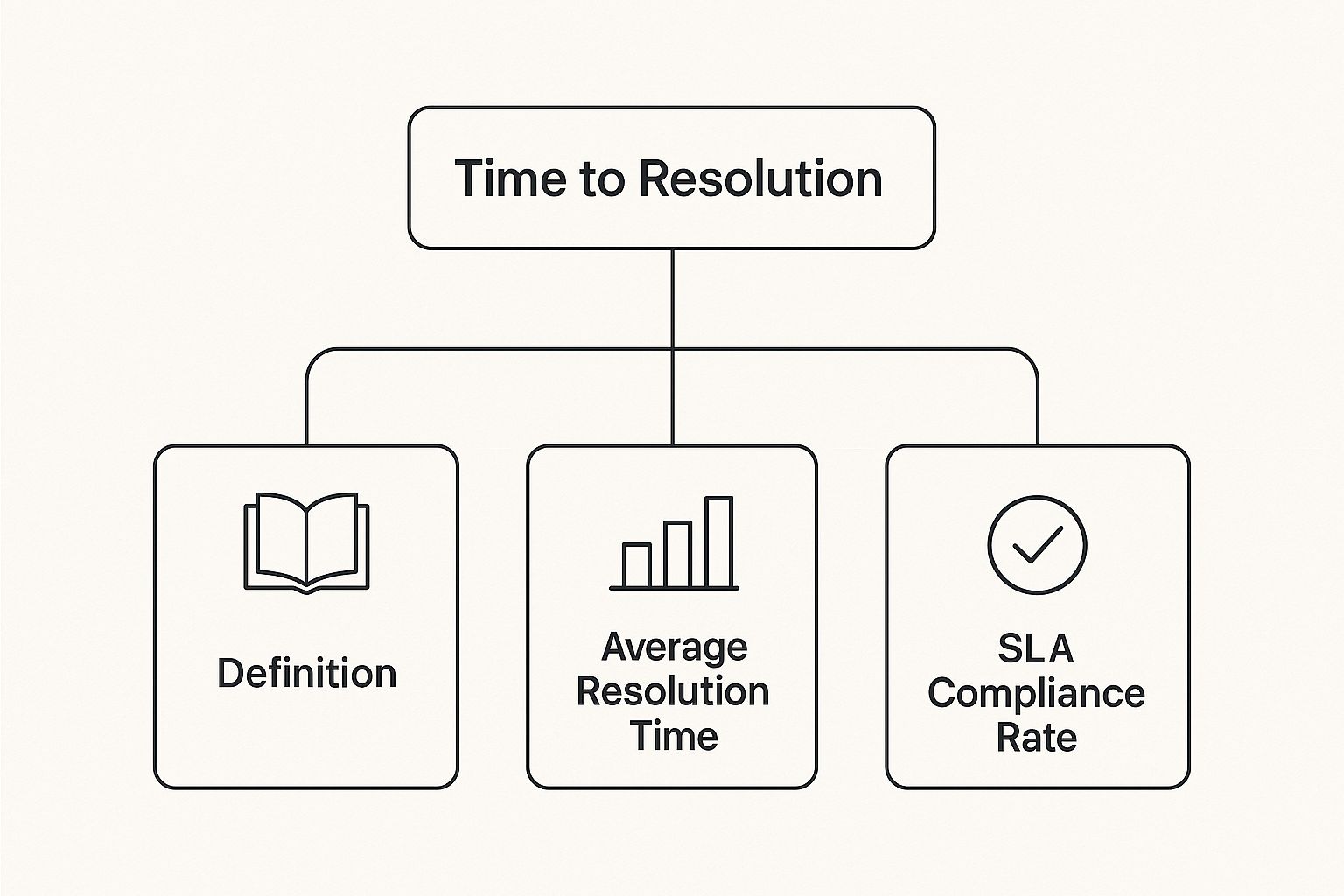
The diagram shows how the core definition connects directly to performance metrics like average resolution time and SLA compliance.
How to Calculate Your Time to Resolution

Alright, let's move from the "what" to the "how." The good news is that calculating your team's time to resolution is more straightforward than it sounds. You don’t need a degree in statistics, just a simple formula and a clear process.
The basic formula is a simple average:
(Total time of all resolved tickets) / (Number of resolved tickets)
Let’s say you closed three tickets. One took 4 hours, another took 8 hours, and the third took 12 hours. Your total resolution time comes out to 24 hours. Divide that by the 3 tickets you handled, and you get an average time to resolution of 8 hours.
This single number gives you a powerful snapshot of your team's efficiency. But to make sure that snapshot is accurate, there are a few important details to consider.
Business Hours vs. Calendar Hours
One of the first things you need to decide is whether you'll track TTR using business hours or calendar hours. There isn't a universally "correct" answer here—it all comes down to the promise you make to your customers.
- Business Hours: This is the way to go if your team works on a fixed schedule, like 9 AM to 5 PM, Monday through Friday. It ensures that a ticket submitted Friday evening doesn't have its TTR inflated by the weekend when no one is working.
- Calendar Hours: If you offer 24/7 support, this is your metric. It measures the genuine, real-world time a customer waits for a solution, reflecting their experience no matter when they reach out.
The most important thing is to pick one method and stick with it. Consistency is what makes your tracking reliable and your trends meaningful.
Handling Pending Tickets
What do you do when you're stuck waiting for a customer to get back to you? The standard practice here is to "pause the clock" when a ticket is marked as "pending" or "waiting on customer." Your team shouldn't be penalized for delays they can't control, like a customer's slow response time.
That said, you should still keep an eye on this "on-hold" time. If you see tickets spending a lot of time in a pending state, it could be a red flag. Maybe your instructions aren't clear enough, or perhaps you're asking for too much information upfront.
Benchmarking Your Performance
Once you've got a solid TTR number, its real power comes from context. The first step is to set an internal benchmark by looking at your own historical data. This baseline helps you track improvements and catch any negative trends before they become big problems.
From there, you can compare your TTR to industry averages to see how you stack up. For example, a SaaS company might have an average TTR of around 25 hours, while an e-commerce business might aim for something closer to 15 hours. Knowing where you stand helps you set goals that are both ambitious and realistic.
While time to resolution is a vital metric, it’s just one part of the story. To get the full picture, check out our guide on the key metrics for your customer support team. It will help you build a more complete and strategic way to track performance.
When support tickets drag on, it's not just one customer who gets frustrated. A high time to resolution is like a quiet, slow-moving problem that creates real, expensive damage deep within your business, far beyond the support team.
Think of it as a leaky pipe. Each unresolved ticket is a tiny drip. One drip doesn't seem like a big deal, but over time, they add up to a major flood of customer churn, a tarnished reputation, and bloated operational costs. Getting your TTR under control isn't just about tweaking a support metric; it's a core strategy for keeping your business healthy and growing.
The Financial Drain of Inefficiency
The most obvious hit from slow resolutions is a financial one. Every minute an agent spends on a ticket costs real money. When inefficiency stretches that time out, those costs balloon. This isn't just a support problem—it’s a fundamental business issue.
Just think about how expensive unresolved problems can get in any field. For instance, in a complex patent case, one company racked up $3 million in legal fees even though they knew within 24 hours they weren't at fault. The dispute just dragged on. You can read more about how resolution times impact innovation in this legal faculty publication. While your support tickets probably won't cost millions, the principle is the same: delays drain resources.
Eroding Customer Trust and Brand Reputation
Beyond the direct costs, slow support eats away at your most precious asset: your customers' trust. In fact, a study revealed that 33% of customers would think about switching to a competitor after just one bad service experience. If "bad service" means waiting days for a fix, you're practically handing your customers over to someone else.
This creates two huge headaches:
- Customer Churn: A high TTR is a flashing red light for churn. Customers who feel their time is being wasted won't stick around.
- Negative Word-of-Mouth: Unhappy customers talk. A single angry tweet or a bad review about a painfully slow support experience can scare off dozens of potential new customers.
Every minute you shave off your average time to resolution is a direct investment in customer loyalty and brand protection. It sends a clear message that you value your customers' time as much as your own.
At the end of the day, tracking your TTR is about more than just clearing a queue. It’s a key piece of a bigger strategy for building a business that lasts. By focusing on the right customer service metrics for success, you empower your team to do more than just solve tickets—they'll be building a stronger, more resilient company.
Proven Strategies to Reduce Your TTR

So, you see the high cost of a long time to resolution. The natural next question is, what can you actually do about it? The answer isn't about cracking the whip and telling agents to just "work faster." It’s about building a smarter, more efficient support system that works for them.
The goal is simple: remove the roadblocks. Every second an agent spends hunting for an answer, waiting for an expert to reply, or just trying to understand the customer's problem adds to your TTR. By putting a few proven strategies into practice, you can start chipping away at those delays and see real improvement.
Empower Agents with a Strong Knowledge Base
If there’s one tool that can make an immediate impact on your TTR, it’s a comprehensive and easy-to-search internal knowledge base. Think of it as your team’s collective brain, packed with step-by-step guides, troubleshooting flows, and ready-made answers to common issues.
When an agent can find a definitive answer in seconds, they don't have to reinvent the wheel every single time a ticket comes in. This not only speeds up resolutions but also keeps your support consistent, no matter who is handling the request. A great knowledge base is the bedrock of any efficient support team.
This push for quick, self-serve information lines up with what we're seeing in broader consumer behavior. People are becoming much more protective of their time. In fact, by 2025, 20% of consumers plan to spend less time on their phones and social media. This shows a growing demand for efficiency everywhere, including getting problems solved. You can dig deeper into this trend with the latest consumer behavior research from YouGov.
Build an Effective Tiered Support System
Let's be honest, not all support tickets are created equal. A simple password reset shouldn't go through the same process as a complex software bug. This is where a tiered support system comes in, making sure problems land on the right desk from the get-go.
- Tier 1: These are your frontline agents who handle common, low-complexity questions. They solve the bulk of tickets quickly, relying heavily on the knowledge base.
- Tier 2: This level is for more experienced agents or technical specialists who handle issues escalated from Tier 1.
- Tier 3: These are your top experts—often engineers or developers—who tackle deep-rooted bugs and system-wide problems.
This structure stops your most skilled people from getting swamped with basic requests, freeing them up to focus on the truly tough nuts to crack. It’s absolutely essential for any team that wants to successfully start scaling customer support.
An effective tiered system isn't about creating bureaucracy; it's about creating an express lane. It ensures every problem gets to the person who can solve it fastest, cutting down on handoffs and customer frustration.
Foster Strong Internal Communication
Finally, your support team can't work in a vacuum. A major cause of slow resolutions is the dreaded wait for information from other departments, like product or engineering.
You need to establish clear, dedicated channels for this kind of cross-functional teamwork. This might be a specific Slack channel, regular sync-up meetings, or a shared project board. When your support agents can get a quick answer from an engineer about a bug, they can pass that info to the customer and close the ticket that much faster. This also creates a valuable feedback loop, helping other teams understand what customers are actually struggling with so they can fix the root cause.
Of course. Here is the rewritten section, crafted to sound completely human-written and natural.
How the Right Tech Can Slash Your Resolution Times
While having solid internal processes is non-negotiable, the right technology is what really moves the needle. Think of it as a force multiplier for your support team, giving them the power to bring down your time to resolution. Outdated, clunky tools just add friction, but modern support solutions are designed specifically to get rid of the delays that cause this metric to creep up.
Let's be honest: the biggest time-waster in support is usually just figuring out what the problem is in the first place. A customer tries their best to describe a complex technical issue over email, kicking off that long, painful back-and-forth of "Could you try this?" and "What do you see on your screen now?" That chain of messages is enemy number one for a low TTR.
This is where visual communication tools completely change the game. Instead of asking a customer to describe the problem, you let them show it.
See the Problem, Solve the Problem
When an agent can see exactly what the customer sees, either through a screen recording or a live video call, the confusion evaporates. It cuts straight to the heart of the issue.
It all boils down to a simple truth: a one-minute video can explain more than a dozen emails ever could. By seeing the issue firsthand, agents can diagnose problems in seconds, not hours, which makes a huge difference in your time to resolution.
Picture this: an agent opens a ticket and finds a screen recording that not only shows the bug in action but also includes all the technical console logs from the customer's browser. Just like that, the agent spots the root cause without needing to ask a single follow-up question. That’s the power of visual support in a nutshell.
Here’s a look at how a tool can make this kind of instant communication possible.
This shows an agent requesting a screen recording or jumping on a video call right from their help desk. The beauty is that it’s all built into their natural workflow, which prevents delays and keeps everything neatly organized in one spot.
Creating a Support Workflow That Just Flows
The best technology doesn’t feel like another tool you have to manage; it blends into what you’re already doing. This is why a solution like Screendesk works so well—it plugs directly into the help desk your team already uses, creating one unified command center for every ticket.
The principle of using smart technology to speed things up isn't unique to customer support. You can see it in other fields with tools like integrated eligibility systems, which are built to simplify complex procedures and deliver services faster. The goal is exactly the same: remove friction and speed up the outcome.
The table below breaks down just how much of a difference the right tech can make.
Technology's Impact on Resolution Speed
| Support Task | Traditional Method (High TTR) | Tech-Enabled Method (Low TTR) |
|---|---|---|
| Problem Diagnosis | Endless email chains asking for descriptions and screenshots. | Customer sends an annotated screen recording showing the issue. |
| Guiding the User | Typing out multi-step instructions and hoping they are followed. | Agent uses co-browsing to guide the user on their screen in real-time. |
| Escalating to Devs | Agent manually collects logs and tries to reproduce the bug. | Ticket includes a video of the bug with console logs automatically attached. |
| Complex Setup Help | Back-and-forth calls trying to explain configuration settings. | Quick, integrated video call to walk the customer through setup visually. |
As you can see, modern tools don't just make things a little faster—they fundamentally change how support tasks are handled, eliminating the most common time sinks.
By giving your team tools for co-browsing, annotated screen recordings, and integrated video calls, you’re equipping them to solve problems with far greater speed and precision. This has a direct, measurable impact on your average time to resolution and, ultimately, leads to much happier customers.
Common Questions About Time to Resolution

As you start dialing in your support strategy, a few common questions about time to resolution always seem to come up. Nailing down these details is the key to tracking the metric properly and actually using it to improve your customer experience.
Let's clear up some of that confusion with straightforward answers. Think of this as your quick-reference guide for a few of the most frequently asked questions.
What Is the Difference Between Time to Resolution and First Response Time?
This is easily the most common mix-up. While they both measure time, they track two very different—and equally important—parts of the customer journey.
- First Response Time (FRT) is all about speed. It’s the time a customer waits for that first "we're on it" acknowledgment from your team.
- Time to Resolution (TTR) is about the finish line. It’s the total time elapsed from the moment a customer opens a ticket until their problem is completely solved and the ticket is closed.
A lightning-fast FRT is great for making a first impression, but a low TTR is what proves your team can actually solve problems effectively. You can have an amazing response time and still have a terrible resolution time, which, in the end, is what frustrates customers most.
Should We Measure TTR in Business Hours or Calendar Hours?
There's no single right answer here—it all comes down to the promise you’ve made to your customers. The most important thing is to be consistent.
You should use business hours if your support is only available during a set schedule, like 9-to-5, Monday through Friday. This approach stops weekends and holidays from skewing your TTR data when no one is around to work on tickets.
On the other hand, use calendar hours if you offer 24/7 support. This gives you a true picture of the actual time a customer waits for a fix, no matter when they reached out. Just make sure the method you choose matches your service level agreements (SLAs) and what your customers expect.
How Can a Small Team Effectively Lower Its Time to Resolution?
For a small team, every minute counts. Lowering your time to resolution is all about working smarter, not harder. You have to focus on efficiency.
Here are a few high-impact strategies:
- Build an excellent internal knowledge base: Give your agents instant access to the right answers. This empowers them to solve tickets on their own and keeps your support consistent.
- Double down on customer self-service: A solid public-facing help center with FAQs, articles, and video tutorials is a lifesaver. Every issue a customer solves for themselves is one less ticket in your queue.
- Embrace visual tools: Getting a screen recording or hopping on a quick video call can solve a problem in minutes. It completely cuts out the endless back-and-forth emails that make TTRs balloon.
When you're a small team, every minute saved is a huge win. Focusing on self-service and fast diagnosis frees up your agents to handle the truly complex issues that require a human touch.
Does Pausing the TTR Clock for Pending Tickets Cause Issues?
It's standard practice to pause the TTR timer when a ticket is "pending"—meaning you're waiting on the customer for more information. After all, your team can't control how fast a customer replies, so they shouldn't be penalized for that wait.
But that doesn't mean you should ignore that "on-hold" time. If you notice tickets are staying paused for long periods, it might be a red flag. Are your instructions unclear? Are you asking for too much information at once? Digging into this data can help you spot and fix friction points you'd otherwise miss.
Ready to slash your time to resolution and eliminate frustrating email chains? With Screendesk, you can see what your customers see with one-click screen recordings and video calls, directly from your help desk. Discover a faster way to support your customers.
