


A bug report template is just a pre-made form that guides someone—whether it's a customer or a QA tester—to provide all the essential details about a software glitch. Think of it as the bridge between a vague user complaint like "it's not working" and an actionable task for your engineering team. When you use one, every issue gets documented with the need-to-know info: steps to reproduce, environment data, and what the user actually expected to happen.
Why a Great Bug Report Template Matters
Let's be real. A ticket that just says "The payment button is broken" isn't helpful. It's a dead end that kicks off a long, frustrating email chain, wasting time for everyone involved. A well-designed bug report template cuts through that noise. It creates a shared language between your support, QA, and development teams, making sure every crucial piece of information is captured right from the start.
This isn't just about being organized. It's about speed and efficiency. When a developer gets a report that’s already filled with the context they need, they can jump straight into debugging instead of playing detective. It’s a simple change that has a surprisingly huge impact on your entire development workflow.

The Real-World Impact of Standardization
Using a standardized template turns chaos into a predictable, reliable process. It puts structure around how you identify and fix problems, and that leads to some very tangible benefits:
- Faster Fixes: Developers get the full story upfront, dramatically cutting down the time it takes to go from report to resolution.
- Reduced Miscommunication: A good template leaves little room for interpretation, so everyone from support to engineering is on the same page.
- Improved Product Quality: Consistent data makes it easier to spot patterns, helping you address the root causes of recurring bugs, not just the symptoms.
A great bug report is more than just a document; it’s a catalyst for action. It transforms a problem from a mystery into a clear roadmap for a solution, empowering developers to work on fixes, not on follow-ups.
For any team serious about mobile app quality assurance, a solid bug report template is a non-negotiable tool in their arsenal. And as software gets more complex, the need for this kind of efficiency is only growing.
In fact, the global bug tracking software market was valued at USD 401.33 million in 2024 and is projected to hit USD 822.10 million by 2033. That growth is fueled by this exact need for a better way to handle issue resolution.
To get a better handle on what a truly effective report looks like in practice, you can dig into these best practices: https://blog.screendesk.io/bug-reporting-best-practices/
Building a Bug Report Template That Actually Works
Going from a blank text field to a structured bug report is a game-changer for any support or dev team. A solid template isn’t just about filling in boxes; it's a purpose-built communication tool that gets everyone on the same page, fast. Every single field should have a clear job, all working together to hand the engineering team a complete, actionable picture of the problem.
Let's walk through the non-negotiable fields that turn a vague user complaint into a task a developer can actually tackle.
Nail the Title: Make It Clear and Searchable
The title is your first impression. A vague title like "Payment failed" is completely useless when it’s buried in a backlog of dozens of other issues. A great title has to be short but packed with information, summarizing the problem so anyone can grasp it at a glance.
Think of it like a newspaper headline. Instead of "Can't log in," go for something like, "Login page returns '500 Internal Server Error' for users on Chrome." Right away, the developer knows where to look and what conditions trigger the problem. That's diagnostic time saved before they even open the ticket.
This visual really breaks down the flow of information that leads to a quick fix.
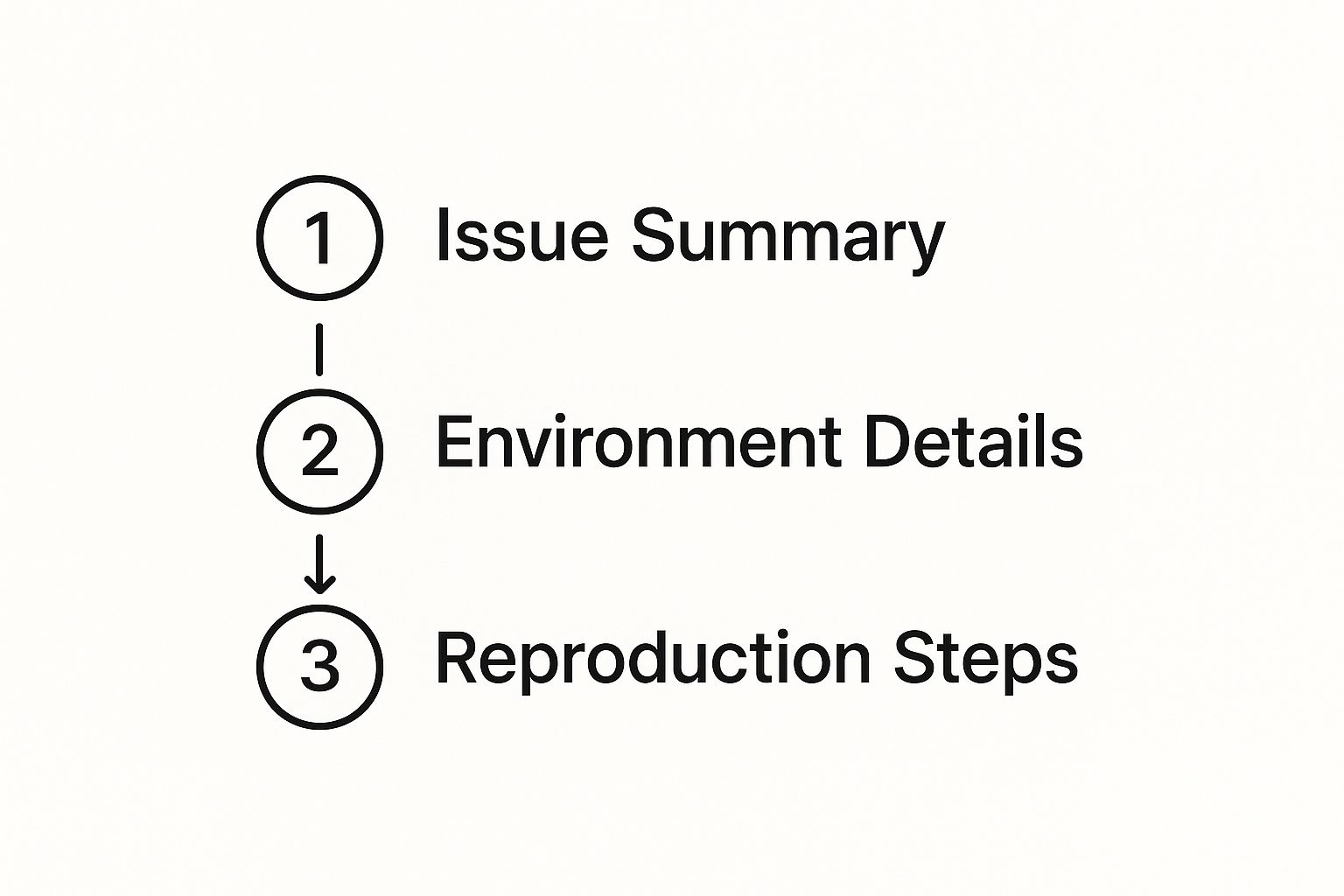
As you can see, a strong summary, detailed environment data, and crystal-clear reproduction steps are the foundation of any report that gets results.
The "Steps to Reproduce": Your Most Important Section
This is it. This is arguably the most critical part of any bug report. The "Steps to Reproduce" section is the developer's treasure map to the problem. If your steps are vague, you'll get the dreaded "cannot reproduce" tag, and the ticket will stall out completely.
The goal here is to provide a simple, numbered list of actions that will reliably and consistently trigger the bug every single time.
- Be hyper-specific. Don't just say, "Clicked on the profile." Instead, write, "From the main dashboard, clicked the 'Edit Profile' button in the top navigation bar."
- Don't skip anything. You can't assume the developer knows the context. List every single click, every piece of text you entered, and every page you visited.
- Define the starting point. Make it clear where the journey begins. Should they start from a logged-out state, the main dashboard, or somewhere else?
A bug that can be reliably reproduced is a bug that can be quickly fixed. Clear, unambiguous steps eliminate guesswork and empower developers to see the problem for themselves.
Think of building a great template as creating a mini personal productivity system for solving bugs. Each field is designed to push the task forward without friction. For a deeper dive, check out our guide on https://blog.screendesk.io/how-to-write-good-bug-reports/ for more pro tips.
How to Gather the Right Information for Your Report
A great bug report template is a fantastic start, but it's the quality of the information you put in it that really matters. Think of yourself as a detective. Before you even start filling out fields, your job is to collect all the clues that will lead the development team straight to the problem.
It all starts with getting the user's full story. "It's broken" isn't enough to go on. You need to dig deeper. What were they trying to do? What exact steps did they take right before things went wrong? This context is everything.

Go Beyond Words with Visual Evidence
Let's be honest: visuals are a developer's best friend. They cut through the noise and show the problem in a way that words rarely can, eliminating guesswork.
Knowing when to use each type of visual makes a huge difference:
- Screenshots are for the "what." Grab a screenshot to highlight a specific visual glitch, a weird error message, or a button that’s just not doing its job. A quick arrow or a circle pointing to the issue is often all it takes.
- Screen recordings are for the "how." If a bug only happens after a series of specific steps, a screen recording is gold. It shows the entire user journey, click-by-click, right up to the point of failure.
Your goal is to create a time capsule of the bug. Visuals, especially screen recordings with attached console logs, give developers a window into the exact moment the issue occurred, making it dramatically easier to reproduce and fix.
Collect Essential Technical Clues
Now for the technical details—the stuff happening "under the hood." These are often the missing puzzle pieces that turn a frustrating mystery into a straightforward fix. The most critical piece of evidence here is almost always the browser console log.
This log is a running commentary of what the browser is doing, and it captures errors and warnings that are invisible to the user. Learning how to open the developer console (usually Ctrl+Shift+I on Windows or Cmd+Opt+I on Mac) and copy the output is a genuine superpower for anyone in a support or QA role.
It's no surprise that more teams are leaning on automation for this. Corporate AI adoption actually jumped from 60% to 72% in 2024, partly because these tools are getting so good at capturing technical logs automatically. You can discover more insights about the rise of AI in bug tracking tools to see how tech is making this part of the job much, much easier.
Customizing Your Template for Different Scenarios
A single, rigid bug report template just doesn't cut it. In my experience, the secret to a reporting system that actually works is adaptability. The details you need to diagnose a visual glitch on the homepage are worlds away from what's required to solve a backend API failure. Your core template is a great starting point, but real efficiency kicks in when you tailor it to the specific problem.
Think of it like this: you wouldn't use the same questions to diagnose a broken bone and a common cold. A bug report needs to ask the right questions for the type of bug. Making this small adjustment ensures your developers get the exact context they need, right away, without the frustrating back-and-forth.
Differentiating Between UI and Backend Bugs
Let's start with the most common split: user interface (UI) issues versus backend problems. A UI bug is something the user can actually see—a button is out of place, a color is off, or an element isn't responding. Backend bugs are different; they happen on the server, in the database, or deep in the application's logic.
For a UI-specific bug report, you'll want to add fields that capture the user's visual world:
- Screen Resolution: This shows how the layout renders on different monitors.
- Browser Zoom Level: Content can break when a user zooms in or out, something that's easy to overlook.
- Device Type: It's crucial to know if this is happening on a desktop, tablet, or mobile.
A backend or performance bug, on the other hand, demands more technical data. A slow-loading page needs info about network conditions, while a failed API call requires the specific request and response payloads.
Template Customization Examples
To illustrate how this works in practice, here are a few examples of how you might customize required fields based on the type of bug being reported.
| Bug Type | Unique Required Field | Reasoning |
|---|---|---|
| Visual Glitch | Screen Resolution | Layouts can break on ultra-wide monitors or small laptop screens. |
| API Error | API Endpoint & Request Body | Developers need to know exactly which call failed and with what data. |
| Performance Lag | User's Internet Speed Test | Helps distinguish between a slow application and a user's poor connection. |
| Crash | Console Log Output | Provides the raw error messages and stack trace right before the crash. |
This kind of targeted information is what separates a frustrating, vague ticket from a solvable one.
Customizing your template ensures you're not just collecting data, but collecting the right data. This small step transforms a generic report into a targeted diagnostic tool, drastically reducing the time it takes for developers to pinpoint the root cause of an issue.
If you're looking for some solid starting points, our guide on the 12 best bug report templates for 2025 has some great examples you can adapt. Building a flexible system empowers your entire team to provide clear, actionable information, no matter what kind of bug they find.
Integrating Your Template into Team Workflows
A great bug report template is a solid start, but it doesn't do much good just sitting in a shared drive. The real value comes when you embed it directly into the tools your team lives in every day. This is how you turn a good idea into a consistent habit.
Most project management and development platforms—think Jira, Asana, or even GitHub Issues—let you create issue templates. By setting this up, you're not just offering a document; you're building the right process directly into their workflow. It makes following the correct procedure the path of least resistance.

Driving Consistent Adoption
Getting the tech right is only half the battle. Now you need to get your people on board. To get consistent, high-quality reports, you have to show everyone why it matters and make it incredibly simple to do correctly.
A couple of things I've found work really well:
- Create a short tutorial video. Seriously, a quick two-minute screen recording walking through how to fill out the template is way more effective than a long, stuffy email that no one will read.
- Build a one-page cheat sheet. A simple visual guide with clear examples for each field is a lifesaver, especially for new hires or anyone who just needs a quick refresher.
The goal is to make high-quality bug reporting an effortless habit. When the right way is also the easiest way, you'll see a dramatic improvement in the clarity and consistency of your bug reports.
This focus on better tooling and process isn't just a trend; it's a massive industry. The global software bug tracking tool market was valued at USD 3.5 billion in 2023 and is on track to hit USD 7.9 billion by 2032, with North America leading the pack. If you're curious, you can read more about the bug tracking market's growth and see just how critical these systems have become.
We Answer Your Most Common Bug Reporting Questions
Even with a killer bug report template, some questions pop up time and time again. Let's dig into a couple of the most common ones we see from teams trying to get their reporting process just right.
A big one is always about the level of detail. Can you actually provide too much information? Honestly, not really. It’s almost always better to give a developer more context than they need rather than leaving out that one crucial detail that cracks the case. The key is to keep it focused and relevant.
What if I Can't Reproduce the Bug?
Ah, the classic mystery. A user reports something that sounds like a big deal, but you can't for the life of you make it happen on your end. These "ghost" bugs are frustrating, but they're often the most important ones to track down.
When you hit this wall, your job shifts from trying to reproduce the bug to playing detective.
- Document every single thing. Write down all the details the user gives you, no matter how small or insignificant they seem at the time.
- Hunt for patterns. Does this only happen in the morning? When they're on the office Wi-Fi? Right after they upload a file? Start asking targeted follow-up questions to uncover a hidden sequence of events.
- Get more evidence. Ask the user for a screen recording. Watching their exact workflow can instantly reveal a step or a click you didn't think to try.
An irreproducible bug is really just a bug with triggers we haven't found yet. Filling out your template with every known condition helps developers piece together the puzzle over time.
Whatever you do, don't just close the ticket. Log everything you have. Often, a completely different report from another user will suddenly provide the missing link that connects the dots.
Stop chasing bugs and start fixing them. With Screendesk, you get video bug reports with console logs automatically attached, so every ticket is clear and actionable. See how it works.
