


At its core, a help desk ticketing system is the software that brings order to the chaos of customer support. It takes every customer request—whether it comes from email, a phone call, or social media—and organizes them all into one central hub. Think of it as your support team's digital command center.
What Exactly Is a Help Desk Ticketing System?
Imagine trying to run a busy restaurant kitchen where orders are just shouted out randomly. Some requests get missed, others get made twice, and customers end up waiting way too long. That’s pretty much what customer support feels like without a proper system in place.
A help desk ticketing system is like the master expeditor in that kitchen. It grabs every single customer query and turns it into an organized ticket. A ticket isn't just a message; it's a complete file with everything your support agent needs to solve the problem right.
A ticket is the digital record of a customer's issue. It holds their contact info, a history of past conversations, details about the current problem, and how urgent it is.
From Chaos to Cohesion
This system changes everything. Instead of frantically jumping between different inboxes and platforms, your team gets one unified dashboard. It’s a fundamental shift that moves support from a disorganized scramble to a structured, manageable process. That’s why these tools are no longer a "nice-to-have" for any business serious about its customer experience.
The market growth tells the same story. The global help desk automation market hit $10.7 billion in 2024 and is expected to skyrocket to $91.9 billion by 2033. This massive jump shows just how critical efficient support has become. You can dive into the full report on helpdesk automation's trajectory to see more trends.
The Core Functions of a Ticketing System
At its heart, a ticketing system is built to do a few key jobs that keep your support process running smoothly. Each one plays a part in making sure no customer ever falls through the cracks.
Let's break down its main responsibilities.
Core Functions of a Help Desk Ticketing System
| Function | What It Does |
|---|---|
| Ticket Creation | Automatically turns every customer email, chat, or call into a unique, trackable ticket. |
| Centralization | Gathers all tickets from different channels into a single, shared inbox for the entire team. |
| Assignment & Routing | Directs tickets to the right agent or department, either manually or using automated rules. |
| Tracking & Status | Keeps an eye on each ticket's progress from "Open" to "Resolved," so nothing gets lost. |
| Communication Hub | Keeps all conversations about a ticket in one place, so everyone is on the same page. |
By handling these tasks, the system becomes the single source of truth for every customer issue. This structure doesn't just help agents solve problems faster—it gives managers the data they need to improve the entire support operation. It’s the playbook for delivering great support that can grow with your business.
The Real-World Benefits of a Ticketing System
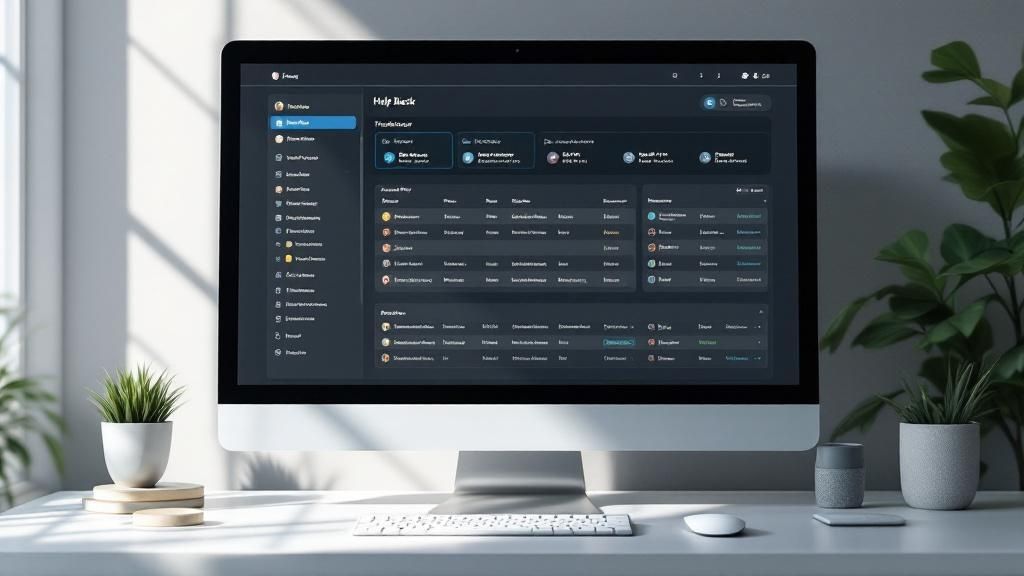
It’s one thing to understand the features of a help desk ticketing system, but it’s another to see the massive difference it makes in the real world. Putting one of these platforms in place isn’t just about buying new software; it's a strategic move that can fuel business growth and make your customers genuinely happy. You’re essentially shifting your support team from a cost center to a powerhouse of value.
The first change you’ll notice? A huge improvement in organization. Without a system, customer requests from email, chat, and social media can feel like an overwhelming, chaotic mess. A ticketing system acts as a central hub, neatly catching and organizing every single request. No more lost messages or forgotten customers.
This organization has a direct knock-on effect: your support becomes faster and more reliable. When every ticket is tracked and prioritized, agents can work through the queue logically instead of just putting out the nearest fire.
Empowering Your Support Agents
One of the biggest wins with a ticketing system is how it empowers your team with clear workflows and automation. Think about all the little, repetitive things your agents do all day—tagging tickets, sending "we got your email" confirmations, or routing issues to the right person. A ticketing system handles all of that automatically.
This frees up your agents to focus on what they're actually there for: solving tricky customer problems. With less admin work on their plates, they're less stressed and more engaged, which means happier employees and lower turnover. It’s a complete game-changer for team morale and overall productivity.
Plus, a well-set-up system helps dramatically improve first call resolution because agents have all the information they need right in front of them. You can dive deeper into this critical metric in our guide on how to improve your first call resolution rates.
Boosting Customer Satisfaction and Loyalty
At the end of the day, it all comes back to the customer. When your support is faster, more accurate, and better organized, customer satisfaction naturally goes through the roof. People feel heard and appreciated when their problems are acknowledged quickly and solved without a fuss.
A great customer support experience is a major driver of loyalty. Research shows that 73% of consumers say they stay loyal to brands because of friendly customer service agents. A ticketing system provides the framework for that consistent, high-quality service.
This consistency builds trust. When customers know they can count on you to handle any issue effectively, they stop being just one-time buyers. They become loyal fans who stick around and recommend you to others, which directly impacts your bottom line.
Turning Data into Your Strategic Advantage
Maybe the most underrated benefit is the treasure trove of data a ticketing system collects. Every ticket is a piece of valuable business intelligence. Suddenly, you’re not just dealing with anecdotes; you have structured, analyzable information at your fingertips.
You can track key metrics with total clarity, like:
- Average Response Time: How fast your team jumps on a new ticket.
- Resolution Time: The full lifecycle of a ticket, from open to close.
- Ticket Volume by Channel: Pinpointing where most of your customer questions come from.
- Common Issue Categories: Spotting recurring problems with your product or service.
This data gives you a clear view of team performance, product weaknesses, and what your customers actually need. The numbers back it up: globally, 86% of service teams report a boost in productivity after adopting these tools, and overall adoption has jumped by 103%. By digging into this information, you can make smarter decisions to improve your products, fine-tune your support, and put your resources where they’ll make the biggest impact.
Must-Have Features in a Modern Ticketing System
With so many help desk ticketing systems on the market, choosing the right one can feel like a huge task. Most of them cover the basics, but a few key features are what really separate a decent tool from a great one. These are the non-negotiables that will actually help your team, make customers happy, and drive real business value.
Think of it like buying a car. Every car has an engine and wheels, but you're looking for the things that make your life easier and safer—like a solid navigation system or automatic emergency braking. In the world of support software, some features are just as crucial for a smooth ride.
Unified Multi-Channel Support
Not too long ago, support was simple: phone calls and emails. But today, customers expect to connect with you wherever they are, whether that's through live chat, social media DMs, or a contact form on your site. A modern system absolutely needs multi-channel support to pull all these conversations into a single, organized view.
This stops your agents from having to jump between a dozen different tabs and inboxes, which is a recipe for missed messages and burnout. When every interaction is in one place, your team gets the full story of every customer, no matter how they got in touch. That means a more consistent and personal support experience every time.
By bringing all your communication channels together, a ticketing system ensures no customer question falls through the cracks. It turns a scattered mess of messages into an organized workflow, which directly leads to faster responses and a more productive team.
Powerful Ticket Management and Automation
At its core, a help desk system is all about managing tickets. But that means more than just opening and closing them. You need powerful tools that help you organize, prioritize, and route issues without a ton of manual work.
Here are the essentials for ticket management:
- Ticket Assignment: You need a way to get the right ticket to the right person. This could be manual assignment or, even better, automatic routing based on rules you set—for instance, sending all billing questions straight to the finance team.
- Prioritization and Statuses: Using tags and priority levels (like High, Medium, Low) is critical for making sure urgent problems get handled first. Clear, custom statuses (like Open, In Progress, or Awaiting Customer) give everyone a quick snapshot of where a ticket is in its journey.
- Automation Rules: This is where you see massive efficiency gains. Automation can take care of all the repetitive stuff, like sending confirmation emails, flagging overdue tickets for a manager, or closing out old, inactive conversations. This frees up your agents to focus on the tricky problems that need a human touch.
This infographic shows just how powerful these features can be when put into practice.
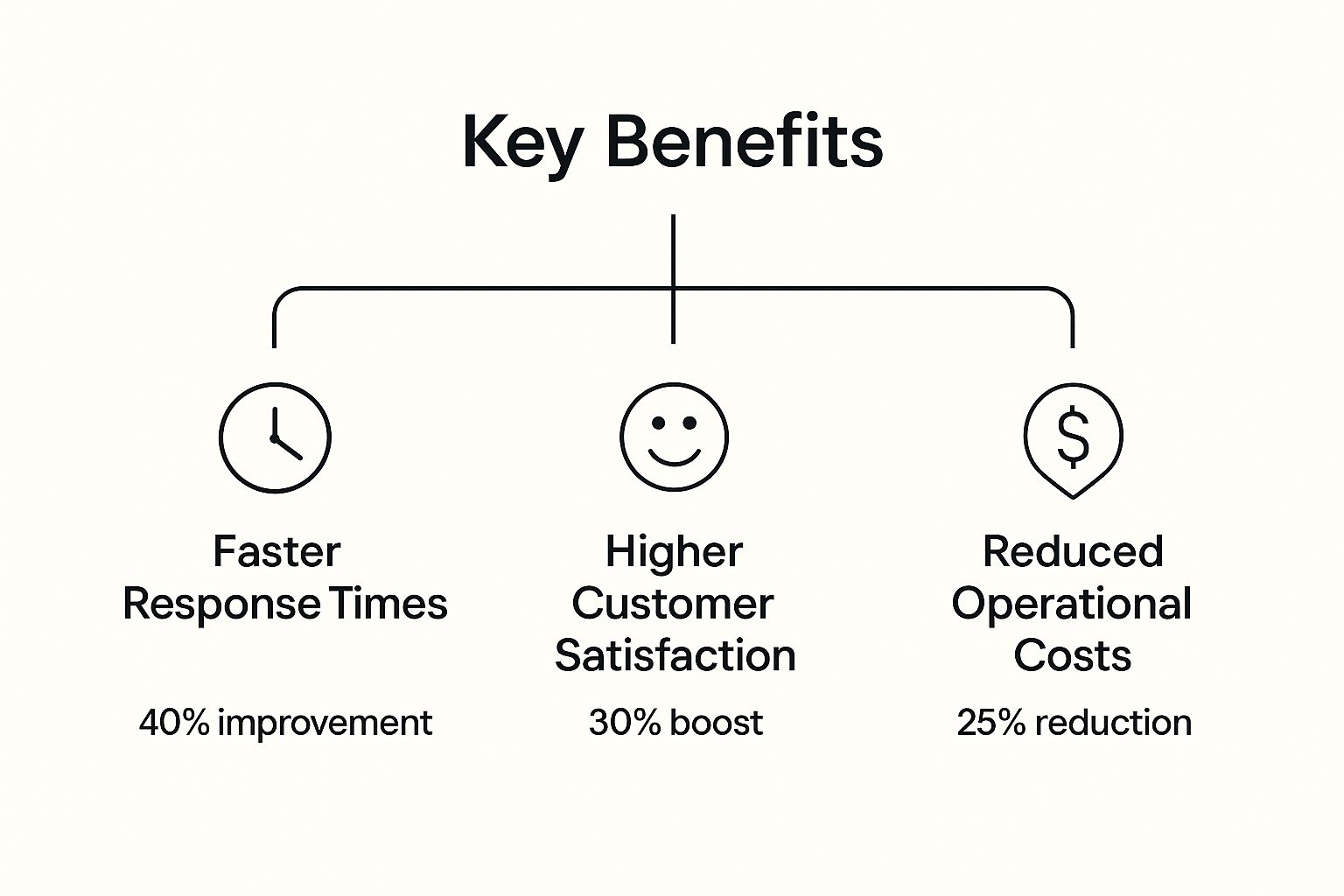
The data speaks for itself. The benefits are huge, with faster response times seeing the biggest jump.
Self-Service Knowledge Base
One of the most valuable features you can have is a self-service knowledge base. The truth is, many customers would rather find an answer themselves than wait to talk to an agent. A built-in knowledge base lets you create a library of helpful articles, FAQs, and step-by-step guides.
This is a win-win. First, it gives customers the power to solve common problems on their own time, which they love. Second, it deflects a ton of routine tickets from ever hitting your support queue, lightening the load on your team. In fact, research shows that companies can see a 15% decrease in service expenses just by implementing effective self-service tools like a knowledge base.
Reporting Analytics and SLA Management
Let's be honest: you can't improve what you don't measure. Any top-tier ticketing system has to provide detailed reporting and analytics. This is what gives managers a clear view of team performance and customer behavior. You'll want to track key metrics like average response time, resolution time, ticket volume, and customer satisfaction scores. This data is gold for spotting bottlenecks and making smart decisions.
Finally, look for Service Level Agreement (SLA) management. SLAs are basically promises you make to your customers about your service—for example, promising to respond to all high-priority issues within one hour. An SLA feature helps you set those goals and then automatically tracks how you're doing, making sure you live up to your promises and keep your service quality high.
How To Choose The Right System For Your Business

Picking the right help desk ticketing system isn't just about buying new software. It’s a foundational decision that directly affects your team's sanity and your customers' happiness. The wrong tool creates friction, frustrating your agents and bogging down your entire workflow. The right one, however, can quickly become your team's most valuable player.
This isn't a decision to be made on a whim. It calls for a clear, step-by-step approach to make sure the system you land on actually fits your business, your team, and your budget. Let’s walk through how to make the best choice.
Start By Assessing Your Team's Real Needs
Before you even glance at a feature list or a pricing page, you need to look inward. What are the specific headaches and must-haves for your team right now? A system built for a 100-person enterprise support team will be a frustrating, expensive mess for a five-person startup.
Get started by asking a few honest questions:
- What’s your real ticket volume? How many customer requests are you actually handling every day or week? This will tell you how robust the system needs to be.
- How complex are the issues? Are you just dealing with simple password resets, or are you digging into deep technical problems that require a lot of back-and-forth?
- What channels do you need? Is email enough, or do you also need to pull in requests from live chat, social media, or phone calls?
Getting clear answers here gives you a blueprint for your ideal system. This initial self-assessment is the single most important step in finding a tool that genuinely works for you, instead of forcing you to work around it.
Evaluate Scalability And Future Growth
The system you pick today needs to work for you two, or even five, years from now. Scalability is all about making sure your software can grow with your business without forcing a painful and expensive migration later on.
Think about a small e-commerce store with just two support agents. A simple shared inbox might work for now. But what happens when their sales triple and they need to add five more agents, plus things like automation and reporting? A system that can’t scale becomes a roadblock to success.
When you're looking at different options, check for flexible pricing tiers, how easy it is to add new agents, and whether you can unlock more advanced features as you need them. Your software should support your growth, not hold it back.
A truly scalable platform lets you start with the basics and add more power as you grow. This keeps you from overpaying for features you don’t need today while giving you a clear path for the future.
Prioritize A Simple User Experience
Let's be honest: even the most powerful software is worthless if your team hates using it. A clunky, confusing interface slows agents down, kills morale, and ultimately leads to the tool being abandoned. A clean, intuitive design isn't a "nice-to-have"—it's a must.
When agents can find what they need and get things done in just a few clicks, they can solve problems faster and with way less stress. That positive agent experience almost always translates directly into a better customer experience. To help you make a smart choice, this detailed help desk software comparison breaks down what different options offer.
For a deeper dive into how different platforms really feel to use, check out this comprehensive help desk software comparison guide for valuable insights.
Analyze Integration Capabilities
Your help desk doesn't exist on an island. It has to play nicely with all the other tools your business runs on. Strong integrations are the key to creating a single, unified command center for all your operations.
Imagine your system automatically pulling customer history from your CRM, creating a bug report in your project management tool, and pinging your team on Slack—all from one ticket. That kind of connection gets rid of mind-numbing manual work and makes it easy for different departments to collaborate.
Before you commit to a system, make a list of your must-have integrations. It will probably include:
- CRM Software (like Salesforce or HubSpot)
- Project Management Tools (like Jira or Trello)
- Communication Apps (like Slack or Microsoft Teams)
- E-commerce Platforms (like Shopify or Magento)
The better your ticketing system connects with your other tools, the more efficient your entire operation will be.
System Evaluation Checklist
Choosing a system can feel overwhelming. This checklist provides a structured way to compare your top contenders and make sure you're covering all your bases. Use it to score each platform and see which one truly aligns with your needs.
| Evaluation Criteria | What to Look For | Importance (Low/Med/High) |
|---|---|---|
| Core Ticketing Features | Does it handle multi-channel inputs (email, chat, etc.)? Can you assign, tag, and prioritize tickets easily? | High |
| User Experience (UX) | Is the interface clean and intuitive for agents? How steep is the learning curve? | High |
| Scalability | Can you easily add agents? Does the pricing scale reasonably? Can you add advanced features later? | High |
| Integration Capabilities | Does it connect with your CRM, project management, and communication tools? Are the integrations native or via a third party? | High |
| Automation & Workflows | Can you automate ticket routing, replies, and other repetitive tasks? | Medium |
| Reporting & Analytics | Does it provide clear dashboards for metrics like response time, resolution time, and agent performance? | Medium |
| Customer-Facing Portal | Can you build a self-service knowledge base or FAQ section for customers? | Medium |
| Pricing & Value | Does the price fit your budget? Is the pricing model transparent (per agent, per ticket)? | High |
| Vendor Support | What level of support does the software provider offer? Is it timely and helpful? | Medium |
This checklist isn't about finding a "perfect" system, but about finding the best-fit system for your unique situation. By thinking through each of these areas, you can make a confident, data-backed decision that will pay off for years to come.
Getting the Most from Your Ticketing System
Buying a help desk ticketing system is just the starting line. The real magic happens when you move beyond the basics and truly make the software work for you. Think of it this way: having a professional-grade kitchen doesn't automatically make you a gourmet chef. You need the right techniques and processes to turn those fancy tools into a five-star meal.
The same principle applies here. Simply having the system isn't enough. You need a smart strategy to transform it from a glorified inbox into a powerful engine that drives efficiency and keeps your customers happy.
Configure Workflows That Mirror Your Process
Right out of the box, one of the most powerful things you can do is set up automations that match your team's real-world processes. Think about all the repetitive little tasks your agents do every single day—assigning tickets, sending out "we got your email" confirmations, or escalating urgent issues. A well-configured system can handle all of that automatically.
For example, you could create a rule that instantly routes any ticket with the word "billing" in it directly to your finance specialist. Another rule might automatically flag any ticket that's gone unanswered for more than 24 hours. These small, automated actions add up fast, saving your team countless hours and freeing them up to focus on the tricky problems that actually need their brainpower.
Setting up these workflows is a critical step. For some practical ideas on where to start, you can find more tips in our guide to boost help desk efficiency.
Build a Knowledge Base That Deflects Tickets
Your best defense against an overwhelming ticket queue? A solid self-service knowledge base. The truth is, many customers would rather find an answer themselves than wait for an agent. By creating a library of clear, helpful articles, FAQs, and step-by-step guides, you give them the power to do just that.
Every single ticket you deflect is a victory. It saves your team's time, gives the customer an immediate solution, and lowers your overall support costs. A great knowledge base should be easy to search and constantly updated with answers to the common questions you see coming in. It's like cloning your top support agent and making them available 24/7.
A well-maintained knowledge base doesn't just reduce ticket volume; it improves the quality of the tickets you do receive. When customers can solve simple issues themselves, the tickets that come in are often for more complex problems that genuinely require an agent's expertise.
Train Your Team and Define Key Metrics
Even the most user-friendly ticketing system has a learning curve. Your team needs to understand not just how to use the features, but why specific processes are in place. Solid, consistent training ensures everyone is on the same page, which is essential for clean reporting and seamless collaboration.
Just as important as training is defining what success actually looks like. You can't improve what you don't measure. Focus on a few key performance indicators (KPIs) that give you a real pulse on your support health, like:
- First-Response Time: How long does a customer have to wait for that first reply?
- Average Resolution Time: How long does it take, on average, to completely solve a customer's issue?
- Customer Satisfaction (CSAT) Score: The ultimate report card—are your customers actually happy with the support they received?
This data-driven approach is what connects your team's hard work to the company's bottom line. When the average cost per support ticket can range anywhere from $2.93 to nearly $50, every bit of optimization counts. And with every minute spent on a ticket costing an average of $1.60, efficiency becomes a clear financial win. You can discover more insights about help desk software statistics to get the full picture.
Ultimately, these metrics are what allow you to find bottlenecks, celebrate successes, and make your support operation better every single day. They turn support from a "cost center" into a data-backed value driver for the business.
The Future of Support Is Visual

While traditional help desk ticketing systems are fantastic at organizing text-based requests, the real leap forward is visual. We've all been there, trying to explain a tricky technical problem over email. The endless back-and-forth of "Where did you click?" or "What does your screen say now?" is frustrating for everyone.
This communication gap is precisely where video integration steps in to change the game. Text is great for structure, but it often falls flat when you need real clarity. Describing a software bug with words alone is like trying to teach someone to dance through a letter—it just doesn't work very well.
Showing Is Faster Than Telling
The fix? Weaving asynchronous video right into the ticketing workflow. Instead of typing a novel-length explanation, a customer can simply record their screen to show the exact problem as it unfolds. They can talk through their steps, point to the specific error message, and give a perfect, first-hand account of the issue in just a few seconds.
This approach slices right through the ambiguity. Your support agents get a ticket with a crystal-clear visual, which means no more guesswork. The initial volley of clarifying questions just to understand the problem? Gone.
Integrating video into help desk ticketing systems turns support from a slow investigation into an immediate, actionable process. It closes the understanding gap between the user and the agent, paving the way for dramatically faster resolutions.
A More Personal and Effective Response
The benefits go both ways, too. Once an agent sees the problem, they can reply with their own short video. They can record their screen and walk the customer through the exact solution, pointing out the right buttons and menus every step of the way.
This method delivers some serious advantages:
- Faster Resolutions: Visual context cuts out the confusion and drastically reduces the back-and-forth needed to close a ticket.
- Higher Clarity: A recorded walkthrough is infinitely easier to follow than a wall of written instructions.
- Personal Connection: Seeing and hearing a support agent makes the experience feel more human and reassuring, which is a huge win for customer satisfaction.
By marrying the organizational power of a help desk with the undeniable clarity of video, you build a support system that’s not just more efficient, but ready for the future. It’s about giving your agents the best tools to solve problems quickly and giving your customers an experience that actually helps.
Frequently Asked Questions
When you start digging into help desk ticketing systems, a few questions always seem to pop up. Let's clear the air and tackle some of the most common ones so you can feel confident moving forward.
What Is the Difference Between a Help Desk and a Service Desk?
It’s easy to get these two mixed up, but the distinction is pretty simple.
Think of a help desk as your go-to "break-fix" crew. Their main job is to react to problems as they happen—like a password reset, a printer jam, or a software glitch. The goal is to get the user back up and running as fast as possible.
A service desk, on the other hand, plays a much bigger, more strategic role. It handles everything the help desk does, but it also manages service requests like setting up a new employee with a laptop or granting access to a specific application. It's designed to align with the broader goals of the business, often following frameworks like ITIL (Information Technology Infrastructure Library).
The bottom line: A help desk is all about fixing what’s broken right now. A service desk is about providing services and making sure IT runs smoothly with the rest of the business.
Can a Small Business Benefit from a Help Desk System?
Absolutely. It's one of the biggest myths out there that only large corporations need these systems. Even if you're a team of one, a ticketing system can be a game-changer.
It immediately gets customer requests out of your cluttered personal inbox and into a clean, organized system where nothing gets lost. You establish a professional support process from the very beginning, which is crucial for building trust. As you grow, the system grows right along with you. Many great tools even offer free or very affordable plans perfect for small businesses just starting out.
How Do I Justify the Cost to My Management?
This is all about framing. Don't present it as just another software expense—show them it's an investment in doing business better and keeping customers happy.
Start by explaining how it boosts efficiency. By organizing and automating support, you directly lower the amount of time (and money) spent on every single customer issue. Then, connect that to customer retention. Faster, more reliable support makes for happier customers who stick around longer and spend more.
Finally, point to the data. A good system gives you real numbers to back up your decisions. You’re no longer guessing—you’re using concrete insights to improve your operations. It’s not a cost; it's a tool for building a more stable, profitable company.
Ready to see how video can supercharge your support workflows? Screendesk integrates seamlessly with your existing help desk to slash resolution times and boost customer satisfaction. Start your free trial today and experience the future of support.
