


Let’s get real for a moment. A vague bug report isn't just a minor hassle—it’s a project killer. It throws a wrench in the works, creating unnecessary friction between the people testing the product and the people building it.
Adopting a standardized bug report format gives developers the clear, actionable information they need to get things done. This simple change can dramatically speed up your team, cut down on frustration, and make your product so much better.
Why a Good Bug Report Template Changes Everything
We've all seen them. The bug reports that just say "the button is broken." It kicks off a frustrating game of twenty questions, wasting time that could be spent actually fixing the problem. A solid, standardized format is the antidote. It becomes a shared language that bridges the gap between QA, product managers, and engineers.
When everyone follows the same structure, a developer can pick up a ticket and immediately understand what's wrong. They don't have to guess or chase people down for missing details. They get the full story right away.
-
Faster Fixes: Clear instructions mean less time wasted on clarification and more time spent on coding. Developers can replicate the bug on the first try and get straight to work.
-
Happier Developers: There’s almost nothing more aggravating for an engineer than a bug they can't reproduce. A consistent format stops this from happening, which does wonders for team morale.
-
A Better Product: It's simple math. When your bug-fixing process is efficient, you fix more bugs. That means a more stable, reliable product for your users.
This isn't just a hunch; the industry is betting big on structured bug management. The global market for bug tracking software hit around USD 401.33 million in 2024 and is expected to more than double by 2033. This massive investment shows just how vital clear reporting is for modern software teams. You can check out the full bug tracking software market report from IMARC Group to see the trend.
A great bug report template turns a vague complaint into a clear, actionable task. It’s the difference between chaos and clarity, laying the groundwork for a truly efficient bug resolution process.
The Anatomy of an Actionable Bug Report

A great bug report isn't just a single block of text complaining about a problem. It’s more like a well-documented case file, a collection of distinct clues that guide a developer straight to the source of the issue.
It all starts with a descriptive title. This is your first, best chance to get the point across quickly. Instead of a vague title like "Checkout is broken," try something specific: "Checkout Fails When Applying Discount Code on Mobile." See the difference? The developer immediately knows where to start looking.
Most bug tracking systems will also assign a unique ID. This becomes the reference number for everyone on the team, making it easy to track the bug from discovery to resolution.
Distinguishing Priority from Severity
This is a big one. People often mix up Priority and Severity, but they measure two completely different things. Getting them right is key to helping developers prioritize their work.
- Severity is all about the technical impact. A total system crash is a critical severity bug, while a small typo on a settings page is trivial.
- Priority is about business impact and how urgently the fix is needed. That typo might be low severity, but if it's in your company's logo on the homepage, it suddenly becomes a high-priority fix.
Imagine the "Forgot Password" link is broken. The technical impact is massive (high severity) because it blocks users from their accounts. And because of that, it's also a high-priority issue that needs to be fixed now.
Mastering the Steps to Reproduce
If there's one part of a bug report you have to nail, this is it. The "Steps to Reproduce" is the absolute heart of the report. Without a clear, numbered list of actions, the developer is just guessing, and that’s a huge time-waster.
A bug that can't be reproduced is a bug that can't be fixed. Your goal is to write these steps so clearly that someone who has never seen the software before can follow them and see the exact same error you did.
Using a standardized format with fields for ID, severity, and steps is what makes this whole process work, especially for teams spread across different locations. This structured approach helps keep everyone aligned and boosts productivity.
It might feel a little tedious at first, but writing clear reports quickly becomes second nature. For a deeper dive, check out our complete guide on how to write good bug reports. The time you put into a detailed report will be paid back tenfold in how fast the issue gets resolved.
Your Go-To Sample Bug Report Format
It’s one thing to know what should go into a bug report, but it’s a whole lot better to have a solid template you can grab and use right away. Let's walk through a straightforward sample bug report format that you can plug into any tool your team uses, whether that's Jira, Asana, or even a shared spreadsheet.
We'll start with a clean, streamlined version. This one is built for speed and clarity, perfect for teams that need to move fast. It covers the absolute must-haves for a developer to understand, reproduce, and fix an issue without getting bogged down in extra details. The idea is to get it written in minutes so you can get back to your work.
This visual gives you a great overview of this minimalist approach, highlighting just the essential fields.
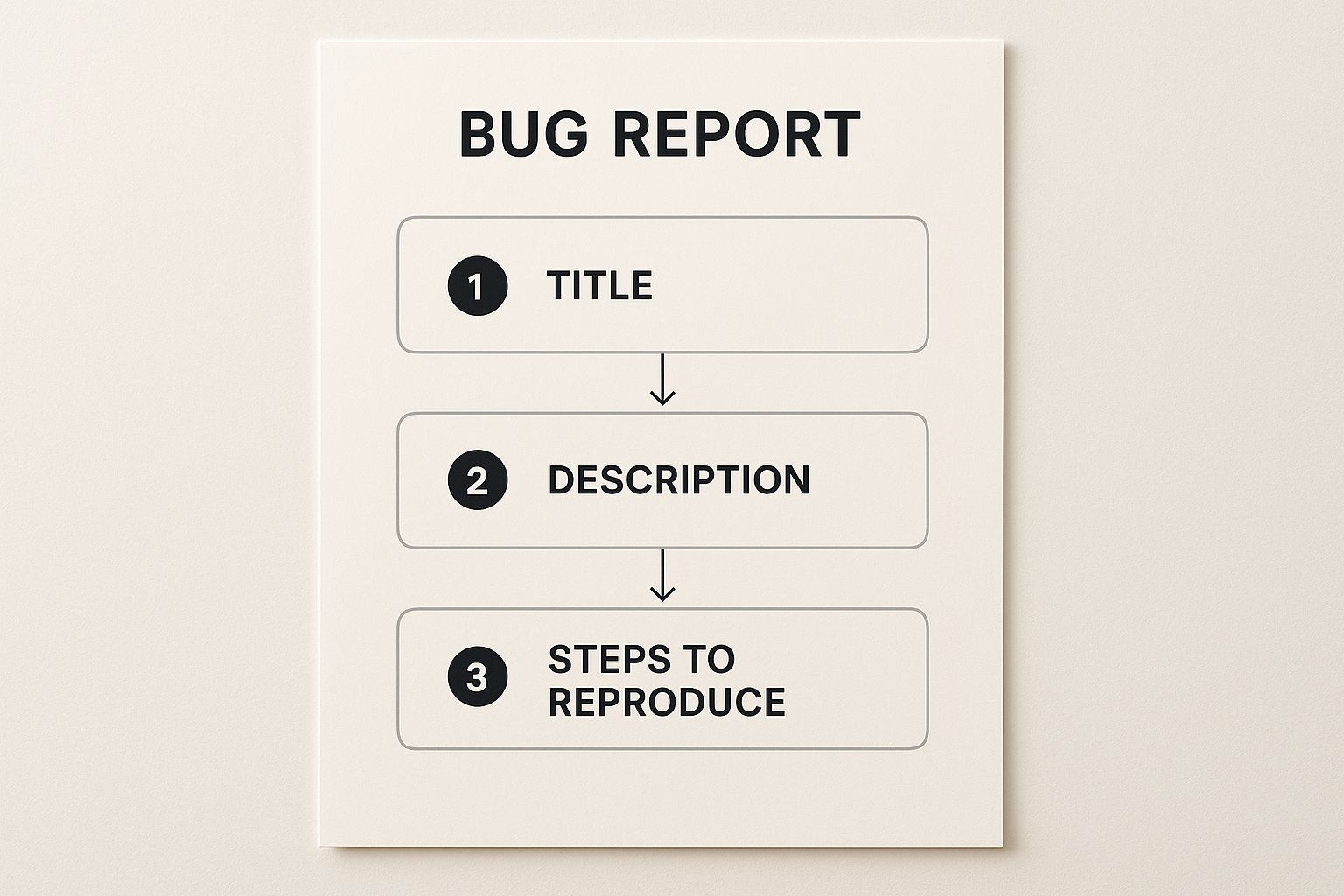
As you can see, the flow is logical, starting with a descriptive title and getting right into the steps to make the bug happen again.
A More Comprehensive Template
Sometimes, a bug is tricky or tied to a bigger, more complex part of your project. For those situations, a more detailed format is your best friend. This expanded version builds on the basics by adding a few extra fields that provide crucial context and make tracking easier down the road.
When you need a bit more firepower, try adding these to your report:
- Linked Issues: This is huge for context. By linking the bug back to the original feature story or epic, you immediately show where it came from.
- Component/Module: Is this a "User Authentication" problem or a "Payment Gateway" issue? Specifying the affected part of the app helps the report land on the right developer’s desk instantly.
- Labels/Tags: Use simple, flexible tags like
UI,backend, orcustomer-reported. This makes sorting, filtering, and prioritizing a breeze in your project management tool.
The point isn't to create more paperwork. It’s about adding just enough detail to cut down on the frustrating back-and-forth between QA and development. A single, well-chosen field can save a developer hours of guesswork.
To help you get started, here's a quick breakdown of the core fields you’ll find in most effective bug report templates. These are the building blocks for creating a clear, actionable ticket that developers will appreciate.
Sample Bug Report Template Fields
| Field Name | Purpose | Example |
|---|---|---|
| Title | A short, clear summary of the bug. | "User cannot save profile changes after editing email" |
| Description | A brief overview of the problem and its impact. | "When a user tries to update their email address in their profile settings, the changes do not persist after clicking 'Save.' The old email address remains." |
| Steps to Reproduce | Numbered, step-by-step instructions to trigger the bug. | "1. Navigate to Profile Settings. 2. Edit the email field. 3. Click 'Save Changes'." |
| Expected Result | What should have happened if the bug wasn't there. | "A success message should appear, and the new email address should be saved to the user's profile." |
| Actual Result | What actually happened. | "The page reloads, but the email address field reverts to the original value. No error message is shown." |
| Environment | The specific browser, OS, and device where the bug occurred. | "Chrome 125.0 on Windows 11, Desktop" |
| Priority | How urgently the bug needs to be fixed. | "High" |
| Attachments | Screenshots, videos, or logs that show the bug in action. | "screen-recording-profile-save-fail.mp4" |
This table covers the essentials. By filling out these fields consistently, you create a complete picture of the problem, making the handoff to the development team smooth and efficient.
This approach ensures even the most tangled issues are documented clearly right from the start. If you're looking for more ideas and variations, you can find a ton of helpful info in our detailed guide on the perfect bug reporting format. You’ll quickly find a rhythm and a template that works best for your team's specific workflow.
Show, Don't Just Tell: Adding Visuals and Logs
A developer once told me, "A picture is worth a thousand words, but a screen recording is worth a thousand support tickets." He wasn't wrong. The absolute best way to get a bug fixed quickly is to show the developer exactly what happened.
A quick screenshot can often do the trick. But don't just dump the raw image into the ticket. Take an extra 10 seconds to circle or point an arrow at the problem area. This tiny effort saves the developer from hunting around and gets them focused on the real issue right away.
When a Picture Isn’t Enough
What about bugs that only appear after a series of clicks? For those tricky, multi-step problems, a screen recording is your best friend. It’s the perfect way to demonstrate a complex user journey that triggers the bug, eliminating any guesswork in your "Steps to Reproduce."
Providing clear visual evidence isn't just helpful; it can cut the debugging time in half. Developers can see the bug in action, which often gives them the 'aha!' moment needed to find the root cause.
Another goldmine of information is the console log. You can grab this from your browser's developer tools. These logs often contain explicit error messages that can pinpoint the exact line of code that broke, which can turn a head-scratcher of a bug into a five-minute fix.
This focus on evidence is becoming more and more standard. With so many teams working in the cloud, bug reports are getting plugged directly into development tools, making the whole process more transparent. It helps everyone track how often bugs pop up and how fast they're getting squashed. You can read more about these trends in the global software bug tracking tool market report to see where the industry is heading.
When you attach these three things—annotated screenshots, screen recordings, and console logs—your bug report transforms from a simple description into a complete, actionable case file that developers will love.
Common Reporting Mistakes That Frustrate Developers

Knowing what to include in a bug report is half the battle. Knowing what to avoid is just as important. A bad bug report can be worse than no report at all, causing confusion and burning through precious development time. Think of this as a quick sanity check before you hit "submit."
One of the biggest mistakes I see is a vague or emotional title. A ticket simply titled "Checkout is Broken" is an instant headache for any developer. Be specific. Be objective.
- Vague: "User profile is bugged."
- Specific: "User cannot save profile changes after editing email address."
That small tweak changes everything. It turns a vague complaint into a clear, actionable starting point. The developer immediately knows where to begin their investigation.
Keeping It Focused and Factual
Another common pitfall is cramming multiple, unrelated bugs into one ticket. I get it, it's tempting to just list everything you found in one go. But this creates chaos. A developer might fix one issue and completely miss the others, kicking off a messy cycle of back-and-forth communication.
Stick to the one bug, one ticket rule. It’s a lifesaver. This ensures every problem can be tracked, assigned, and closed out cleanly.
It's also crucial to avoid making assumptions about why the bug is happening. Your role is to report what you see, not to play detective and guess the root cause.
- Assumption: "The database is timing out, causing the save button to fail."
- Observation: "After clicking 'Save,' the page hangs for 30 seconds and then shows an error."
Sticking to the facts keeps the report clean and objective. When you sidestep these common mistakes and use a consistent sample bug report format, every ticket you file will be focused, clear, and primed for a fast fix. That little bit of extra effort makes a world of difference for the entire development process.
A Few Common Questions About Bug Reports
Even with the best template in hand, a few questions always pop up when teams start dialing in their bug-reporting process. Let's walk through some of the most common ones I hear.
What's the Single Most Important Part of a Bug Report?
I get asked this all the time. Hands down, it's the Steps to Reproduce.
Think about it: all the other details are just context. The summary, the environment, the screenshots—they're all helpful. But if a developer can't follow your steps and see the bug happen with their own eyes, the report is pretty much a dead end.
How Do You Decide Between Priority and Severity?
This one trips up a lot of people, but the distinction is actually pretty simple. It's all about separating the technical impact from the business impact.
- Severity is about how badly the bug breaks the software. A full system crash? That’s high severity.
- Priority is about how urgently it needs to be fixed for the business. A typo in the company name on the homepage is technically a low-severity issue, but you can bet it's a high-priority fix.
Getting this right helps everyone make smarter decisions about what gets fixed first. If you want to see more examples of how this plays out in practice, checking out different bug report templates can give your team a clearer picture.
When in doubt, report it. It’s always better to share something that turns out to be nothing than to let a real issue slip by.
What if I'm Not Sure It's a Bug?
Report it anyway. Seriously. What looks like a small quirk to you could be the tip of a much larger iceberg. Just mention in the report that the behavior seems unexpected or isn't what you anticipated.
This gives the development team the chance to investigate and make the final call. You're not expected to be the expert on the code; you're the expert on the user experience. Your feedback is crucial for keeping the product solid.
Ready to make your bug reports clearer and more actionable than ever? Screendesk replaces endless text descriptions with simple, powerful video recordings. See how Screendesk can cut your bug resolution time in half.
