


Forget the dusty old training manuals. For modern support teams, high-quality customer service training videos aren't just a nice-to-have; they're an absolute necessity for creating engaging and memorable learning. Videos make abstract concepts like empathy feel real and show practical skills in a way text just can't match.
Why Video Training Is a Game Changer for Support Teams
Let's be real—traditional training methods often miss the mark. Reading a script on how to handle an angry customer is one thing, but seeing it play out in a realistic scenario is a completely different ballgame. Video has become the go-to tool because it closes that gap between theory and practice, making learning feel much more natural and effective.
This is especially true for customer service, where soft skills are just as important as knowing your product inside and out. You can't really teach empathy or active listening from a PDF. A well-made video, on the other hand, can model these behaviors perfectly, showing agents the subtle cues in tone and language that can de-escalate a tense situation and build real rapport.
Boosting Knowledge and Confidence
It's just common sense: we remember things better when we see and hear them. In fact, studies have shown that video-based learning can improve information retention by up to 65% compared to text alone. That’s a massive advantage when you’re training someone on complex software or a tricky new process.
This jump in retention has a direct impact on an agent's confidence. When your team can watch and re-watch a clear demonstration of how to do something, they feel far more prepared to tackle it in the real world. That confidence leads to a more capable and resilient team.
A well-trained team is a confident team. When agents know exactly how to handle tough situations because they’ve seen it done correctly, they deliver better service and experience less job-related stress.
Creating a Scalable and Consistent Training Resource
Once you’ve made a great training video, it becomes a powerful asset you can use over and over again. It guarantees that every single team member, whether they're a brand-new hire or a seasoned pro, gets the exact same high-quality instruction. This consistency is everything when it comes to upholding your brand's standards and delivering a great customer experience every time.
Think about the long-term benefits:
- On-Demand Learning: Agents can pull up a video whenever they need a quick refresher, empowering them to find answers on their own.
- Efficient Onboarding: New hires can get up to speed so much faster with a library of foundational videos that cover your core tools and procedures.
- Targeted Skill Development: You can create specific videos to tackle common problems or introduce new product features, making sure the team is always in the loop.
To get the most out of your videos, you’ll want to weave them into a broader strategy built on staff training best practices. This helps ensure your video content is part of a cohesive plan for building a team that truly excels in every customer interaction.
Building Your Video Content Blueprint
Great customer service training videos don't just magically appear. They’re built on a solid plan. Before you even think about hitting the record button, you need a clear blueprint that maps out what you want to achieve, who you're talking to, and how you’ll get your point across. Without this groundwork, you'll end up with content that’s fuzzy, boring, and, frankly, a waste of everyone's time.
The best place to start is by figuring out where your team is struggling. Are your agents getting tripped up by a new software feature? Do your CSAT scores take a nosedive whenever a billing question comes up? Dig into your helpdesk data, talk to your agents, and look at performance reviews to find these weak spots. This isn't about guesswork; it's about letting the data show you where your videos can make the biggest impact.
Once you know what you need to teach, you can lock down the why for each video. Every single video you create should have one clear, simple goal.
Define Clear Learning Objectives
A good learning objective is something you can actually measure. It answers the question, "What will my team member be able to do after watching this?" Fuzzy goals like "be more empathetic" are impossible to track. You need to get specific.
For example, instead of a video vaguely titled "Handling Refunds," frame the objective like this: "After watching, an agent can process a standard refund in under three minutes using the internal dashboard." See the difference? That level of clarity will guide everything you do, from writing the script to the final edit.
This is all about getting your team ready for those real-world customer interactions.
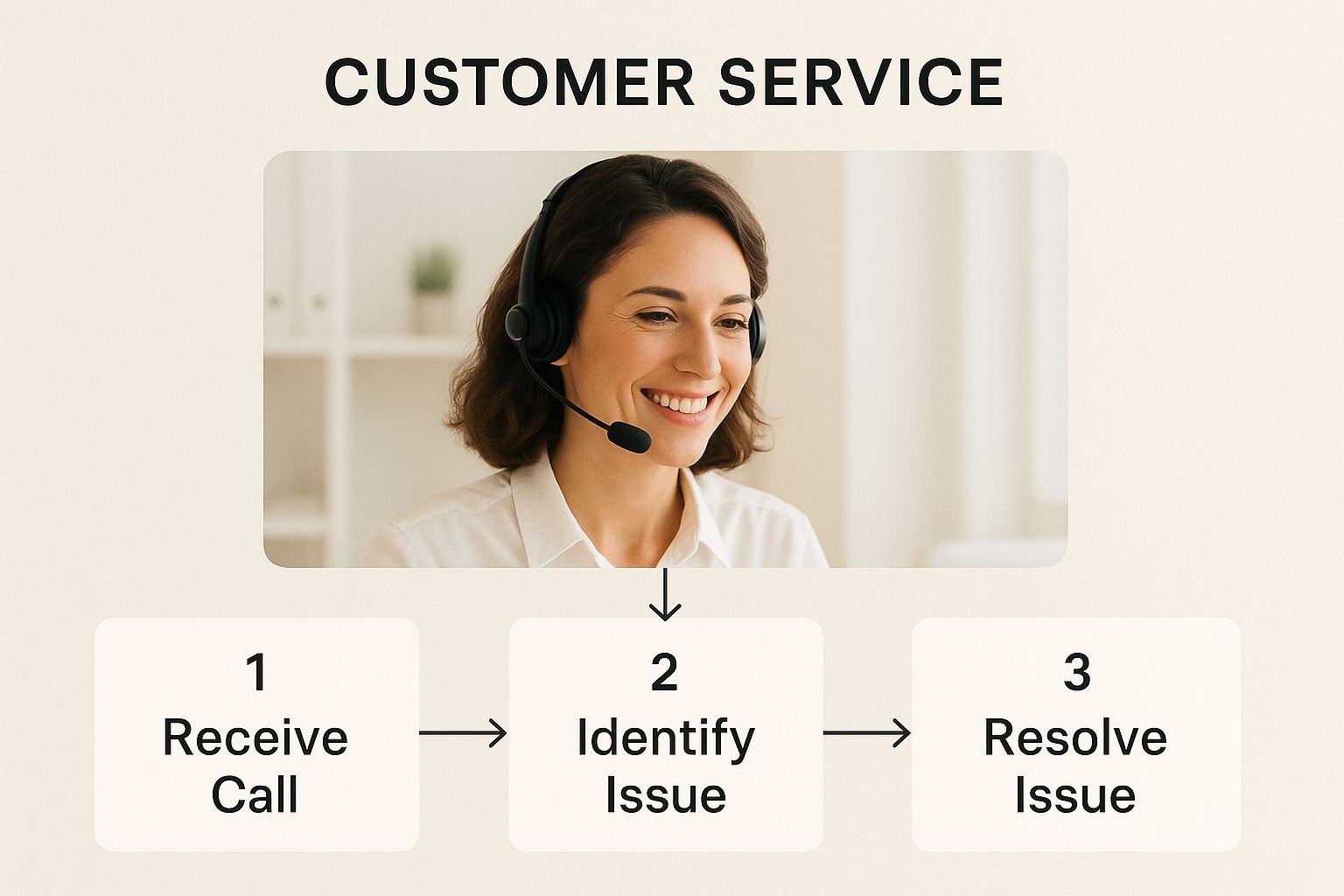
As you can see, a well-trained agent is a confident agent. That confidence, built on solid training, is what turns a potentially tricky support call into a great experience for the customer.
Scripting for a Natural Conversation
Your script is the heart and soul of the video. The last thing you want is to sound like a corporate robot reading from a manual. The goal is to sound like a knowledgeable coworker who’s happy to help. Keep the language simple and ditch the jargon.
My best advice? Read your script out loud while you're writing it. If it sounds clunky or unnatural to your own ears, it’s time for a rewrite. It needs to flow. Remember, a real person has to listen to this, so make it engaging and easy to digest.
Pro Tip: Don't just script the words; script the actions. I always add little cues in my scripts like, "[Click the 'Customer Profile' button]" or "[Highlight the discount field here]." It makes the recording process a thousand times smoother.
Choose the Right Video Format
Different training topics call for different types of videos. Picking the right format is key to making sure the information actually sticks.
Here are a few formats that have worked wonders for teams I've trained:
- Software Walkthroughs: These are perfect for teaching processes. A simple screen recording with a clear voiceover is the best way to show agents exactly where to click and what to type.
- Role-Playing Scenarios: You can't teach soft skills from a textbook. Having two team members act out a tough conversation—like calming down an angry customer—provides a fantastic, reusable example of what good looks like.
- Quick Tip Videos: Think short and sweet. These are bite-sized videos, usually under 90 seconds, that tackle one specific, common question. They're lifesavers for agents who need a quick answer in the middle of a call.
For a more detailed look at the entire creation process, check out our guide on how to create training videos your team will genuinely want to watch. With a solid plan in place, you’re ready to bring your ideas to life.
Bringing Your Training Videos to Life with Screendesk
With a solid plan in your back pocket, it’s time for the fun part: production. This is where you trade your outlines and scripts for a polished, professional training video on customer service. The best part? You don't need a massive budget or a full-on film crew to create something truly effective.
A tool like Screendesk puts everything you need right on your desktop. The real magic happens when you blend three key elements: a clean screen recording, your own friendly face on webcam, and crystal-clear audio. This trio doesn't just show a process; it helps you connect with your team on a human level, making the training stick.
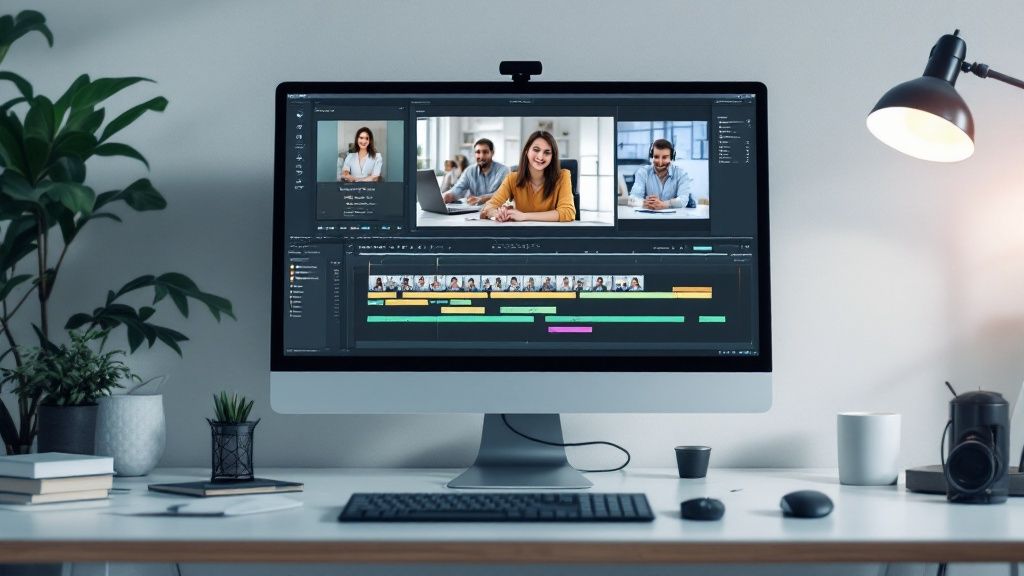
As you can see, the interface is straightforward. You can record your screen and yourself at the same time, which is a game-changer for creating engaging training. Capturing the technical steps alongside your personal explanation in one go saves an incredible amount of time.
Setting the Stage for a Great Recording
A few minutes of prep can make a world of difference. Before you even think about hitting that record button, find a quiet spot where you won't be interrupted. Nothing kills a video's momentum faster than a barking dog or a surprise visitor. A small office or even a quiet corner at home is all you really need.
And let’s talk audio—it's non-negotiable. People will forgive a slightly fuzzy video, but they’ll click away in a heartbeat if the sound is muffled or full of static. A simple USB microphone is probably the single best investment you can make. It’s a small cost for a huge leap in quality.
Don't underestimate the power of a clean background. A simple, uncluttered wall or a subtle virtual background keeps the focus where it should be: on you and the content you're presenting.
A Practical Example: Processing a Refund
Let's walk through creating a video for a super common task: teaching a new agent how to process a customer refund.
- Fire up Screendesk: Open the app and choose to record both your screen and your webcam. I like to tuck the webcam bubble into a corner where it won’t cover up any important buttons or fields.
- Kick it off with a clear intro: Start with a friendly opening. Something like, "Hey team, in this quick video, I'm going to walk you through the step-by-step process for issuing a refund in our payment portal."
- Show and tell: Navigate through your software, explaining each action as you go. Use Screendesk’s annotation tools to circle the "Refund" button or highlight the order number field. These little visual cues are surprisingly powerful.
- Share your expert tips: This is where you go beyond the manual. As you demonstrate, drop in some real-world advice. For example, "Always double-check the refund amount right here before you hit confirm. I've seen that trip people up before." That's the stuff that makes your training invaluable.
- Wrap it up cleanly: End with a quick recap and a clear next step. "And that's it! Now you know how to process a refund. If you run into any trouble, just drop a message in the training channel."
This simple workflow takes the mystery out of video production and lets you create incredibly useful training right from your desk. If you want to dive deeper, exploring the art of crafting video tutorials can give you even more ideas to keep your team hooked.
Features That Make Training Videos Work
Choosing the right features is key to building effective training. You need tools that not only demonstrate a process but also keep your team engaged and help them retain information.
Essential Features for Customer Service Training Videos
| Training Need | Essential Video Feature | How Screendesk Helps |
|---|---|---|
| Show, Don't Just Tell | Screen Recording | Capture every click and keystroke in high-definition to leave no room for confusion. |
| Build Personal Connection | Webcam Recording | Putting a face to the voice makes training more engaging and relatable. |
| Highlight Key Information | Annotation Tools (e.g., highlighting, drawing) | Draw attention to specific buttons, fields, or steps in real-time. |
| Reinforce Important Steps | On-Screen Text/Captions | Add text overlays to summarize key points or provide extra context. |
| Ensure Clarity & Accessibility | High-Quality Audio | The built-in recording and editing tools ensure your narration is crisp and clear. |
| Save Time on Retakes | Simple Editing (e.g., trimming) | Quickly trim out mistakes or dead air without needing complex software. |
Ultimately, these features work together to create a learning experience that’s clear, personal, and easy to follow, which is exactly what you want for your customer service team.
Why Quality Matters More Than You Think
Creating sharp, easy-to-follow videos isn't just about looking good—it’s about building trust and making sure the learning sticks. Think about it: research shows that 91% of consumers say video quality has a big impact on their trust in a brand. That same feeling applies to your internal team.
When your training materials look professional, your team takes the information more seriously. A high-quality video sends a clear message: you value their time and their development. That, in turn, boosts engagement and helps everyone remember what they’ve learned. Our complete guide has even more tips for perfecting your https://blog.screendesk.io/customer-service-video-training/ strategy.
Essential Scenarios for Your Training Videos
While software tutorials are a great starting point, the most impactful customer service training videos are the ones that tackle the messy, human side of the job. Your agents’ toughest moments usually aren't about following a simple process; they’re about navigating raw emotions and high-stakes conversations.
By building a library of these real-world scenarios, you're giving your team a playbook they can turn to again and again. It's about showing them not just what to do, but how to do it with empathy and confidence. The idea is to build their situational awareness, so they can learn from realistic examples before they're live with a customer.
De-escalating a Frustrated Customer
This is probably the single most important skill for any support agent to master. A well-made video can show the subtle shifts in tone and language that can turn a heated confrontation into a successful resolution. It's one thing to read about empathy in a manual, but it's another thing entirely to see it in action.
Your video should walk through a complete interaction, from the customer's initial burst of anger all the way to a calm, satisfying solution.
- A good example: Picture a scenario where an agent gets a call from someone whose delivery is late and damaged. The video should show the agent using active listening to validate the customer's feelings, avoiding defensive replies, and calmly guiding them toward a fix.
- What to highlight: Zero in on the agent's ability to maintain a calm, reassuring tone, even when the customer is raising their voice. Emphasize phrases like, "I can absolutely understand why you're upset about this," and, "Let's figure out how we can make this right for you."
The difference between a good agent and a great one often comes down to how they handle pressure. A video that models de-escalation is priceless because it shows your team exactly what 'right' looks like when things go wrong.
Gracefully Declining a Feature Request
Your team is on the front lines, so they're bound to get great ideas from customers for features that just aren't on the product roadmap. How they navigate this conversation can either build a stronger relationship or leave a customer feeling ignored. This video needs to teach agents how to say "no" without making the customer feel dismissed.
A great video here will show the agent genuinely thanking the customer for their suggestion before explaining why it can't be implemented right now.
The goal is to deliver a constructive "no" that keeps the customer on your side. When handled well, even a denied feature request can end up making a customer feel more connected to your brand.
Delivering Bad News with Empathy
Nobody likes being the bearer of bad news. Telling a customer about a price hike, a service outage, or a discontinued feature requires a careful balance of being direct and being compassionate. A video covering this topic acts as a guide for these unavoidable, tough conversations.
- A good example: Imagine an agent has to tell a loyal, long-time customer that their old software plan is being retired. The video can show the agent starting the call by acknowledging their history with the company, delivering the news clearly, and then immediately pivoting to the new options and their benefits.
- What to highlight: The focus here should be on empathy and proactive problem-solving. Show the agent saying something like, "I know this isn't the news you wanted to hear, and I'm here to personally make sure this transition is as smooth as possible for you."
By filming these core scenarios, you're building more than just a training library—you're creating an on-demand resource that prepares your team for the real, unpredictable world of customer support.
Getting Your Training Videos Seen and Proving They Work
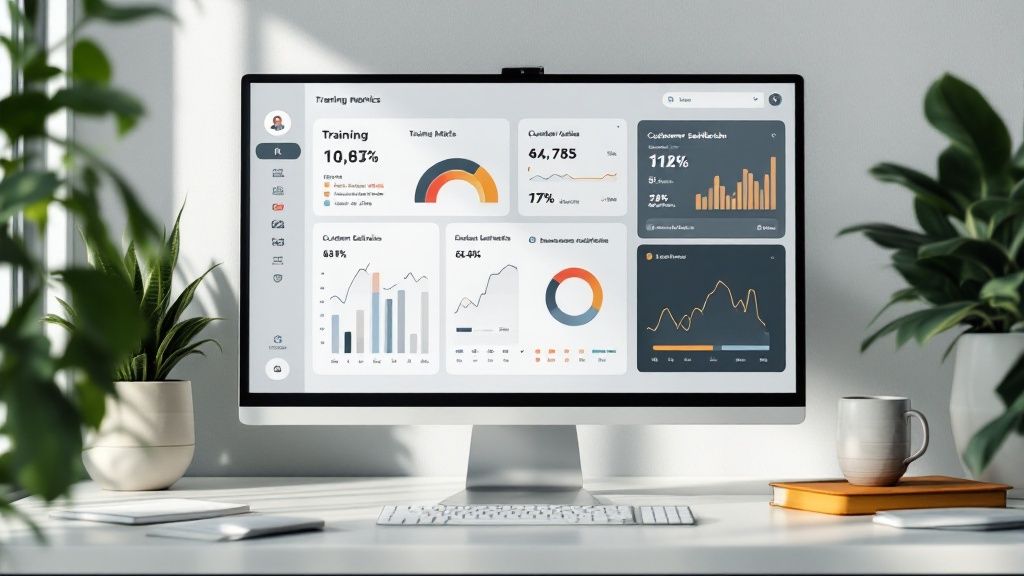
You’ve created a fantastic training video on customer service—that's a huge win! But let's be honest, a great video no one watches has zero impact. The real value comes when your team sees it, absorbs the information, and starts applying it. This final piece of the puzzle is all about smart distribution and backing it up with solid data.
Simply emailing a link out to the whole company and hoping for the best just won’t cut it. To make your training stick, you need to weave it into your team's daily life. The goal is to make the videos available right at the moment your agents need them the most.
Think about a multi-channel approach to get the videos in front of your team:
- Internal Knowledge Base: Don't just link to the videos; embed them. If you have a guide on your "Refund Process," the tutorial video should be sitting right at the top of that page.
- Dedicated Comms Channel: A specific Slack or Teams channel just for training updates is a great way to share new videos and get instant feedback from the team.
- Onboarding Checklists: Make your foundational videos a non-negotiable part of the onboarding checklist for every new hire. This ensures everyone starts with the same solid base.
Proving Value Beyond View Counts
Measuring the success of your training is about so much more than how many people clicked play. You need to connect the dots between your videos and tangible business results. This is how you move from just being a content creator to running a data-driven training program that shows a clear return on investment.
It's one thing to share the content, but it's another to understand how to measure training effectiveness. This knowledge helps you justify the effort and continuously improve.
Don't get hung up on vanity metrics. A video with 100 views that leads to a 5% increase in First Contact Resolution is infinitely more valuable than a video with 1,000 views that changes nothing.
Key Metrics That Actually Matter
To get a real picture of your program's success, you need to track metrics that reflect agent behavior and customer happiness. A good practice is to benchmark these numbers before you launch a new video series, then track them again afterward to see what's changed.
- First-Contact Resolution (FCR): After watching the videos, are agents solving more customer problems on the very first try? This is a huge indicator of effectiveness.
- Agent Confidence Surveys: Just ask them! A simple poll asking, "How confident do you feel handling X situation?" can tell you a lot about the video's impact.
- CSAT Scores by Topic: Dive into your customer satisfaction scores. Are you seeing an uptick in scores on tickets related to the specific topics you covered in your training?
The global investment in employee training isn't just for show—it's because it works. With the worldwide workplace training market hitting a staggering $401 billion, it's obvious that companies see the value. Organizations with robust training programs report 218% higher income per employee and are far more productive.
This kind of data-driven approach doesn't just justify your training efforts; it also gives you a clear roadmap for what kind of content you need to create next.
Frequently Asked Questions
When you start planning your customer service training videos, you'll inevitably run into a few common questions. Getting these sorted out early on helps you build a solid plan, making sure the videos you create actually make a difference for your team and your customers.
Here are a few of the most frequent questions we get, along with some practical advice.
How Long Should a Customer Service Training Video Be?
Honestly? Shorter is almost always better. The goal here is "micro-learning"—one core idea per video. This respects your team's time and, more importantly, makes the information stick.
For straightforward, process-focused tasks like "how to process a return" or "updating an account," keep it tight. Aim for 2-5 minutes. These become perfect little refreshers an agent can pull up in the middle of a busy day. When you're tackling more nuanced soft skills, like de-escalation techniques, you can stretch it a bit. A 7-10 minute video gives you enough room to add context and detail without losing people's attention.
The golden rule I always follow is this: one main learning objective per video. If you try to teach three things at once, your team will probably remember none of them. Keep it focused.
What Equipment Do I Really Need to Start?
You can get started with a lot less than you might think. A huge budget for fancy gear isn't what makes a video effective. Your most critical investment? Clear audio.
- A good USB microphone is non-negotiable. I can't stress this enough. People will forgive grainy video, but they won't tolerate muffled, crackly audio. Clear sound makes your videos feel professional, even if the visuals are simple.
- A reliable screen recording tool is essential. This is where a tool like Screendesk comes in. It handles everything you need—capturing your screen, your webcam feed, and your audio all in one place.
- Your computer's built-in webcam is often enough. Seriously. For internal training, a standard webcam is all you need to put a friendly face to the voice and build a connection.
How Do I Get My Team to Actually Watch the Videos?
This is the million-dollar question, isn't it? The secret is to weave your videos directly into your team's daily workflow. Don't just email a link and cross your fingers.
Embed the videos right where your team works. Make them easily searchable in your internal knowledge base so an agent can find an answer in seconds. They should be a core part of your onboarding checklist for new hires and a regular feature in ongoing training modules.
Here's a pro tip: get your star performers involved in making them. When a top agent helps create a video, they become an instant champion for it, encouraging their peers to watch and learn.
Ready to create high-impact training videos that your team will love? With Screendesk, you can record, edit, and share professional-quality customer service videos in minutes. Start building a more confident and capable support team today.
