


A vague bug report is a one-way ticket to a frustrating back-and-forth between QA and developers. It's a time sink that can throw an entire sprint off track. A solid software bug report template changes all that, turning a confusing problem into a clear, actionable task. This isn't just about ticking boxes; it’s about building a smarter, more efficient team.
Why Better Bug Reports Mean Faster Fixes
Let's be real—nothing grinds a development cycle to a halt faster than a bad bug report. It kicks off a chain of questions, Slack messages, and emails that are completely avoidable. The developer is stuck playing detective, the tester gets frustrated, and a simple fix drags on for days instead of minutes.
This is where a standardized bug report template becomes your most valuable communication tool.
By setting up a consistent format, you make sure every crucial detail is there from the very beginning. This one simple change cuts through the noise and gives developers everything they need to jump on the problem right away.
From Vague Guesses to Crystal Clear Steps
Think about a ticket that just says, "The login button is broken." A developer is immediately forced to ask a dozen questions:
- Which browser was this on?
- What exactly did you do to make it happen?
- What was supposed to happen? What actually happened?
- Did you see an error message?
Now, picture a report built from a template. The developer opens it and instantly sees the OS, the browser version, a numbered list of steps to reproduce the bug, and a screenshot of the error. The mystery is gone. It's now a puzzle with all the pieces right there on the table.
I once saw a project completely stalled until we added a mandatory "Environment" field to our bug reports. It turned out a critical bug was only happening on a very specific version of a mobile OS—something we never would have caught otherwise.
The difference between a five-minute fix and a five-day ordeal often boils down to the quality of that first bug report. Consistency is what gets you there.
The Real-World Impact on Your Team's Speed
This isn't just about keeping developers happy; it has a real, measurable effect on how fast you can move. Industry data shows that teams using well-integrated bug report templates can cut their average fix time by up to 30%. That’s a massive improvement, and it comes directly from clear communication. You can find more great insights into bug tracking efficiency on monday.com.
Ultimately, a great bug report template is a commitment to working smarter. It smooths out the friction, frees up precious development hours, and helps your team ship better software, faster. It’s a small tweak that delivers huge results.
What Makes a Bug Report Actually Useful?
A good bug report isn't just a list of complaints; it's a treasure map that leads a developer straight to the problem. I've seen firsthand how a well-written report can mean the difference between a fix that takes ten minutes and one that drags on for days, bouncing back and forth with endless questions.
Think of your bug report template as the developer's cheat sheet. It gives them everything they need, right when they need it.
This breakdown shows how all the pieces of a great bug report fit together to create a clear, actionable ticket for your engineering team.
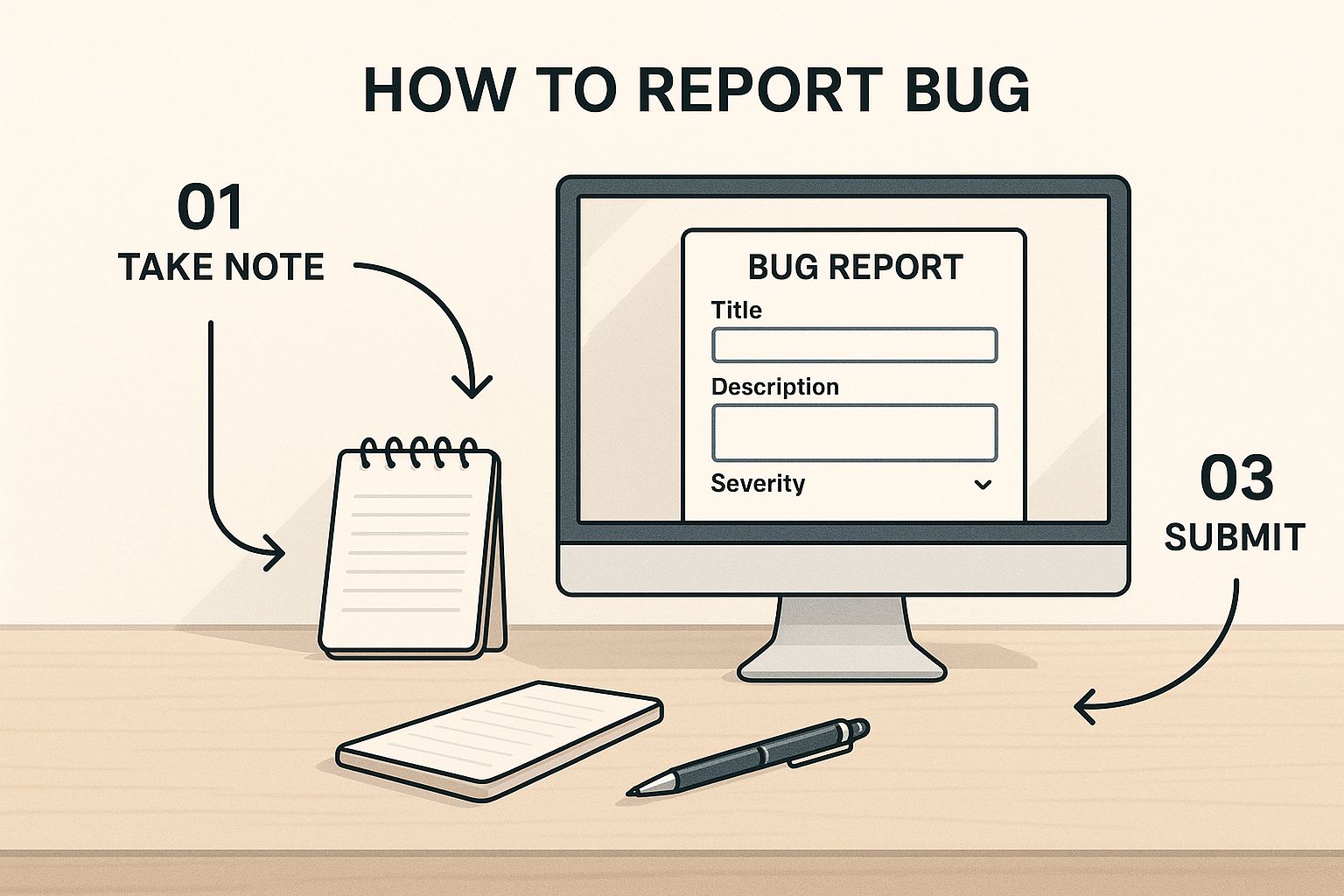
As you can see, the flow is logical. It starts broad and then drills down into the nitty-gritty details, ensuring nothing important gets lost in translation.
Let's break down the fields that are absolutely essential for any bug report template you create. These are the components that will take your reports from "vague complaint" to "actionable task."
Table: Essential Fields for Your Software Bug Report Template
| Field Name | Purpose & Key Information |
|---|---|
| Bug ID | A unique identifier (e.g., BUG-1234) to track the issue from discovery to resolution. It's the primary reference point in all conversations. |
| Title | A short, descriptive headline that summarizes the problem. For example, instead of "Login fails," use "[Login Page] – User receives 'Invalid Credentials' error with correct email/password." |
| Summary | A one- or two-sentence overview. This gives anyone glancing at the report a quick understanding of the issue's scope and impact. |
| Steps to Reproduce | A clear, numbered list of the exact actions a developer needs to take to see the bug for themselves. Be painstakingly specific! |
| Expected Result | Briefly describe what should have happened if the bug didn't exist. This sets a clear benchmark for what "fixed" looks like. |
| Actual Result | Describe what actually happened. This contrast with the "Expected Result" immediately highlights the problem. |
| Environment | The technical context. Include the OS (e.g., Windows 11), Browser (e.g., Chrome 125.0), and device (e.g., Desktop, iPhone 15). |
| Severity/Priority | An assessment of the bug's impact. Is it a critical blocker (P1) that stops all users, or a minor cosmetic issue (P4)? |
| Visual Attachments | The proof. Screenshots, screen recordings, or GIFs are crucial for showing, not just telling. |
| Console Logs | For web-based bugs, these logs from the browser's developer tools can contain error messages that point directly to the cause. |
These fields form the backbone of a report that a developer can actually use. Without them, you're just creating more work and confusion.
How to Tell the Story of a Bug
The real heart of any bug report is explaining how to make it happen again. If a developer can’t reproduce the bug, they can't fix it. It's that simple. Precision here is everything.
You need to lay out the breadcrumbs for them to follow:
- Steps to Reproduce: Write this as if you're guiding someone who has never seen the feature before. "1. Go to the dashboard. 2. Click the 'Export' button. 3. Select 'CSV' from the dropdown…"
- Expected vs. Actual Results: This is a classic for a reason. The contrast is powerful. "I expected a CSV file to download. Instead, I got a 404 error page." There’s zero ambiguity.
- Environment Details: Bugs love to hide in specific environments. Was it on your phone or your laptop? What browser were you using? Details like macOS Sonoma 14.1 or Chrome 125.0 can be the key to cracking the case.
The ultimate goal is to remove all guesswork. You want the developer to see the problem through your eyes, with the exact same context you had.
Don't Just Tell—Show
Words can be tricky and easily misinterpreted. Visuals, on the other hand, are hard to argue with. Attaching proof isn't a "nice-to-have"; it's a fundamental part of a solid bug report.
Screenshots and screen recordings are the gold standard here. I can't tell you how many times a quick video has cleared up a complex issue in seconds. It’s often the fastest way to get your point across.
For more technical issues, console logs are a developer's best friend. They can reveal hidden errors happening behind the scenes. Providing these assets turns your report from a subjective claim into a documented, verifiable fact.
If you want to dive even deeper, our guide on how to write good bug reports has even more tips that developers will thank you for.
How to Write Reports Developers Will Actually Understand
Having a great bug report template is half the battle. The other half? Filling it out in a way that makes sense to a developer. The quality of your report can be the difference between a quick fix and a ticket that languishes in the backlog, creating a frustrating back-and-forth between QA and engineering.

The trick is to remember there's a human on the other end of that ticket. Your goal is to write with clarity and empathy, providing an objective account of the problem without pointing fingers.
Keep Your Language Objective and Neutral
The tone you use can either build a bridge or a wall. If your report sounds accusatory or emotional, you'll immediately put the developer on the defensive, which kills any chance of quick, collaborative problem-solving.
Just stick to the facts. Describe what happened, plain and simple.
For example, which of these sounds more helpful?
- Bad (Accusatory): "The checkout flow is completely broken. The button you coded doesn't work, so now no one can buy anything. This is a huge mistake."
- Good (Objective): "When the 'Complete Purchase' button is clicked in the checkout flow, the page becomes unresponsive. The expected behavior is for the user to proceed to the payment confirmation page."
The second one wins, every time. It describes the problem without emotion, states the action taken, and clarifies the expected outcome. It gives the developer a professional and actionable starting point instead of a reason to get frustrated.
Think of your report as a tool for solving a puzzle together. When you frame a bug as a shared challenge, you create a much healthier and more productive dynamic with your team.
This simple change in perspective can do wonders for team morale and how quickly bugs get squashed.
Get Specific and Quantify Everything
Nothing stalls a bug fix faster than a vague description. A developer can’t do anything with a report that says, "the page breaks sometimes." To make your report truly useful, you have to provide concrete details.
Instead of saying a feature is "unreliable," put a number on it. It’s been shown that well-documented bugs, which are almost always highly specific, get fixed 25-40% faster than vague ones. If you want to dive deeper, Jam has a great guide on how to write an effective bug report.
Let's look at how specificity transforms a useless report into an actionable one:
- Vague: "The image gallery is slow to load."
- Specific: "The image gallery takes 12-15 seconds to load on a standard WiFi connection when there are more than 20 images."
And another one:
- Vague: "Clicking the save button doesn't always work."
- Specific: "The 'Save Changes' button fails to commit updates in about 8 out of 10 attempts. I was able to reproduce this 5 times in a row."
Adding those hard numbers turns a fuzzy complaint into a verifiable, testable problem. You're not just telling the developer something is broken; you're giving them a clear target to hit, which removes all the guesswork.
Seeing Great Bug Reports in Action
Theory can only take you so far. To really understand what makes a bug report effective, you need to see how a solid template gets filled out in the real world. The template is your blueprint, but the details you provide are what make it truly actionable for a developer.
Let's break down a couple of examples based on common issues that engineering and QA teams see all the time. These aren't just abstract concepts; they show how specific, clear information can make all the difference.
Example 1: The Frustrating Mobile UI Glitch
We’ve all been there. You're using an app and trying to tap a button, but it's just not quite right. This kind of visual bug can be a huge source of frustration for users and a nightmare for developers to reproduce if they don't have the right info.
Here’s how you’d report it clearly:
- Title: [iOS] – 'Add to Favorites' icon is misaligned and partially obscured on iPhone 14 Pro models.
- Environment: iPhone 14 Pro, iOS 17.5.1, App Version 2.3.1.
- Steps to Reproduce:
- Log into the app.
- Navigate to any product detail screen.
- Look at the heart-shaped 'Add to Favorites' icon in the top-right corner.
- Expected Result: The heart icon should be fully visible and easy to tap, perfectly aligned with the screen's right margin.
- Actual Result: The icon is shifted too far to the right, with about 25% of it cut off by the edge of the screen. This makes it difficult to tap accurately.
- Attachment:
[screenshot_iphone14pro_misaligned_icon.png]
This is a fantastic report because the title immediately narrows the scope. A developer reading this knows to grab an iPhone 14 Pro, saving them from a wild goose chase across different devices.
For more inspiration, we've put together a whole collection of other high-quality bug report examples that you can learn from.
Example 2: The Business-Critical Checkout Bug
When something breaks in the checkout process, it's an all-hands-on-deck situation. These bugs can directly cost the company money, so your report needs to be crystal clear and leave no room for interpretation. The developer has to be able to follow your breadcrumbs perfectly.
When a core function fails, your bug report becomes the single most important document for the business. Every detail you provide helps restore functionality faster, minimizing financial impact and user frustration.
Let's look at a classic e-commerce nightmare:
- Title: [Checkout] – Applying discount code "SAVE20" completely empties the shopping cart.
- Severity: Critical
- Environment: Desktop, Chrome 125.0, Windows 11.
- Steps to Reproduce:
- Add any two items to the shopping cart.
- Proceed to the checkout page.
- Enter "SAVE20" into the discount code field and click "Apply."
- Expected Result: The order total should be updated with a 20% discount, and my items should still be in the cart.
- Actual Result: The page reloads after clicking "Apply," and the cart is suddenly empty. I see the "Your cart is empty" message.
- Attachment:
[screen_recording_cart_clears.gif]
What makes this report so powerful is the screen recording. It’s undeniable proof. It shows the developer the entire sequence of events, eliminating any guesswork. Combining that with the "Critical" severity tag ensures this ticket jumps straight to the top of the priority list.
Weaving Your Template into Your Daily Workflow
A great bug report template is useless if it’s just gathering dust in a shared drive. Its true value comes alive when you embed it directly into the tools your team lives in every day—think Jira, Asana, or ClickUp. This is how a static document becomes a dynamic, powerful part of your process.
When you integrate the template, you're essentially building the engine for your entire QA process. Instead of someone manually copying and pasting fields, you configure it as a custom issue type right inside your project management system. This guarantees that every single bug report is consistent and complete from the second it’s created.

From Static Fields to Automated Actions
Once the template is part of your tool, you can start making it work for you with automation. This is where you really start to see the magic happen. Automation slashes manual work, cuts down on human error, and speeds up the entire bug-squashing lifecycle. The aim is to make reporting a bug almost effortless.
Think about setting up simple rules that trigger actions based on the information in the report. It’s a small change that can have a huge impact on how quickly and efficiently your team responds.
Here are a few automations I’ve seen work wonders:
- Automatic Triage and Assignment: Set up a rule that instantly assigns any bug marked with "Critical" severity to the on-call engineering lead. This way, the most urgent issues get eyes on them immediately, without sitting in a backlog waiting for manual review.
- Component-Based Routing: Use your custom fields to send bugs to the right people. For instance, if a report’s "Component" field is set to "UI/UX," you can have it automatically routed to the frontend team's queue.
- Status Updates: Keep everyone in the loop. Configure notifications to ping the original reporter on Slack or via email when the bug's status changes from "Open" to "In Progress" or "Resolved."
By automating that initial sorting and assignment, you’re freeing up your project managers and QA leads. They can stop playing traffic cop and start focusing on solving the really tough problems. The system handles the logistics, so your people can focus on the fix.
Gaining Clarity with Dashboards
With all your bug reports now flowing neatly into one central system, the final step is to make that data visible. A good dashboard gives everyone, from developers to stakeholders, a clear, real-time snapshot of the bug landscape. You can build out widgets that track key metrics, pulling directly from the fields in your template. For teams looking to bring in outside help, understanding concepts like Quality Assurance as a Service (QaaS) can offer a great framework for building these kinds of efficient systems.
Some must-have dashboard components include:
- Bugs by Priority: A simple pie chart showing the breakdown of bugs by severity.
- New Bugs This Week: A counter to keep an eye on the influx of new reports.
- Bugs by Assignee: A bar graph to help balance workloads across the team.
This level of integration turns your software bug report template from a simple form into a true command center for your team. For more ideas, this guide offers a great https://blog.screendesk.io/template-bug-report/ that dives into additional strategies.
Answering Common Bug Reporting Questions
Even with a killer bug report template, some questions always pop up. Let's face it, bug reporting has its gray areas. Answering these common questions ahead of time can save both your QA and development teams a lot of headaches and keep the whole process running smoothly.
Getting these details ironed out means every ticket is useful right from the get-go.
What’s the Single Most Important Part of a Bug Report?
If I had to pick just one, it would be the "Steps to Reproduce." Hands down. This is the absolute make-or-break section of any bug report.
Think about it: if a developer can't actually see the bug happen on their own screen, their chances of fixing it quickly drop to near zero. Clear steps to reproduce are what separate an actionable ticket from a one-way trip to the "Can't Reproduce" graveyard.
Your goal should be to write a numbered list of actions so simple and clear that someone who has never even seen the feature could follow them and trigger the bug. No guesswork allowed.
How Do You Decide Between Severity and Priority?
Ah, the classic debate. This trips up a lot of teams, but it's actually pretty straightforward once you understand the difference in what they measure.
- Severity is all about the technical impact. How badly does this bug break the system? A bug that corrupts user data is always high severity, even if it’s incredibly rare.
- Priority is about the business impact. How urgently do we need to fix this for our users or our roadmap? A simple typo on the checkout page has low technical severity, but it's a high-priority fix because it can directly impact revenue and trust.
Here’s a good way to think about it: A show-stopping crash (high severity) on an internal admin page used once a quarter might get a low priority. But a tiny, harmless visual glitch (low severity) on the login screen? That's high priority because every single user sees it. This call is usually made between the QA who found it and the product owner who knows the business goals.
Should I Create a Separate Ticket for Every Small Bug?
For the most part, yes. If an issue affects how the software works, even in a small way, it deserves its own ticket. This is just good practice. It makes sure every single problem is tracked, assigned, and has a clear history of how it was fixed. Nothing gets forgotten or swept under the rug.
Now, there are exceptions. Let's say you find a few tiny, related UI issues on the same screen—like three misaligned buttons on the user profile page. You could probably group those into a single "UI Polish" ticket to be efficient.
But when in doubt, just create a new ticket. It's always the safest bet.
Ready to eliminate the back-and-forth and make bug reporting painless? Screendesk lets you capture screen recordings, console logs, and browser metadata with every bug report, giving your developers the full context they need to fix issues faster. Stop describing bugs and start showing them. Learn how you can improve your bug reporting workflow.
