


Ever had a piece of software just… not do what it's supposed to do? That frustrating little hiccup is what we call a software bug.
Think of it like a typo in a recipe. A tiny mistake in the instructions—the code—can lead to a completely different, and often messy, result in the kitchen. These flaws are just a natural, unavoidable part of building complex software.
Decoding the Digital Glitch
So, what is a software bug in simple terms? It’s any time a program behaves in a way its creators didn't intend. This could be a button that does nothing, an app that crashes the moment you open it, or a calculation that's just plain wrong.
Bugs aren't just technical annoyances. They represent the gap between how a program should work and how it actually works in the real world.

The term itself has a fascinating and surprisingly literal origin story. It goes all the way back to 1947, when engineers at Harvard University were wrestling with the massive Mark II computer. When the machine stopped working, they searched for the cause and found a moth trapped inside one of its electromechanical relays.
The team carefully removed the insect and taped it into their logbook with a now-famous note: "First actual case of bug being found." This single event cemented the term "bug" in the tech lexicon and gave us the term "debugging"—the process of finding and squashing these problems.
From Moths to Modern Code
Today’s bugs are a bit more abstract, but they're just as troublesome. They almost always stem from human error made somewhere in the design or coding process. With modern applications containing millions of lines of code, the chances for a mistake to slip in are pretty high.
In fact, some estimates suggest that typical software has between 15 to 50 bugs per 1,000 lines of code. That number can vary wildly depending on the project's complexity and the quality control measures in place. If you're curious about how teams handle this, it's worth reading up on bug tracking in software development.
To put it simply, every piece of software you use—from your phone's operating system to your favorite game—has bugs. The difference between great software and a frustrating mess isn't the absence of bugs; it's a solid process for finding, prioritizing, and fixing them as quickly as possible.
To make this concept crystal clear, here’s a quick breakdown.
Software Bugs at a Glance
| Concept | Simple Explanation | Real-World Analogy |
|---|---|---|
| The Bug | An error in the software's code. | A typo in a recipe's instructions. |
| The Symptom | The unexpected behavior you see (e.g., a crash). | The cake comes out salty instead of sweet. |
| The Cause | The specific mistake the developer made. | Accidentally writing "1 tbsp salt" instead of "1 tbsp sugar." |
| Debugging | The process of finding and fixing the error. | Reviewing the recipe, finding the typo, and correcting it. |
Understanding this fundamental cycle is the first step toward appreciating just how much work goes into building the reliable technology we depend on every day.
A Look at the Most Common Types of Software Bugs
Just like a doctor needs to know the difference between a cold and the flu, software pros have names for different kinds of bugs. Figuring out what type of bug you’re dealing with is the first step to fixing it. They aren't always dramatic, screen-freezing crashes, either. Sometimes, they’re subtle annoyances that just make things feel… off.
Understanding these categories isn't just for the tech-savvy. It helps you turn a vague complaint like "the app is broken" into a much more helpful report, like "the save button isn't working." Let's break down the usual suspects.
Functional Bugs
This is the most common and straightforward type of bug. A functional bug means something is flat-out broken. A feature is supposed to do one thing, but it either does something else or nothing at all.
- Example 1: You click "add to cart" on a shopping site, but your cart stays stubbornly empty. The core function of adding an item has failed.
- Example 2: You try to apply a filter in your photo editing app, but the picture doesn't change. The filter feature isn't doing its job.
These are the bugs that stop you in your tracks. They're usually easy to spot and are often the most frustrating because they prevent you from getting something done.
Performance Bugs
Sometimes, the software technically works, but it's painfully slow, laggy, or eats up your computer's resources. That’s a performance bug. The app does what it's supposed to, but the experience is terrible because it feels sluggish or drains your battery life in minutes.
A classic example is a mobile app that takes ten seconds to open every single time. Or a program that uses so much memory that your entire computer slows to a crawl whenever it's running. Functionality is just one piece of the puzzle.
The big takeaway here is that "working" isn't good enough. If a feature works but is so slow that nobody wants to use it, it might as well be broken. Performance is a feature, not an afterthought.
Usability Bugs
Usability bugs are flaws in the design that make the software confusing or difficult to navigate. Everything might be working perfectly from a technical standpoint, but the layout is so illogical that you can't figure out how to do anything.
Think about a website where the menu is hidden behind a tiny, unlabeled icon, or an error message that just says "Error: -1" with no clue what went wrong. These are design flaws that create friction and can make an otherwise powerful tool feel useless.
Security Vulnerabilities
This is the most serious category. Security vulnerabilities are bugs that an attacker could exploit to do something malicious. These flaws create openings that can lead to stolen data, unauthorized access, or worse. The scary part is they are often completely invisible to the average user.
A common example is a login form that doesn't properly protect your password, leaving it exposed to hackers. Unlike a button that doesn't work, a security flaw can have devastating real-world consequences, from financial loss to a complete breach of trust.
Why Software Bugs Actually Happen
Software bugs don't just materialize out of nowhere. They're almost always a side effect of the very human, and often messy, process of creating software. Understanding where they come from helps explain why even the most expensive, carefully built applications still have them.
At its core, every single bug is an unexpected result that can be traced back to a human decision somewhere along the line.
Think about building a skyscraper. You have an architect with a blueprint, engineers calculating stress loads, and construction crews putting it all together. A tiny miscalculation in that blueprint, a slight misunderstanding between the teams, or one bolt installed incorrectly can cause serious problems down the road. Software development is a lot like that, but its building materials—the lines of code—are completely invisible.
It's this invisibility that makes it so easy for small mistakes to hide in plain sight, only popping up when just the right conditions are met.

The Human Element in Code
The most common cause of a software bug is a simple mistake made while writing code. A developer might accidentally type a + instead of a -, forget to consider a unique user action, or misinterpret a project requirement. It happens.
When you consider that modern apps can have millions of lines of code, the chances of a human error slipping through are incredibly high. These aren't signs of a bad developer; they're just a natural part of a complex and mentally demanding job.
Communication breakdowns also play a massive role. If a designer, a developer, and a project manager each have a slightly different picture of how a feature is supposed to work, the final code is going to reflect that confusion. A tiny gap in understanding can easily become a full-blown functional bug.
Bugs are often symptoms of deeper issues. They can point to unclear requirements, rushed timelines, or inadequate testing, revealing the pressures and complexities behind the scenes of software development.
When Complexity Becomes the Enemy
Modern software isn't built in a neat little box. It has to run on countless different devices, operating systems, and web browsers, and each one has its own quirks. An app that runs perfectly on an iPhone might crash on an Android device because of a tiny difference in its hardware or system software.
This creates a massive web of variables that's simply impossible to test for completely. Here are a few common ways complexity can introduce bugs:
- Changing Requirements: Project goals often shift mid-development. When this happens, developers have to go back and change existing code, which can accidentally introduce new bugs into parts of the app that were working just fine.
- Unforeseen Interactions: A brand-new feature might clash with an old one in a way no one could have predicted. It’s like installing a new appliance that causes a circuit breaker to trip somewhere else in the house.
- Third-Party Tools: Most apps today rely on code libraries and services built by other companies. If one of those external tools has its own bug or gets an update that changes how it works, it can easily break the main application.
Ultimately, the journey from an idea to a working piece of software is paved with opportunities for error. Every bug tells a story—a story about a miscalculation, a miscommunication, or an unexpected interaction within a deeply complex system.
How Bugs Are Found and Fixed
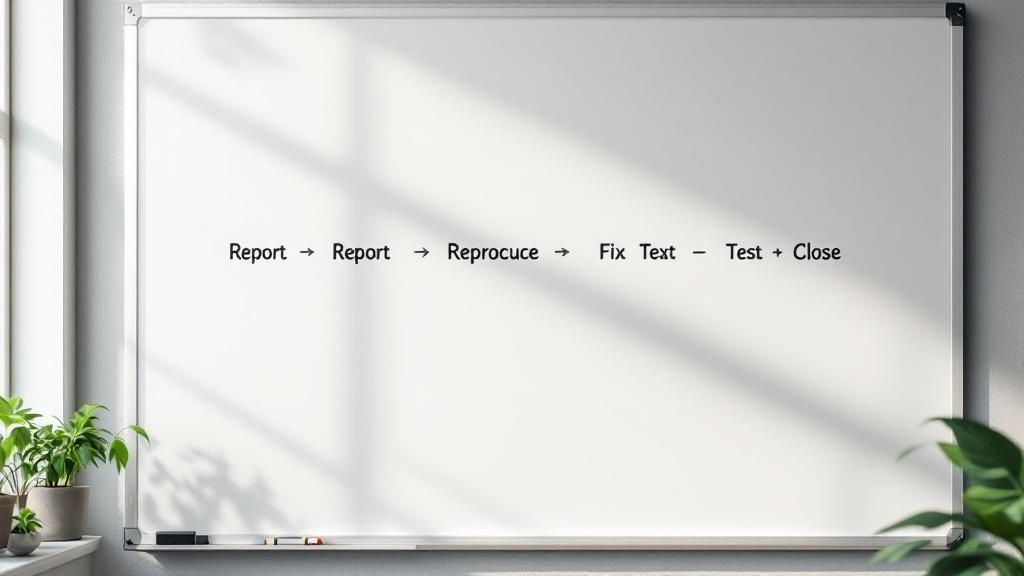
When a bug pops up, it doesn't just get squashed on the spot. It actually kicks off a whole process called the bug lifecycle. Think of it like taking your car to the mechanic: you report a weird noise, a specialist diagnoses the problem, they fix it, and then you take it for a test drive to make sure the rattle is really gone.
This structured approach is what keeps development from turning into chaos. It ensures every single issue is logged, prioritized, and dealt with properly, so nothing gets lost in the shuffle.
The Journey of a Bug
The lifecycle starts the moment someone—a user, a tester, or even an automated script—notices something isn't working right. The first step is to create a detailed bug report, which is basically the case file for the problem. Learning some bug reporting best practices here can make a huge difference in how quickly things get fixed.
From there, the bug embarks on a predictable journey. Let's break down the typical stages of a bug's life within a development team.
| Stage | What Happens | Key Objective |
|---|---|---|
| New | The bug is officially recorded in a tracking system. | To create a formal record of the issue. |
| Assigned | A team lead reviews the report and gives it to the right developer. | To get the issue in front of the person best equipped to fix it. |
| In Progress | The developer starts digging in to find the root cause and code a solution. | To actively work on diagnosing and fixing the problem. |
| In Review | The finished code is checked by other developers (peer review). | To ensure the fix works and doesn't create new problems elsewhere. |
| Resolved | The developer marks the bug as fixed and sends it back for testing. | To signal that the solution is ready for verification. |
| Closed | The Quality Assurance (QA) team confirms the bug is truly gone. | To formally close the issue and confirm the fix was successful. |
As you can see, this isn't a one-person job. Effective bug management relies on a team with well-defined roles. If you're curious about who does what, this guide to QA roles and responsibilities is a great resource.
The Central Role of Bug Tracking Tools
Trying to manage all this through emails or spreadsheets would be a nightmare. That's why teams rely on bug-tracking software like Jira or Asana. These platforms are the central command center for the entire process, giving everyone a single, reliable view of every reported issue.
Bug tracking systems are so much more than fancy to-do lists. They’re collaborative hubs where developers, testers, and managers can all communicate, share files, and see the real-time status of a bug from the moment it’s found to the moment it’s fixed.
Here's a look at how Jira, a hugely popular tool, organizes these tasks visually.
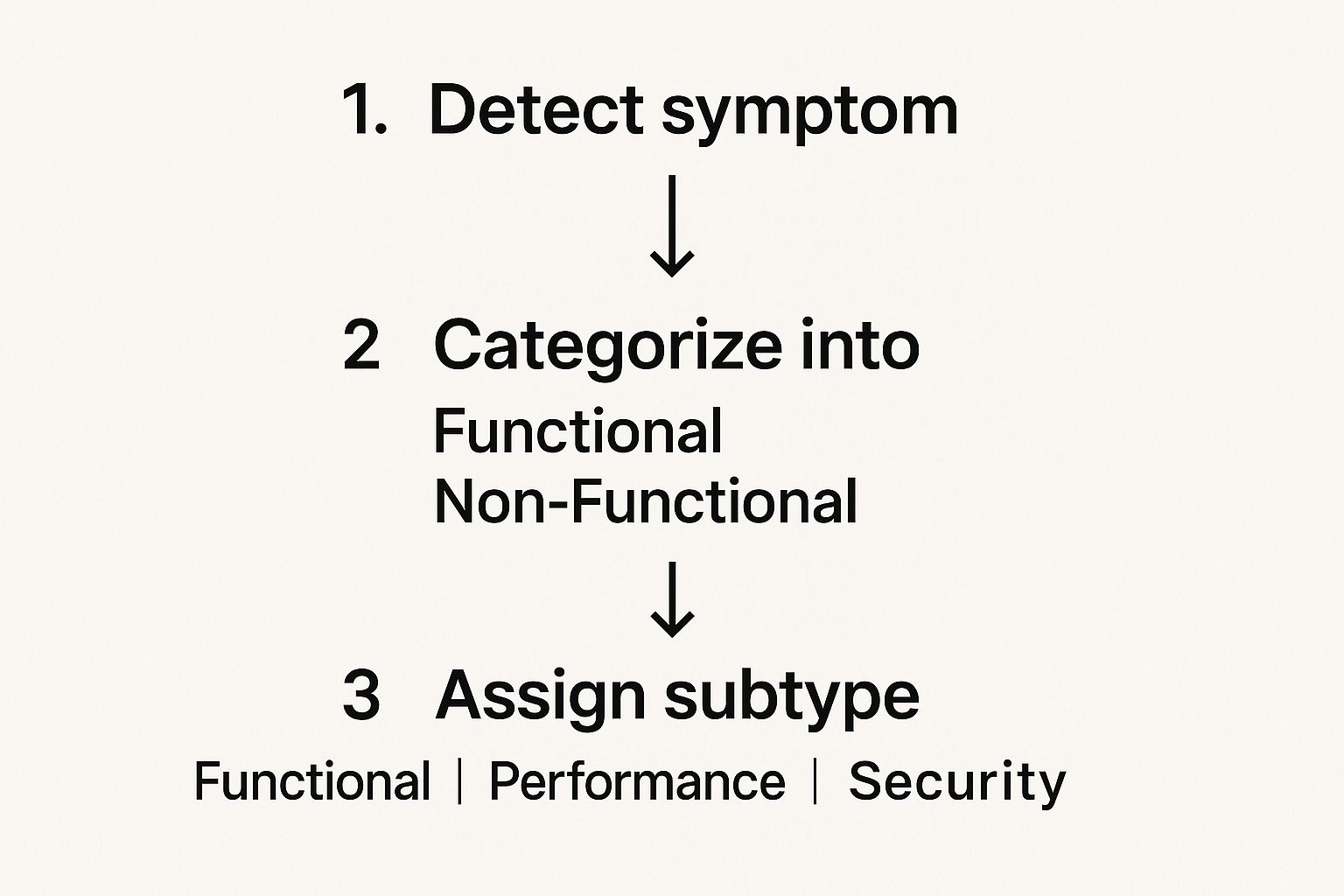
This kind of visual board helps the entire team see what’s going on at a glance, making sure nothing slips through the cracks. It's no surprise the market for these tools is booming. In 2023, the global software bug tracking market was valued at USD 3.5 billion and is projected to hit USD 7.9 billion by 2032. This explosive growth just underscores how vital these systems are to modern software development.
Preventing Bugs Before They Reach You
While it's great to have a solid plan for squashing bugs, an even better strategy is to stop them from ever getting to your users in the first place. This proactive approach is the whole idea behind Quality Assurance (QA)—a set of practices meant to weave stability and reliability into the software from day one.
Instead of just waiting for things to break, QA introduces checkpoints all through the development process. Think of it like a chef tasting a sauce as they cook, rather than waiting until the dish is served to find out it's too salty. It’s all about catching problems when they’re small, cheap, and easy to fix.
Building a Multi-Layered Defense
There's no single silver bullet for preventing bugs. The best defense is a layered one, where each layer is designed to catch a different kind of problem. If a bug slips through one net, another one is there to catch it. Two of the most important layers are code reviews and a smart testing strategy.
A code review is a straightforward but incredibly effective practice. Before any new code is officially added to the project, another developer looks it over. It's amazing what a fresh pair of eyes can spot—a subtle logic flaw, a potential performance drag, or a simple typo the original author just couldn't see anymore.
On top of clean coding, weaving in strong data security best practices is non-negotiable. This helps you get ahead of a whole category of bugs that can have some truly nasty consequences.
The Power of Automated and Manual Testing
Testing is the real workhorse of quality assurance. It’s not just one thing, but a whole toolkit of different tests, each with a specific job.
- Unit Tests: These are tiny, automated checks that focus on a single, isolated piece of code. They’re there to confirm that each little building block works perfectly on its own.
- Integration Tests: Once we know the individual units are solid, these tests check how well they play together. This is where you find out if different parts of your software are actually talking to each other correctly.
- End-to-End (E2E) Tests: These are automated scripts that act like a real user. They’ll run through an entire workflow, from logging in to completing a purchase, making sure the whole journey is seamless.
Great software isn't just built; it's tested into existence. The relentless cycle of writing code, testing it, and refining it is what separates frustrating products from reliable ones.
While automation is a lifesaver, you can't replace the human touch entirely. Manual testing by QA specialists is still essential for catching those tricky usability issues or visual glitches that scripts just don't notice. And when someone does find a bug, a clear report is everything. It's worth learning https://blog.screendesk.io/how-to-write-good-bug-reports/ to make sure your feedback leads to a quick fix.
The industry's growing obsession with prevention is clear from the numbers. In 2024, the global bug tracking software market hit USD 401.33 million. It’s projected to nearly double by 2033, which shows just how seriously companies are taking their investment in quality.
Frequently Asked Questions About Software Bugs
We've covered a lot of ground on what software bugs are and how teams handle them. Now, let's dig into some of the questions that usually pop up. Think of this as the practical, real-world follow-up to everything we've discussed.
Are All Software Bugs Fixable?
Technically, most bugs can be fixed. But in reality? Not every bug gets squashed. The decision to fix a bug almost always comes down to a cost-benefit analysis.
Development teams have to be strategic. A major security hole that puts user data at risk? That’s an all-hands-on-deck, top-priority fix. But a tiny visual glitch that only appears on a five-year-old phone might get logged as a "known issue" and left alone. In some very rare cases, a bug is so tangled up in the core code that trying to fix it could cause a cascade of even bigger problems. Sometimes, the safest move is to leave it be.
How Can I Report a Bug I Find?
Found something broken? Great! Developers actually depend on users like you to be their eyes and ears. The first thing to do is look for a "Support," "Feedback," or "Contact Us" link, usually tucked away in the app's settings or at the bottom of the company's website.
To write a report that gets results, you need to be specific. Give them a clear, step-by-step recipe to recreate the problem. Something like: "1. I opened the app. 2. I clicked the profile button. 3. The app crashed." Don't forget to mention your device (e.g., iPhone 14), operating system (e.g., iOS 17), and browser. The more clues you give the developers, the faster they can find and fix the issue. Using a structured format can be a game-changer; these bug report templates are a great way to make sure you’ve covered all the bases.
A well-written bug report is one of the most valuable contributions a user can make. It transforms a frustrating experience into actionable data that helps improve the product for everyone.
Does Having Bugs Mean the Software Is Bad?
Absolutely not. With how incredibly complex modern software is, building a 100% bug-free product is a myth. Every single piece of software you use, from the biggest names in tech to the smallest indie apps, has bugs. It’s just a fact of life in software development.
What really separates the good from the bad is how a company handles those bugs. A solid team has a clear process for finding, prioritizing, and fixing issues. They're open with their users about problems and show a real commitment to making their product better over time.
So, don't judge software by the presence of bugs. Judge it by the company's dedication to fixing them.
Can a Software Bug Ever Be a Good Thing?
It's definitely not the norm, but believe it or not, yes! This happens most often in the wild world of video games, where some of the most beloved features started out as complete accidents.
A classic example is the "combo" system in the original Street Fighter II. The ability to chain attacks together wasn't a planned feature; it was a glitch in the game's code. But players discovered it and loved it. The developers saw how much fun people were having with this unintended mechanic, so they embraced it and made it a core part of the series going forward.
These "happy accidents" are rare, for sure. But they’re a great reminder that sometimes, unexpected behavior can lead to a stroke of unplanned genius.
At Screendesk, we know that clear communication is the key to solving technical problems fast. Our video-based support tools let your team see exactly what your customers are seeing, so you can identify, reproduce, and fix software bugs without all the frustrating back-and-forth. Learn how Screendesk can improve your bug reporting and resolution process.
