

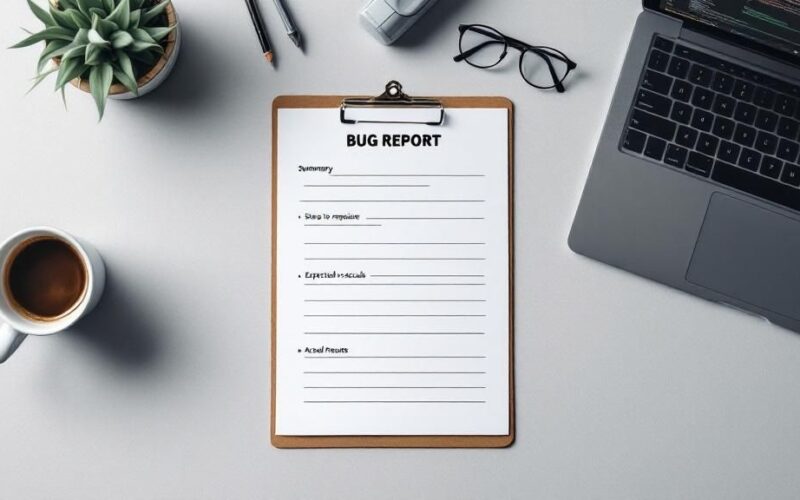
A bug report template provides a standardized format for documenting software defects, ensuring every issue is captured with consistent and complete information.
Why a Great Bug Report Template Is a Game Changer
Let's be honest—a bad bug report can derail an entire sprint. It kicks off a frustrating chain of back-and-forth emails, wastes a developer's precious time, and delays fixes that are actively hurting the user experience. Without a clear structure, critical details slip through the cracks, turning what should be a simple issue into a drawn-out investigation.

This is exactly where a standardized bug report template shifts your team from chaos to clarity. It’s not just about filling out a form; it's about creating a common language that everyone—testers, developers, and product managers—understands. This consistency does more than just organize tickets; it actually speeds up the entire debugging process.
The True Cost of Poor Bug Reporting
Vague bug reports like "the login button doesn't work" are absolute productivity killers. They force developers to play detective, hunting for clues instead of writing code. This kind of ambiguity creates a domino effect of problems:
- Wasted Time: Engineers can spend hours just trying to reproduce an issue that could have been documented clearly in five minutes.
- Delayed Fixes: The longer it takes to understand a bug, the longer it sits in the backlog, potentially frustrating more and more users.
- Team Frustration: Nothing strains the relationship between QA and development faster than poor communication. It creates friction and can seriously damage team morale.
A well-designed template cuts out all that guesswork by making sure every report has the essential information right from the start.
A clear bug log turns vague complaints into actionable developer tasks. By providing a structured approach, you empower your team to resolve issues efficiently rather than spending cycles on clarification.
From Ambiguity to Actionable Insight
Putting a solid bug report template in place can completely transform your workflow. It sets a clear standard for quality and communication that ultimately makes everyone’s job easier. Any seasoned QA lead will tell you the magic is in the details—details that a good template forces everyone to capture.
Think about it. A report that automatically includes the browser version, operating system, and a screenshot saves a developer from even having to ask. When the steps to reproduce are spelled out clearly, the path to a fix becomes obvious.
This shift directly impacts the quality of your software. When the process is smooth and predictable, your team can identify, triage, and fix more bugs, faster. It’s more than just an internal process improvement; it’s a commitment to delivering a better, more reliable product to your customers.
The Anatomy of a High-Impact Bug Report
What separates a bug report that gets ignored from one that gets fixed instantly? It’s all in the details. A truly high-impact bug report is a masterclass in clarity. It gives a developer everything they need to find, understand, and squash a bug without a single follow-up question.
We're going to move beyond a simple checklist and really dig into the 'why' behind each field. The goal is to create a blueprint that turns a vague complaint into a fully actionable task. After all, a great bug report isn't just about technical details; it also benefits from embedding customer context directly into issues.
Core Components Every Report Needs
Think of these as the non-negotiables. Without them, your report is incomplete and will almost certainly cause confusion or get pushed to the bottom of the pile.
- A Clear and Concise Summary: This is your headline, your email subject line. It needs to be specific enough for someone to understand the problem at a glance. "Login fails" is bad. "Login fails with 'Invalid Credentials' error when using Google SSO" is fantastic.
- Precise Steps to Reproduce (STR): This is the heart and soul of the report. You need to number each step and write it as if the developer has never seen this part of the application before. If you can’t reliably reproduce the issue, the developer has very little chance of fixing it.
- Expected vs. Actual Results: This simple, direct comparison removes all guesswork. Clearly state what you thought would happen, then describe what actually occurred. For instance, "Expected: Clicking 'Save' closes the modal. Actual: Clicking 'Save' does nothing, and the modal remains open."
Essential Contextual Details
Context is what helps a developer go from knowing what the problem is to understanding where it is. A bug might only pop up on a specific browser or for a certain type of user. Leaving out this information is like sending a mechanic to fix a car without telling them the make and model.
To speed up the debugging process, always include these environmental details:
- Environment: Be specific. Note the browser and its version (e.g., Chrome 125.0.1), the operating system (e.g., macOS Sonoma 14.5), and the device (desktop, mobile).
- Source URL: Don't make the developer hunt for the page. Provide the exact URL where the bug happened.
- Visual Evidence: A picture is worth a thousand lines of code. An annotated screenshot or a screen recording showing the bug in action is often the fastest way to get your point across. It’s undeniable proof.
A bug report without context is just a complaint. A bug report with context is a roadmap to a solution. The more clues you provide, the faster the fix will be.
Advanced Fields for Deeper Insight
Once you’ve nailed the basics, a few advanced fields can transform your reports and help your team prioritize the backlog much more effectively. These fields add organizational context that’s crucial for sprint planning and figuring out who needs to work on what.
To help you decide what to include, here's a quick look at the fields you absolutely need versus the ones that add valuable, deeper context.
Essential vs. Advanced Fields in a Bug Report
| Field Category | Essential Fields (Must-Have) | Advanced Fields (Context-Rich) |
|---|---|---|
| Identification | Unique ID, Summary | Component/Module, Labels/Tags |
| Description | Steps to Reproduce, Expected/Actual Results | Visual Attachments (video), Console Logs |
| Context | Environment (Browser, OS), URL | User Role/Account Info, Build Version |
| Prioritization | Severity, Priority | Assignee, Due Date, Linked Issues |
Two of the most important fields here are Severity and Priority. They sound similar, but they measure different things.
Severity measures the technical impact of the bug—a "critical" bug might be a site-wide crash. Priority, on the other hand, measures the business impact—a "high" priority bug could be a minor visual glitch on a key feature for a major customer.
Getting both right helps product managers make smarter decisions about what gets fixed first. If you want to dive deeper into this, check out our guide on bug reporting best practices.
Building Your Custom Bug Report Template
Creating a bug report template tailored to your team's workflow isn't just a box to check—it's a game-changer. A well-designed template gets your developers the exact information they need, in the format they expect. The result? Faster fixes and a whole lot less back-and-forth for everyone.
Getting started means picking the right tool for the job. You could go all-in with a powerhouse system like Jira, famous for its deep customization. Or, for a smaller team, a more streamlined tool like Asana or even a meticulously organized spreadsheet can work wonders.
The secret isn't about having the fanciest tool; it's about choosing one that fits how your team actually works.
Choosing Your Platform
First things first: where will this template live? This is a foundational decision, and each option comes with its own set of pros and cons.
- Project Management Systems (Jira, Asana): These platforms are practically built for bug tracking. They offer custom fields, powerful automation, and reporting features that a simple document just can't touch. Jira is the heavyweight champion for a reason, but Asana offers a more visual and user-friendly experience that many teams love.
- Simple Spreadsheets (Google Sheets, Excel): If you're just starting out or working on a smaller project, don't sleep on spreadsheets. They're free, everyone knows how to use them, and they're incredibly easy to set up. The downside is the lack of automation—as the number of bug reports climbs, a spreadsheet can get messy and hard to manage.
No matter what you choose, the goal is the same: create a single, undisputed source of truth for every bug.
The image below lays out the core journey, from deciding what information to collect to getting your team on board with the new workflow.

As you can see, building the template is only half the battle. The process and getting your team to actually use it are just as critical.
Defining Your Fields and Guidelines
Once you've picked your platform, it’s time to get into the nitty-gritty: the fields. Start with the non-negotiables we talked about earlier—a clear summary, steps to reproduce, and the expected vs. actual results.
Then, go talk to your developers. What information would make their lives easier?
Maybe they need console logs for every front-end bug. Or perhaps a field for the specific user account that found the issue would save them time. Every custom field you add should be designed to answer a question before it even gets asked.
Just as important are the guidelines for filling out those fields. For a deeper look at structuring these elements, you can find another great template bug report example here.
A template isn’t a suggestion; it’s an agreement. When everyone commits to using it consistently, the entire development lifecycle becomes more predictable and efficient.
Mapping the Bug Lifecycle
A bug report isn't a static document; it goes on a journey. Your template needs a clear workflow that maps out this lifecycle so everyone knows what stage a bug is in at a glance.
A classic bug lifecycle often looks something like this:
- Open/New: The report is in, and it's waiting for someone to review it.
- In Progress: A developer has picked it up and is actively working on a fix.
- Ready for Retest: The fix is done and has been pushed to a staging or test environment for the QA team to verify.
- Closed: Success! The fix has been confirmed, and the issue is officially resolved.
Getting everyone to buy into this process is essential. When the whole team—from the person who first spotted the bug to the engineer who squashes it—is following the same playbook, you eliminate chaos and build a smooth, efficient system for making your software better.
Bringing Your Template to Life with Bug Trackers
A bug report template sitting in a shared drive is a great start, but it's just a document. The real magic happens when you build it directly into the tools your team lives in every day. When you take your template out of a static file and embed it into a bug tracking system like Jira, ClickUp, or Azure DevOps, you’re not just storing information—you’re creating a powerful, active workflow.
These platforms are built for action. They turn your template into an interactive, intelligent system where you can create custom fields, trigger automated notifications, and build dashboards that give you a live pulse on your product's health.
Moving Beyond Static Documents
Think of it like the difference between a paper map and a live GPS. A spreadsheet can show you the fields, but a proper bug tracker guides the entire journey. In a tool like Jira, for example, your custom bug report template can become its own "issue type," loaded with all the fields you’ve carefully planned out.
This one move unlocks benefits a simple document just can't touch:
- Automation: New bugs can be automatically assigned to the right person for triage.
- Required Fields: You can make it impossible to submit a report without the crucial "Steps to Reproduce."
- Workflow States: Everyone can see a bug’s status as it moves from
OpentoIn Progressand finally toClosed.
This shift from static files to integrated systems is a huge reason the bug tracking market is growing so quickly. Teams need scalable, cloud-based tools to keep up with modern software development, and the demand is especially high for cost-effective options. You can dig into more of the trends in the bug tracking system market at cognitivemarketresearch.com.
How to Configure Your Tracker for Success
Getting your template set up inside your tool of choice is usually pretty straightforward. You’ll want to dive into your project settings and look for anything related to issue types, custom fields, or templates.
In ClickUp, for instance, you could create a "Task Template" for bugs that pre-fills the description with all your sections. In Jira, you can go a step further and design a new screen scheme just for bug reports, so developers only see the fields relevant to them. The goal is simply to replicate the structure you've already designed, right inside the tool.
The whole point of integration is to make reporting a bug the easiest, most frictionless thing for your team to do. If people have to fight the tool, they'll just stop using it. Make the right way the easy way.
Team adoption really comes down to this. Before you launch it company-wide, get everyone together for a quick walkthrough. Show them exactly how the new, integrated template works in your tracker. Point out how it saves them time by guiding them through the process.
When your team sees the template as a helpful guide instead of another bureaucratic hoop to jump through, they’ll actually use it. And that alignment is what turns bug tracking from a necessary evil into a genuine advantage.
Writing Bug Reports That Developers Understand
Having a solid bug report template is a great first step, but the real magic happens when your team knows how to fill it out properly. A well-written bug report is so much more than just data entry. It’s a direct line of communication to a developer, crafted to help them solve a problem as quickly as possible. Think of it as the bridge between spotting an issue and actually getting it fixed.

The main goal here is to completely eliminate guesswork for the developer. When reports are vague or loaded with personal opinions and assumptions, they just create confusion. That leads to a frustrating cycle of back-and-forth emails and messages. The best reports stick to the facts—just the observable, objective details of what went wrong.
From Vague to Actionable
Let's walk through a real-world scenario to see what I mean. A poorly written report might just say, "The checkout page is broken." This tells the developer almost nothing useful and forces them to start their investigation from square one.
A much better approach gives them something concrete to work with.
- Bad Example: "I couldn't complete my purchase. The site is buggy."
- Good Example: "When adding a second item to the cart from the 'Recommended Products' widget, the page freezes and the checkout button becomes unresponsive."
That second example is pure gold for a developer. It pinpoints the exact action, describes the clear outcome, and gives them a direct path to reproduce the bug themselves. This kind of detail is what learning how to write good bug reports is all about, and it can slash the time it takes to get a fix deployed.
The Art of Unambiguous Steps
The "Steps to Reproduce" section is where so many bug reports go wrong. Each step needs to be a single, crystal-clear action that leaves zero room for interpretation. I always tell my team to write it like a recipe—so simple that anyone can follow it and get the exact same result.
For instance, instead of saying something vague like "mess around with the user profile," you need to break it down into explicit actions:
- Navigate to the User Profile page.
- Click the "Edit Avatar" button.
- Upload a PNG file larger than 5MB.
- Click "Save Changes."
This level of precision is absolutely critical for efficient debugging. It’s no surprise the global bug tracking software market is projected to hit $601.64 million by 2026. That number alone shows how vital efficient issue resolution has become. If you're curious about this trend, you can dig into the full bug tracking tools market analysis over at accelq.com.
Always remember the human on the other side. A bug report isn't an accusation; it's a tool for collaboration. A helpful, respectful tone can shift the whole dynamic from a chore to a shared effort in making the product better for everyone.
At the end of the day, a great bug report template is a guide. It nudges reporters to be objective, thorough, and clear. By encouraging one issue per ticket and focusing on the facts, you empower your entire team to help build a more stable, reliable product.
Answering Common Questions About Bug Reports
Even the best template can't anticipate every situation. It’s totally normal for questions to pop up as your team gets the hang of a new bug reporting process. Think of it as fine-tuning your engine.
Let’s walk through a few of the most common questions I hear from teams who are just starting to standardize their bug reports.
What’s the One Thing a Bug Report Absolutely Must Have?
If you only fill out one section, make it the "Steps to Reproduce." I can't stress this enough. This is the single most critical part of any bug report.
Why? Because if a developer can't make the bug happen on their own screen, they're flying blind. They're forced to guess at the cause, which wastes a ton of time and often leads to the wrong fix. Clear, numbered steps are the quickest way to get a developer to see exactly what you saw.
What Do We Do with Bugs We Can't Reproduce?
Ah, the dreaded intermittent bug. They're frustrating for everyone, but you should never ignore them. The goal here is to become a detective and gather as much circumstantial evidence as you can.
- How often does it happen? Try to quantify it. Is it a "once a day" thing or more like "only after I upload a large file"?
- What else was going on? Note any other actions you took right before it happened. Sometimes, seemingly unrelated things are the key.
- Can you prove it happened? Grab everything you can—console logs, screenshots, or even a quick screen recording if you're fast enough.
Make sure to tag these bugs as "intermittent" or "unreproducible" in your tracking tool. Over time, as more of these reports come in, your team can start connecting the dots and spotting a pattern.
An unreproducible bug is a puzzle. The more pieces you provide—no matter how small—the easier it is for your development team to eventually solve it.
Should People Who Aren’t Developers Write Bug Reports?
Yes! One hundred percent. In fact, that's one of the main benefits of a great template. It gives everyone in the company—from customer support to sales—a simple framework for reporting what they see.
A well-designed template acts as a guide, prompting them for the exact details your engineers need. This is how you get valuable, real-world feedback from the front lines directly into the development cycle without anything getting lost in translation. It’s a fantastic way to bridge the gap between the customer experience and the technical team.
Stop the endless back-and-forth and resolve issues faster with visual feedback. Screendesk lets your team and customers report bugs with screen recordings, console logs, and all the context developers need—right from your website. Learn more about Screendesk.
