


Exceptional customer care training videos aren't just a trend—they're a core ingredient for building a support team that truly shines. They turn complicated processes into simple, visual guides, making sure everyone on your team delivers the same high level of service.
Why Your Team Needs Better Training Videos
Sure, we all know video is more engaging than a wall of text. But why is it such a game-changer for customer care teams? The truth is, static manuals and long documents just can't capture the real-world feel of customer conversations. They often leave new hires feeling unprepared when a tricky or emotional situation pops up. Video fills that void perfectly.
Picture a brand-new support agent handling a complex technical problem on their very first day, and doing it with total confidence. They’re not just winging it. They’ve seen a clear, step-by-step screen recording of that exact process. This isn't just about moving faster—it's about empowering your people right from the start.
Standardize Quality and Boost Confidence
One of the biggest headaches in customer service is keeping the quality consistent. A well-made training video guarantees that every single team member, no matter where they are or when they started, gets the same instructions and understands the proper procedures.
This consistency has a ripple effect on a few key things:
- Shorter Onboarding Time: New folks get up to speed much quicker, which means less time spent training and more time helping customers.
- Better Knowledge Retention: People are visual learners. We remember what we see far better than what we read, and the data backs this up.
- Stronger Brand Alignment: Videos are a fantastic way to share your company's personality, values, and what great service looks like in a way that feels genuine.
The Proven Impact of Video in Training
This move to video training isn't just a hunch; the numbers are compelling. For example, training videos and customer service videos each accounted for about 20% of video content used by businesses, showing just how common they’ve become. And they work—an incredible 98% of people have watched an explainer video to learn about a product. Clearly, people prefer to learn by watching.
Understanding these tech strategies to improve guest satisfaction is crucial for making the most of these tools. To see more data on this, check out this in-depth 2021 study on video marketing statistics.
A solid library of training videos becomes a living, breathing knowledge base for your team. It's easy to update and always there when someone has a question, turning training from a one-off event into a resource for constant growth.
At the end of the day, putting effort into quality customer care training videos is really an investment in your customers. When you give your team the right tools to do their best work, you’re laying the groundwork for amazing service, happier customers, and a brand people trust.
For more ideas, dive into our detailed look at different types of customer service training videos.
How to Script Training Videos That Actually Work
A great training video isn't born from a fancy camera; it starts with a solid plan. Before you even think about writing, you have to nail down what, exactly, you want your team to learn. Are you trying to get them up to speed on new software? Or is the real goal to teach them how to handle a frustrated customer with genuine empathy? Pinpointing your objective is everything.
Without a clear goal, your video will meander, and your team will walk away confused. A well-thought-out script ensures every second of your video has a purpose, guiding your team from point A to point B. Think of it as a roadmap for both you and them.
Start With Real-World Scenarios
The best customer care training videos—the ones people actually remember—are built around situations your team can relate to. Instead of just rattling off a list of rules, show them how to put those rules into practice. I always recommend starting by brainstorming the most common, and even the most challenging, customer interactions your team deals with every day.
These scenarios are the beating heart of your script. For instance, you could build a video that walks through:
- De-escalating an angry customer: Show a realistic back-and-forth, complete with thoughtful pauses, active listening techniques, and a calm, successful resolution.
- Explaining a complex billing issue: This is perfect for screen sharing. Break down the problem step-by-step using clear, simple language.
- Handling an unusual product inquiry: Demonstrate the research process and how to communicate effectively when the answer isn't immediately obvious.
When you ground your script in reality, the lessons become instantly useful and are far more likely to stick.
Write for the Ear, Not the Eye
One of the biggest mistakes I see people make is writing a script that reads like a formal document. You have to remember, this is meant to be spoken and heard. A conversational tone—think helpful colleague, not corporate robot—is so much more engaging.
Key Takeaway: Read your script out loud as you write. If it sounds stiff or clunky, rewrite it until it flows naturally. Use simple words, shorter sentences, and contractions like "you're" and "it's" to sound more human.
This is your secret weapon for keeping people tuned in. Just look at how a focused, engaged employee learns more effectively.
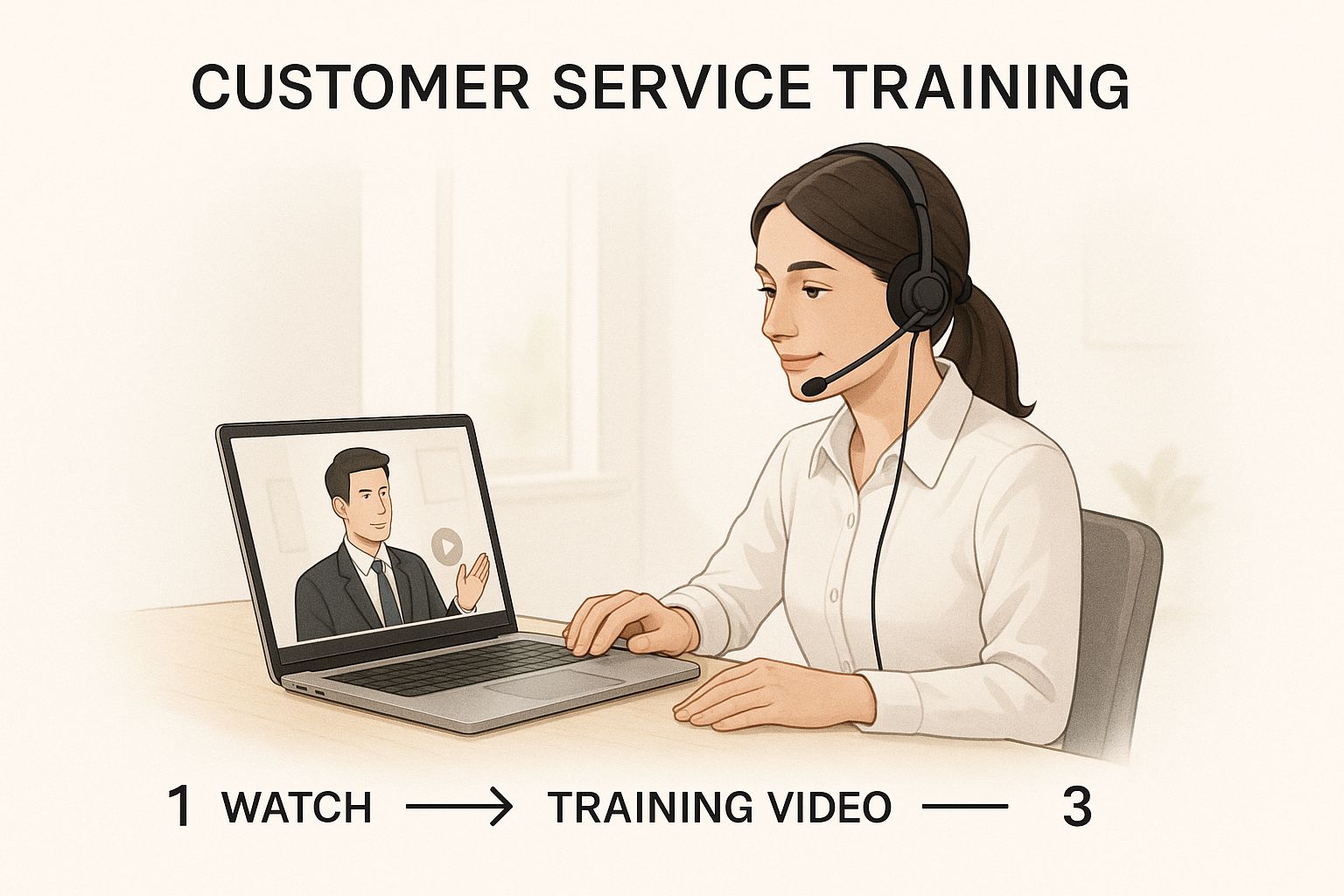
As you can see, a well-supported agent is in a much better position to absorb and apply new skills from their training. This is exactly why investing the time to create high-quality, scripted training pays off in the long run.
Your script is the blueprint for a successful video. Here’s a quick breakdown of what every good script should contain to keep things clear and on track.
Essential Elements of a Training Video Script
| Script Component | Purpose | Example |
|---|---|---|
| Introduction/Hook | Grab the viewer's attention and state the video's goal. | "Ever had a customer call about a billing error that made no sense? In the next 3 minutes, we'll show you exactly how to solve it." |
| Main Content/Steps | Break down the core lesson into clear, actionable chunks. | "First, open the customer's account in the main dashboard. Notice the 'Billing History' tab on the left…" |
| Visual Cues | Describe what should be shown on screen at each point. | "[Show screen recording of navigating to the billing history tab. Highlight the 'Invoice #12345' with a red box.]" |
| Key Takeaways | Summarize the most critical points you want the viewer to remember. | "Remember: always confirm the refund amount with the customer before processing it." |
| Call to Action | Tell the viewer what to do next (e.g., take a quiz, practice). | "Now, head over to the learning portal and complete the short quiz on billing adjustments." |
By structuring your script with these elements, you ensure that nothing gets missed and your final video is both professional and incredibly effective.
There's a reason the corporate training market is booming. In 2023, the global market was valued at a massive $361.5 billion and is projected to hit $805.6 billion by 2035, all driven by the need for better upskilling. For a deeper look into the entire process, check out our complete guide on how to create training videos from start to finish.
How to Make High-Quality Videos Without a High-Quality Budget
You don't need a Hollywood-sized budget to create customer care training videos that look and sound fantastic. Honestly, the secret isn't about spending a ton of money. It's about being smart and focusing your resources on the things that actually make a difference to the viewer.
Most people immediately think they need a fancy camera, but the smartphone in your pocket is likely more than powerful enough. I've seen incredible videos shot on iPhones. The real game-changers? Good lighting and crisp, clear audio.
If You Invest in One Thing, Make It Audio
Here’s a hard truth I've learned over the years: people will forgive a video that's a little grainy, but they will click away in a heartbeat if the audio is muffled or hard to understand. If your agents can't hear what's being said, the training video has failed before it's even started.
Putting a little money into a decent external microphone is the single best investment you can make.
- Lavalier (Lapel) Mics: These are the little clip-on mics you see on news anchors. They're affordable, easy to use, and fantastic for recording one person because they isolate the voice and cut down on room echo.
- USB Microphones: If you're doing a lot of voiceovers for screen recordings, a good USB mic is your best friend. It plugs right into your computer and will give you that rich, professional sound you hear on podcasts.
And don't forget lighting! You don't need a pro studio setup. A simple ring light can work wonders, or just have your speaker face a window. Natural light is free and looks amazing.
Pick the Right Format for the Job
Not all training topics are created equal, so why would you use the same video format for everything? Matching the style of the video to the goal of the lesson makes the information so much easier for your team to absorb.
- Showing software? A screen recording with a clear voiceover is the only way to go. It lets you walk agents through a process on their exact screen, step-by-step. No confusion.
- Teaching soft skills? You can't beat a good role-playing scenario. Grab two employees and have them act out a tough customer call. It’s perfect for demonstrating empathy or de-escalation in a way that feels real.
- Announcing policy changes? A straightforward "talking head" video works great here. Have a manager speak directly to the camera to deliver the news clearly and personally.
I've found that authenticity beats a flawless, robotic performance every single time. Encourage your team to speak like they're helping a coworker sitting next to them. A few natural pauses or small stumbles make the video more relatable, not less professional.
Get Your Team Comfortable on Camera
Using your own people as presenters is a huge win—it builds trust and feels genuine in a way an actor just can't. Of course, not everyone is a natural in the spotlight. You can set them up for success by giving them the script well in advance and doing a few casual practice runs.
Remind them to smile and speak just a little bit slower than they normally would. Natural hand gestures are great, too! The goal isn't an Oscar-winning performance; it’s clear, friendly communication. For a deeper dive into the nitty-gritty of the production process, there's a lot of great advice on producing a training video.
If you’re tackling a really big project or just feel like you need an outside perspective, bringing in a pro can be a smart move. Agencies like FreeForm Agency specialize in this and can offer expert guidance on everything from scripting to shooting.
Where the Magic Happens: Editing Your Videos
You’ve got all your footage recorded. The hard part’s over, right? Not quite. The real magic—the stuff that turns a collection of clips into a training tool your team will actually want to watch—happens in the editing room.
This is where you shape the raw material into something polished, engaging, and genuinely useful.
Post-production isn’t about flashy special effects. It's about clarity and momentum. The single most important goal is respecting your team's time. You do that by cutting out all the dead air—the long pauses, the "ums" and "ahs," and any moment the presenter is just collecting their thoughts. A tight edit keeps the energy up and holds everyone's attention.
Use Visuals to Make Key Points Stick
Your presenter might be the star of the show, but on-screen text and graphics are the supporting actors that make the information unforgettable. Think of them as signposts that guide your agents through the most important concepts.
Here are a few smart ways to use them:
- Reinforce the Big Ideas: A simple text overlay summarizing a critical point makes sure no one misses it.
- Explain Jargon: When an internal acronym or technical term comes up, flash a quick definition on the screen.
- Break Down Processes: Use on-screen bullet points or numbered lists to walk through complex steps.
The goal isn't to cram the screen with text. It's about using minimal, well-placed words and simple graphics to make the content easier to digest and remember.
A great edit tells a story. It guides the viewer's attention, emphasizes what's important, and mercilessly cuts anything that doesn't serve the learning objective. Every single cut, graphic, and sound needs a purpose.
Set the Right Tone with Audio
Don't forget about sound! Audio is so much more than just the presenter's voice; it’s a powerful tool for setting the mood of the video.
A subtle, low-volume instrumental track playing in the background can make the whole production feel more professional and keep viewers tuned in. Just be sure the music fits the topic—something upbeat for a new feature announcement, or calm and steady for a technical walkthrough.
The music should never fight for attention with the speaker. Keep the volume just low enough that it adds a bit of atmosphere without being a distraction. It's a small touch, but it makes a huge difference in how polished your videos feel.
From Passive Watching to Active Learning
The final piece of a great edit is adding simple interactive elements. This is what transforms someone from a passive viewer into an active learner. Many modern video platforms let you embed questions or prompts directly into the video timeline, which is a fantastic way to check for understanding as you go.
This kind of interactivity is a huge reason why video is taking over business communication. The trend is undeniable: video content is expected to account for 82% of all internet traffic by 2025. We also know that product pages with videos get 47% higher engagement rates.
By making your training interactive, you’re not just creating a video; you’re tapping into how people already prefer to learn and engage with content online. You can find more stats on the rise of video in business at insivia.com. These small editing touches are what take your customer care training videos from simply informative to truly effective.
Getting Your Videos to Your Team and Measuring Success
So you’ve created some fantastic customer care training videos. That’s a huge win, but the job isn't quite finished. The real magic happens when your team actually watches them and the lessons start to stick. How you share and track your videos is just as crucial as the content itself. Simply dumping them into a shared drive and hoping for the best just won't cut it.
Your goal is to make these videos a living, breathing part of your team's workflow. They need to be easy to find, watch, and reference whenever someone needs a quick refresher. The right distribution plan transforms your videos from a one-time project into a powerful, ever-growing knowledge library.

Choosing the Right Home for Your Videos
Where you decide to host your videos has a direct impact on how often they get used. You're looking for a central, easy-to-use spot that feels like a natural part of your company’s existing tech stack.
Here are a few solid options I've seen work well:
- Learning Management System (LMS): If your company is already using an LMS, this is a no-brainer. It lets you create structured training programs, assign specific videos to different teams, and track who has completed what, all in one place.
- Private Video Platform: Tools like Wistia or Vimeo are built for this. They offer robust analytics and top-notch security, so you can see exactly who is watching what and for how long, while keeping your content secure.
- Internal Knowledge Base: Dropping videos directly into your existing help articles on platforms like Confluence or Guru is incredibly effective. It puts the training right where your agents are already going for answers.
Whatever you choose, the key is to pick one primary home for your videos. This eliminates any confusion and guarantees everyone is always watching the most current version.
Measuring What Truly Matters
It's easy to get excited about high view counts, but those numbers don't tell the whole story. A "vanity metric" like that doesn't tell you if your training is actually working. To get a real sense of your impact, you have to dig deeper into metrics that show genuine engagement and knowledge transfer.
Your goal isn't just to get views; it's to change behavior and improve performance. The right metrics will show you whether your videos are actually accomplishing that.
Focus on data that gives you real, actionable insights into how your team is actually using the content.
Actionable Metrics for Training Videos
| Metric | What It Tells You | Why It's Important |
|---|---|---|
| Completion Rate | The percentage of people who watched the video all the way through. | If this number is low, your video might be too long, a bit dry, or maybe not relevant to that specific audience. |
| Viewer Drop-Off Points | The exact moments in the video where people are clicking away. | This is gold. It helps you pinpoint confusing parts or sections that need to be re-edited for better flow. |
| Quiz Scores | How well your team does on short quizzes after watching. | This is the most direct way to see if the key takeaways landed and were actually understood. |
| Re-watch Count | The number of times the same person comes back to a video. | A high re-watch count on a specific topic is a big flag that it’s a common or complex issue needing more attention. |
By tracking these specific metrics, you move from guesswork to genuine understanding. You'll know which videos are hitting the mark and which ones might need a little TLC.
And finally, don't forget the most valuable source of information: your team. Create a simple feedback loop, maybe a quick survey after a video or a dedicated Slack channel for training ideas. This direct input is priceless for making your customer care training videos better and more relevant over time.
A Few Common Questions We Hear About Training Videos
Stepping into video production for the first time can feel a little daunting, even when you have a solid plan. It's totally normal to have questions pop up about the process, what you'll need, and how to get the best results. Let's dig into some of the most common questions I get asked about creating customer care training videos.
How Long Should a Training Video Be?
One of the first things people ask is about video length. The honest answer? It should be as long as it needs to be, but not a single second longer. This isn't a cop-out, I promise.
A detailed walkthrough of a complex software feature might genuinely need five solid minutes. On the other hand, a quick video on the best way to respond to a specific customer question could be wrapped up in under 60 seconds.
The real trick is to zero in on one single learning objective for each video. This "microlearning" approach makes the information so much easier for your team to absorb and actually remember when they're on a call.
How Often Do We Need to Make New Videos?
Another big question is about how often you should be creating new content. There’s no magic number here. A much better strategy is to let your business needs dictate your production schedule, not the other way around.
You'll know it's time to create a new video when:
- You're launching a new product or feature. Your team has to be the expert from day one, and video is the fastest way to get them there.
- The same customer issue keeps popping up in tickets. A dedicated video can standardize the perfect response and save everyone a ton of time.
- An internal process or policy gets an update. Video is simply the clearest way to communicate the change and make sure everyone is on the same page.
- You're onboarding a new batch of hires. Fresh, relevant content makes a world of difference in getting them up to speed and feeling confident.
When you tie video production to these real-world triggers, your training library becomes a living, breathing resource that grows with your business—not a dusty archive nobody uses.
Do We Really Need to Hire Professional Actors?
Absolutely not! In fact, I'd argue against it. Using your own experienced team members is almost always more effective. Your top agents and managers are the real experts, and their genuine knowledge builds instant credibility with trainees.
A knowledgeable team member who stumbles over a word or two is far more relatable and impactful than a polished actor who has never actually spoken to one of your customers. People connect with real people.
Just give your internal experts a solid script and a little bit of coaching. Their firsthand experience is the most valuable asset your customer care training videos can possibly have. The goal here is clarity, not a flawless Hollywood performance.
Ready to make your customer support faster and clearer? Screendesk offers the tools you need to create screen recordings, share videos, and even handle live video calls right from your helpdesk. Discover how you can resolve issues more efficiently by visiting https://screendesk.io.
