


When you hear about help desk software, you'll often come across terms like ticketing systems, automation, multi-channel support, and self-service portals. These aren't just buzzwords; they are the core components that make modern customer service work, completely changing how businesses talk to customers and solve their problems.
Why Your Business Needs Modern Help Desk Features
In today's world, customers expect support that is quick, smart, and doesn't feel like a chore. Trying to manage this with a basic email inbox or a spreadsheet just doesn't cut it anymore. That's when help desk software stops being just another tool and becomes the command center for your entire customer experience.
Think about it like this: without a proper system, customer requests are like a pile of letters with no return addresses. Important messages get lost, replies are slow, and your team has no idea what was said in previous conversations. It's a recipe for frustration on both sides.
From Reactive Support to Proactive Success
This is exactly the kind of chaos that modern help desk features are built to fix. They pull every customer conversation—whether from email, chat, or social media—into one organized place. This gives your team a single, unified view, allowing them to respond with both speed and accuracy.
But the benefits go much deeper than just getting organized. The right features can shift your support team's role from just putting out fires to actively building customer loyalty. By simplifying daily tasks and revealing useful data, these platforms give your team the power to not only solve problems but to see them coming.
By focusing on the right tools, you can transform your support operations. The goal is to create a seamless experience where customers feel heard and agents are equipped to deliver exceptional service every single time.
This guide will break down the most important help desk software features and explain what they do in simple terms. We'll explore how they provide real value to your business, helping you make smarter choices. Picking the right system is about understanding these core functions and putting them to work with proven strategies. To get started, you can learn more about established help desk best practices that lay the groundwork for success.
- Boost Efficiency: Automate the repetitive stuff so your agents can focus on the tricky problems that need a human touch.
- Improve Customer Satisfaction: Deliver faster, more consistent answers, no matter how a customer reaches out.
- Gain Actionable Insights: Use data to spot trends, which can help you improve your products or services.
Here's a quick look at the fundamental feature categories that power modern help desk platforms and how they translate into tangible benefits.
Core Help Desk Features and Their Business Impact
| Feature Category | What It Does | How It Helps Your Business |
|---|---|---|
| Ticketing System | Organizes every customer request into a trackable "ticket." | Creates a single source of truth for all support issues, ensuring nothing gets lost and agents have full context. |
| Automation | Handles repetitive tasks like routing tickets, sending canned responses, and closing old issues. | Frees up agents to focus on complex problems, reduces manual error, and speeds up response times. |
| Multi-Channel Support | Gathers conversations from email, chat, social media, and phone into one unified inbox. | Delivers a consistent and seamless support experience, regardless of how customers choose to contact you. |
| Self-Service Portal | Provides a knowledge base, FAQs, and forums where customers can find their own answers. | Empowers customers to solve common issues instantly, reducing ticket volume and freeing up your support team. |
These core features work together to create a support system that's not just organized, but also intelligent and customer-focused.
The Ticketing System: Your Support Team's Backbone

If there's one feature that defines help desk software, it's the ticketing system. Think of it as the central nervous system for your customer support. It takes every single customer conversation—whether from an email, a chat window, a social media message, or a phone call—and turns it into a neat, trackable ticket.
This simple act brings immediate order to what can otherwise feel like a constant flood of messages. Instead of juggling scattered emails in a shared inbox, your team gets a single, unified dashboard. Each ticket is a complete package, holding the entire conversation history, customer info, and current status, creating a workflow that actually works.
With a system like this in place, nothing gets lost. Every request is logged, assigned, and tracked from the moment it comes in until the customer is happy.
From Capture to Resolution
The magic of a ticketing system isn't just that it collects requests; it’s what it does with them. A crucial help desk software feature here is its ability to automatically send tickets to the right person or team. We call this ticket routing.
Let’s say a customer writes in about a tricky billing issue. Instead of that request sitting in a generic queue, smart rules can route it directly to someone in your finance department. In the same way, a technical question about a bug can go straight to an engineer. This kind of intelligent assignment makes a huge difference in how fast you can respond.
A ticketing system’s main job is to create ownership. The second a ticket is created, someone is responsible for it. This kills the "I thought you were handling that" problem that makes shared inboxes so painful.
This ensures the most skilled person is on the job, leading to faster, more accurate answers for your customers.
The Payoff of Organized Ticketing
Putting a solid ticketing system in place gives you real, immediate benefits that go far beyond just being organized. It lays the groundwork for a support operation that’s both smart and efficient.
Some of the biggest wins include:
- Total Visibility: Any agent can see the status of any ticket. This stops two people from accidentally working on the same problem and gives them all the context they need if they have to jump in and help.
- Performance Tracking: Since every interaction is logged, you can finally track the metrics that matter, like first response time, resolution time, and how much work each agent is handling. This data is gold for coaching your team.
- Smart Prioritization: Not all problems are created equal. A ticketing system lets you tag issues by urgency (think "Urgent," "High," "Normal"), so your team is always focused on what’s most critical.
- Clear Accountability: Every ticket has an owner and a detailed log of every action taken. This transparency builds a sense of responsibility across the entire team.
At the end of the day, a ticketing system turns customer support from a chaotic, reactive fire-drill into a structured and measurable process. It's the essential foundation that all other advanced help desk software features are built on, making it a must-have for any business that's serious about great service.
Working Smarter with Automation and AI
If ticketing is the heart of your support operation, then automation and AI are the brains. These powerful help desk software features work tirelessly in the background, handling all the repetitive, predictable tasks that can bog down your team. This frees up your agents to focus on the complex issues that actually require a human touch.
Think of automation as the most dependable assistant you could ever hire. It never gets tired and is perfect for the kind of rule-based jobs that often lead to burnout, like manually assigning every single ticket that comes in. Instead, automation can instantly route new requests based on keywords, the customer's history, or the issue's category.
This is where your team can really shift from being reactive to proactive. By setting up smart workflows, you can trigger a whole series of actions without anyone needing to lift a finger.
Boosting Efficiency with Automation Rules
A great way to start is by mapping out your most frequent support requests and building simple rules around them. You don't need to be a programmer for this; most modern help desks use straightforward "if this, then that" logic that anyone can set up.
For instance, you could create rules to:
- Automatically Categorize Tickets: If a ticket's subject line contains "password reset," the system can tag it as a "Login Issue" and assign it to the right specialist.
- Send Instant Replies: Acknowledge every new ticket with an automated email, letting the customer know you've received their request and setting expectations for a response time.
- Prevent SLA Breaches: If a high-priority ticket gets dangerously close to its deadline, an automation can escalate it to a manager or reassign it to an available agent.
For a deeper dive into how these small automations can transform your support, this IT Service Management automation guide is an excellent resource. Building these processes is a game-changer, and learning how to automate customer support will give you back countless hours.
A well-designed dashboard can show you exactly how these automations are performing at a glance.
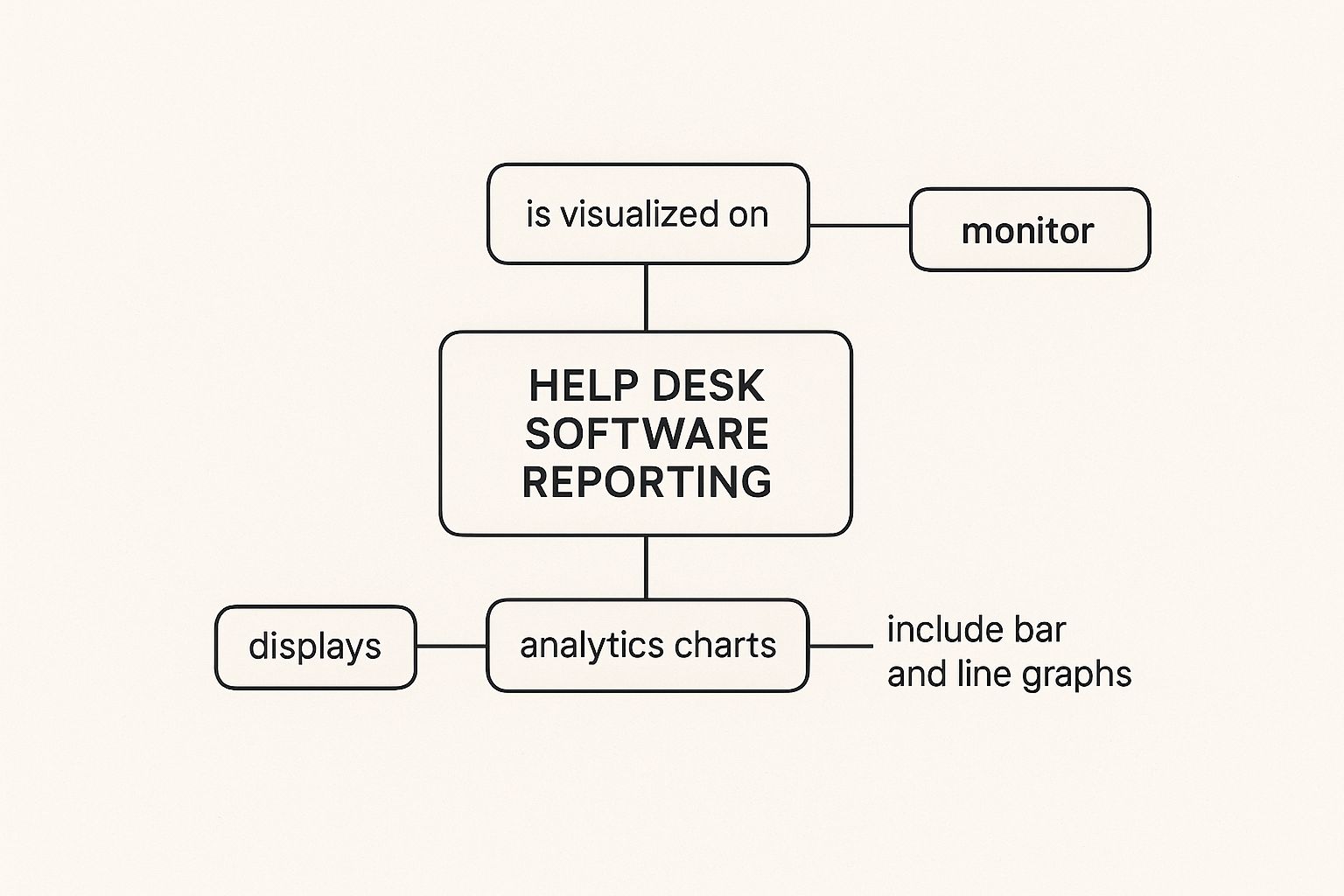
As you can see, the data makes it clear how automation directly improves key metrics like response times and first-contact resolution rates.
The Practical Power of AI
While automation is brilliant at following the rules you set, AI takes things a step further by adding a layer of genuine intelligence. It learns from your support history to make smart suggestions and can even handle entire conversations on its own.
Today’s AI isn't science fiction; it provides practical, easy-to-use superpowers for your team.
AI-powered chatbots, for example, can handle simple queries around the clock. They are capable of resolving up to 22% of all support tickets on their own, saving companies an average of 670 hours per team every year.
It’s no wonder the help desk automation market is projected to reach $24.93 billion by 2029. The value these tools bring to the table is undeniable.
Beyond chatbots, AI can also act as a co-pilot for your human agents. As an agent types a response, the AI can suggest relevant knowledge base articles or pre-written snippets. This not only speeds up their work but also ensures every customer gets a consistent and accurate answer.
Empowering Customers with Self-Service Tools
One of the most powerful things your help desk software can do is give customers the tools to solve problems on their own. When you get this right, you see a dramatic drop in support tickets and a big boost in customer happiness. It’s a true win-win, because most people actually prefer to find their own answers without having to wait for a reply.
This is usually done through two key features: a knowledge base and a customer portal.
Think of the knowledge base as your company's digital encyclopedia—a 24/7 expert on standby. It’s a curated library packed with how-to articles, FAQs, troubleshooting guides, and video tutorials that walk customers through common issues.
The customer portal is their personalized command center. It’s a secure, private space where they can browse the knowledge base, submit new support requests, and—crucially—check the real-time status of their existing tickets.
Building Your Digital Library: The Knowledge Base
A solid knowledge base is the bedrock of any good self-service strategy. The whole point is to head off support tickets at the pass by giving people instant, clear answers to their most common questions.
Instead of waiting for an agent, a customer can just search "how do I reset my password?" and get a step-by-step guide right away.
A well-maintained knowledge base empowers customers to become self-sufficient. This not only provides the instant gratification they seek but also frees up your support agents to focus their expertise on more complex, high-impact issues that truly require a human touch.
Writing good documentation is a craft. You need to make sure your articles are genuinely helpful, easy to find, and simple to understand. If you're just getting started, taking a look at some expert knowledge base best practices can give you a great framework for building out your resources.
The Customer Portal: A Personalized Hub
While the knowledge base gives answers to everyone, the customer portal makes the experience personal. It provides total transparency, letting customers see their entire support history and check the progress of an open ticket without ever needing to send a "just checking in" email.
This personal hub builds trust and manages expectations by giving customers a clear window into your support process. The best portals include a few key things:
- Ticket Submission: A straightforward form for creating new support requests.
- Ticket Status Tracking: A simple dashboard showing if a ticket is open, being worked on, or solved.
- Communication History: A complete log of every conversation they've had with your team.
By combining a comprehensive knowledge base with an intuitive customer portal, you create a complete self-service experience that empowers your customers and makes your support team vastly more efficient.
Turning Support Data into Business Intelligence
The best help desk platforms do more than just manage the day-to-day grind. They have a secret weapon: the ability to transform all that raw support data into real, actionable business intelligence. Think of reporting and analytics as the command center for your support operations, helping you see the story hidden within your customer interactions.
This is about looking beyond simple numbers like total ticket volume. You want to uncover insights that can genuinely improve how your entire business operates.
Every support ticket is like a single data point. On its own, it’s just one customer with one problem. But when you look at them all together, patterns start to emerge. Let's say you see a sudden jump in questions about a specific feature. That isn't just a random busy day for your team. It's a flashing red light telling you that your product documentation might be confusing or that a recent update has a bug.
From Raw Data to Smart Decisions
This is where modern platforms really shine. They don't just collect data; they help you make sense of it. Many now include advanced autopilot CRM capabilities that tie every customer interaction to their complete history, giving you a much richer, more complete picture.
Imagine a support manager sees that the team's first-response time is starting to creep up. That single metric isn't just about speed; it's a direct reflection of team agility and, more importantly, customer patience. By digging into the analytics, they might find the slowdown isn't a team-wide issue at all. Instead, it’s caused by one specific, complex type of ticket that always needs to be escalated to a senior agent. The solution isn't to tell everyone to work faster—it's to create better training or hire more specialized agents.
Reporting features give you the hard evidence you need to make strategic changes. You can stop guessing why customers seem unhappy or why your team feels buried. Instead, you can find the root cause and fix it.
The Financial Impact of Analytics
These insights have a direct line to your bottom line. The average cost to handle a single support ticket is around $15.56, but that number can skyrocket depending on the issue's complexity.
By using analytics, you can spot these recurring problems and solve them proactively. For example, if you notice a ton of "how-to" questions for the same task, create a quick tutorial video and add it to your knowledge base. This is how smart companies use data to deflect future tickets. In fact, automation and analytics help businesses cut their support call volumes by around 10% and resolve 22% of tickets for virtually no extra cost.
Ultimately, good reporting isn't about looking in the rearview mirror. It’s about using data to build a smarter, more efficient, and more proactive business.
Here is the rewritten section, designed to sound human-written and natural.
Meet Customers Where They Are with Multi-Channel Support
Let's face it: your customers are everywhere. One minute they’re sending an email, the next they’re firing off a quick question in a live chat, and later they might mention you on social media. Trying to keep up with all of that manually is a recipe for disaster. This is exactly what multi-channel support features in help desk software are built to solve.
Imagine it like a central command center for all your customer conversations. Instead of your agents having to jump between their email inbox, a Twitter feed, and a separate chat tool, every single interaction gets pulled into one place. This stops conversations from falling through the cracks and gives your team the complete story, every single time.
Tying the Customer Experience Together
When all your channels feed into the same system, something powerful happens: you can finally offer a truly consistent experience. An agent can see that the person they’re chatting with also sent an email yesterday about the same issue. No more asking the customer to repeat themselves. That context is gold, and it helps your team resolve problems so much faster.
A great multi-channel system makes the customer feel like they’re having one long, continuous conversation with your company, not a dozen disconnected ones. That alone is a massive win for customer satisfaction.
Every channel plays a different role, and a good strategy uses them all for what they do best:
- Email: It’s still the king for complex issues that need a clear paper trail. It's perfect for when the problem isn't on fire but needs a detailed response.
- Live Chat: Need to answer a quick question to prevent someone from abandoning their shopping cart? Live chat is your go-to for instant, real-time help.
- Phone: For sensitive, urgent, or just plain complicated problems, nothing beats a direct conversation with a real person.
- Social Media: This is your public-facing channel. It's where you can proactively manage your brand's reputation and turn a public complaint into a visible win.
Why Bringing It All Together Is a Game-Changer
Simply having these channels isn't enough; you have to connect them. And the data shows that many businesses are still behind the curve here. For instance, even with all the evidence pointing to the power of instant support, only about 9% of businesses have actually put live chat on their websites.
That’s a huge missed opportunity, especially when you consider that 86% of service professionals say they became more productive after their company adopted a proper help desk system. You can dig into more of these trends in the full help desk software market report.
Ultimately, pulling all your communication into one hub makes your team smarter and your customer's journey smoother. It’s how you make sure every message gets seen, every problem gets tracked, and every single customer feels heard—no matter how they choose to reach out.
Common Questions About Help Desk Features
It's completely normal to have questions when you're trying to figure out which help desk software features will actually move the needle for your team. The goal is to get straightforward answers so you can feel confident you're picking the right tools for your business.
Let's walk through some of the most common questions we hear.
What Is the Most Important Feature for a Small Business?
If you're a small business, the absolute non-negotiable feature is a solid ticketing system. Seriously, this is the bedrock of your entire support operation. It’s what turns a messy inbox of customer requests into an organized, trackable system where nothing falls through the cracks.
Before you even think about fancy AI or deep analytics, focus on mastering your ticketing. A great system allows a small, scrappy team to perform like a much larger one. It brings order to the chaos and provides the foundation for every other feature you might add later.
How Does Self-Service Actually Save My Business Money?
Self-service features, like a knowledge base or an FAQ section, save you money by preventing tickets from ever being created in the first place. This is a concept called ticket deflection.
Think about it: every time a customer finds their own solution in a well-written article, that's one less conversation your support team needs to have.
Each support ticket costs you money in agent time and company resources. By reducing the number of incoming tickets, you directly lower your operational costs. This also frees up your agents to focus their brainpower on the tricky, high-value problems that really need a human touch.
When you empower customers to solve their own problems, you reduce your team's workload and improve efficiency across the board. That's a direct win for your bottom line.
Is Help Desk AI Too Complicated for a Non-Technical Team?
Not anymore. Modern help desk platforms are designed with everyone in mind, and their AI features are built to be incredibly user-friendly. The whole point of the AI is to simplify your team's work, not give them another complex tool to master.
Here are a couple of examples that are easy for anyone to use:
- AI-Suggested Replies: These act like helpful prompts for your agents, recommending the best answer based on how similar issues were solved in the past.
- Simple Chatbots: Many platforms offer drag-and-drop builders. You can create automated chat flows without writing a single line of code.
Today’s software companies know their success depends on making these powerful tools accessible to teams of all technical skill levels.
Ready to see how video-based support can resolve issues faster and delight your customers? Screendesk integrates seamless screen recording and live video chat directly into your workflow. Start your free trial today and cut your resolution times in half!
