


Understanding iOS Bug Reporting Fundamentals
Effective iOS bug reporting is crucial for maintaining app quality and user satisfaction. It's not just about complaining; it's about providing actionable information so Apple engineers can quickly identify and resolve issues. This means understanding bug types, categorizing them, and writing reports that get noticed. For example, "the app crashes sometimes" is less helpful than specifying the steps to reproduce the crash, the device model, and the iOS version.
Different Types of Bugs and Their Impact
iOS apps can experience a range of bugs, each affecting the user experience differently. These can vary from minor, annoying UI glitches to critical crashes that make the app unusable. Common categories include:
- Crashes: Sudden, unexpected app terminations, often frustrating users and potentially causing data loss.
- Performance Issues: Slow loading times, excessive battery drain, or unresponsive UI elements, all degrading the user experience.
- UI/UX Bugs: Problems with the app's visual appearance and usability, like broken layouts, incorrect text, or confusing navigation.
- Functional Bugs: Core features not working as intended, preventing users from achieving their goals.
Identifying the bug type is the first step to effective reporting. It lets you categorize the issue and provide relevant information to developers. Understanding the bug's severity also helps prioritize its resolution.
The Importance of Accurate and Detailed Reporting
The September 2015 XcodeGhost malware incident highlights the importance of secure app development and effective bug reporting. Hackers compromised the development tool Xcode, leading to malicious apps in the App Store, affecting 128 million iPhone users. Learn more about the XcodeGhost incident here. The incident showed how seemingly small vulnerabilities can have huge consequences. Clear, concise, and well-documented iOS bug reports are essential for app stability and user security.
Key Elements of an Effective Bug Report
A good bug report is like a recipe. It gives the ingredients and instructions to reproduce the issue. This includes:
- A Clear and Concise Title: Summarize the problem briefly, so developers quickly grasp the bug's nature.
- Detailed Reproduction Steps: A step-by-step guide. The more precise, the easier it is for developers to recreate the issue.
- Supporting Materials: Screenshots, videos, and log files add visual and technical context, helping developers find the root cause. These are like photos in a recipe, clarifying the desired outcome.

By focusing on these elements, you can write iOS bug reports that are more likely to be noticed, prioritized, and resolved, resulting in a more stable and user-friendly app.
Mastering Apple's Official Bug Reporting Tools
Navigating Apple's bug reporting process can seem daunting. This section simplifies things, offering practical advice on using Feedback Assistant, Apple's primary tool for iOS bug reporting. We'll go beyond the basics, exploring strategies experienced developers use to ensure their reports get noticed and resolved.
Navigating the Feedback Assistant Interface
Feedback Assistant is more than a submission form; it’s a central hub for communicating with Apple. To use it effectively, familiarize yourself with these key components:
-
The Dashboard: This provides an overview of all your submitted reports, their status, and any communication from Apple. It's your central command center for tracking progress.
-
The Submission Form: This is where you detail your bug report. Pay close attention to each field to ensure you submit complete and accurate information.
-
The Communication Log: This records all interactions between you and Apple regarding your report, allowing you to follow its progress and respond to any requests.
Efficiently using these sections is crucial for tracking reports and responding promptly to Apple, ensuring a smoother resolution process.
Categorizing Issues for Maximum Visibility
Proper categorization ensures your report reaches the right Apple team. Feedback Assistant offers several categories:
- Functionality: For bugs affecting how a feature works.
- Performance: For issues related to speed, battery life, or responsiveness.
- UI/UX: For problems with visual layout or usability.
- Crashes: For reports involving app termination.
Choosing the correct category is essential for efficient routing and prioritization by the appropriate Apple engineers. For more in-depth guidance on writing effective bug reports, see our guide on How to write good bug reports.
Leveraging Integration Features
Feedback Assistant integrates with essential developer tools, maximizing efficiency and streamlining your workflow:
-
Xcode Integration: Submit bug reports directly from Xcode while debugging, simplifying the process and adding context.
-
App Store Connect Integration: Track reports alongside app analytics and user feedback for a complete view of app health.
These integrations offer a potent combination of data and reporting tools, enabling you to identify, track, and address bugs quickly for faster resolutions. The Apple Developer ecosystem also plays a vital role, with tools like Feedback Assistant accessible across Apple devices and the web. This platform has made reporting more accessible, allowing Apple to continually improve its products. Explore this topic further. You might also find this helpful: How to master video training creation.
Tracking and Following Up
Persistence is vital in iOS bug reporting. After submitting, regularly check its status in Feedback Assistant and promptly provide requested information. This shows your commitment to resolution. Following up increases the visibility of your bug. Clear communication and proactive follow-up are key to ensuring your concerns are addressed and significantly impact the resolution process. Mastering these techniques will improve your iOS bug reporting success, leading to a more stable and higher-quality app.
Writing Bug Reports That Actually Get Fixed
The difference between a bug report that gets swiftly resolved and one that stagnates often comes down to clear communication. A well-written report simplifies an engineer's work, increasing the chances of a quick fix. This section explores the components of effective iOS bug reporting, providing techniques to help your issues get noticed.
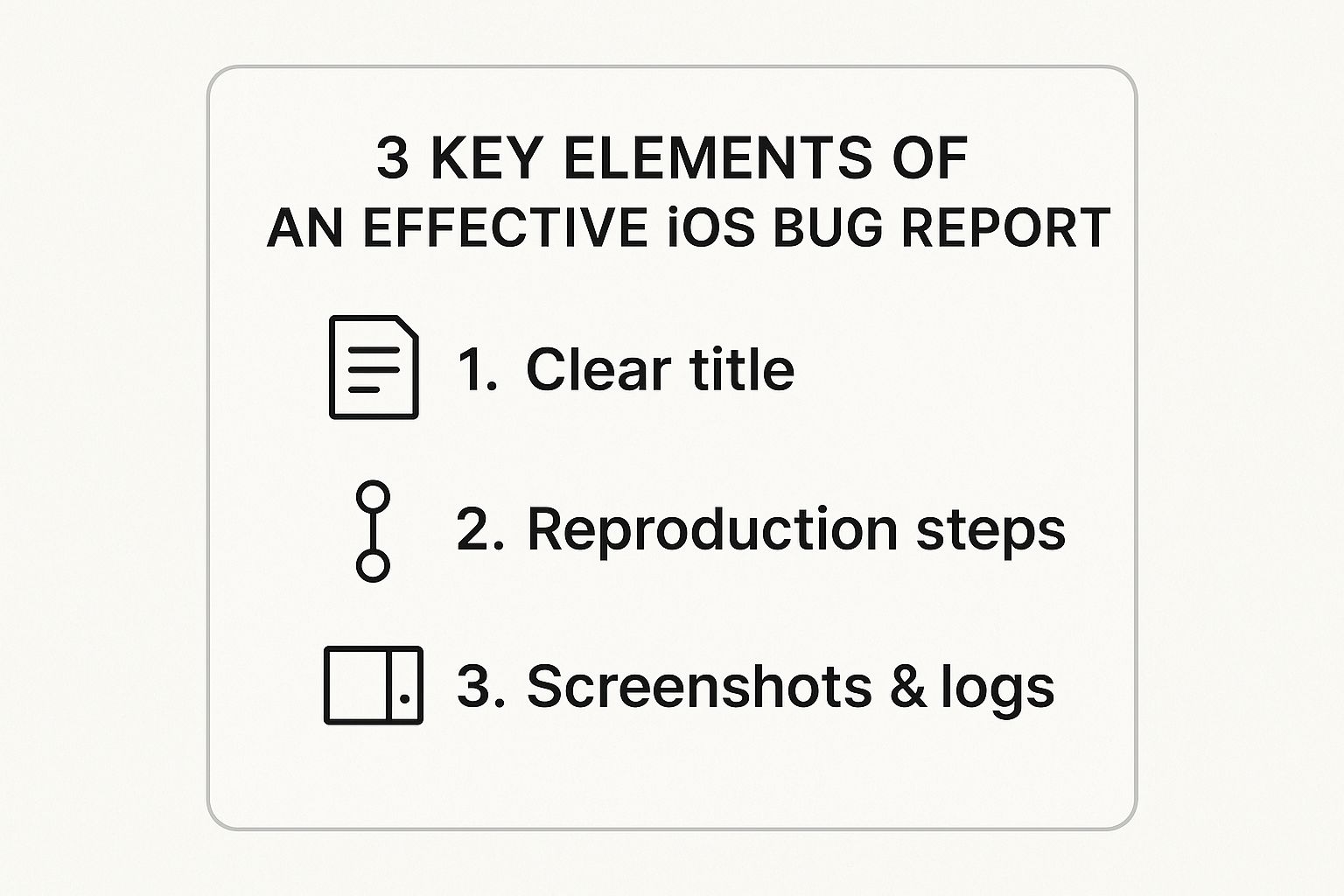
This infographic summarizes the three key elements of a successful iOS bug report: a clear title, reproducible steps, and supporting documentation. These elements combine to create a comprehensive and actionable report, allowing engineers to address the issue effectively. For more information, check out the Cavalier Coins Blog.
Crafting a Compelling Title
The title is your first impression. It should be concise and descriptive, accurately reflecting the problem. Avoid vague titles like "App Crashes." Instead, choose specific descriptions such as "App Crashes on Launch After Updating to iOS 16.2." A precise title immediately informs the engineer of the issue, saving them valuable time.
Reproducible Steps: The Key to a Quick Fix
Imagine repairing a broken appliance without knowing how it malfunctioned. Similarly, engineers require a clear sequence of steps to recreate the bug. Write reproduction steps with precision, like a recipe:
-
Start from a Known State: Detail the initial conditions, including the app version and device model.
-
Use Precise Language: Avoid ambiguous terms. Instead of "Tap around," write "Tap the 'Settings' icon, then 'Account.'"
-
Include Every Step: Even seemingly minor actions can be crucial. Don't leave anything out.
Detailed, step-by-step instructions allow anyone to consistently reproduce the bug, expediting the diagnostic process.
Supporting Materials: Evidence That Matters
Screenshots, videos, and log files are invaluable resources. They provide visual and technical context, helping engineers locate the source of the problem. A screenshot can highlight a UI glitch, while logs provide detailed technical data. These materials are especially helpful for intermittent bugs, offering concrete proof of the issue. For more in-depth advice, see How to master bug reporting best practices.
Let's take a look at how effective bug reporting can improve resolution times by comparing weak and strong approaches. The following table illustrates the importance of each component.
Essential Bug Report Components Comparison
| Component | Weak Approach | Strong Approach | Impact on Resolution |
|---|---|---|---|
| Title | Vague (e.g., "App Broken") | Specific (e.g., "App Freezes on Login Screen After iOS 16 Update") | Strong titles save time by immediately clarifying the issue. |
| Reproduction Steps | Missing or unclear steps | Detailed, step-by-step instructions | Clear steps enable engineers to consistently reproduce and diagnose the bug. |
| Supporting Materials | No screenshots or logs | Relevant screenshots, videos, and log files | Supporting materials provide visual and technical context, speeding up the debugging process. |
As you can see, clear and comprehensive bug reports are significantly more effective. This is especially useful when dealing with complex bugs in iOS development.
Common Mistakes to Avoid
Knowing what to avoid in your bug reports is just as important as knowing what to include:
-
Vague Language: Replace imprecise phrases like "sometimes" or "it doesn't work" with specific details.
-
Unnecessary Information: Stick to the pertinent details of the bug. Avoid unrelated anecdotes or complaints.
-
Duplicated Reports: Before submitting a report, search for existing reports to avoid creating duplicates. Duplicates clog the system and waste time.
By avoiding these common pitfalls, you can ensure your reports are concise, efficient, and more likely to get addressed. Effective iOS bug reporting requires attention to detail and clear communication. By following these guidelines, you empower engineers to quickly identify and resolve your issues, ultimately contributing to a smoother user experience.
Timing Your Reports With Apple's Release Cycles
Smart developers know when you submit an iOS bug report is almost as important as what you submit. A perfectly written report sent at the wrong time might get lost. This section explores how to strategically time your reports to coincide with Apple’s release cycles for maximum impact.
Understanding Apple’s Release Cadence
Apple follows a predictable release schedule, typically launching a new major iOS version annually, followed by periodic minor updates. These updates often address bugs and introduce new features. This predictable rhythm creates opportunities for developers. Knowing these cycles allows you to anticipate when Apple is most receptive to bug reports.
Beta Cycles: Early Bird Gets the Worm
Apple’s beta programs offer a crucial early reporting period. Submitting reports during beta testing provides valuable feedback before the official release. This proactive approach increases the likelihood of your bug getting fixed before it impacts a wider audience. It also benefits you, as addressing the bug in the beta phase reduces the risk of your app breaking with the official iOS update.
Post-Release: Addressing Critical Issues
The period immediately following a major iOS release is vital for reporting critical bugs. Apple prioritizes fixing issues that affect many users. If your app crashes on the new iOS version, this is the time to submit a detailed iOS bug report. Quick reporting can lead to a fast fix, minimizing disruption to your users.
Minor Updates: Golden Opportunities
Don't underestimate minor iOS updates. While they may seem small, they often provide a chance to fix less urgent but still important bugs. These periods often see less competition from other reports, increasing the chance of your issues being addressed. The effectiveness of iOS bug reporting can be seen through the iOS updates and bug fixes over time. For example, iOS 13 (released in September 2019) needed numerous bug fixes. Within two months, eight updates were rolled out addressing issues like app crashes, slow downloads, and interface errors, far exceeding previous versions like iOS 12. Find more detailed statistics here.
Planning Your Testing and Reporting
Align your testing and reporting with Apple’s schedule. During beta periods, focus on thorough testing to identify potential bugs early. After a major or minor release, prioritize testing your app’s core features and quickly report any problems. This proactive approach keeps your app compatible with the latest iOS versions, minimizing user disruption. Strategic planning maximizes the impact of your bug reports, leading to better app quality and a happier user base.
Integrating Third-Party Tools For Better Tracking
While Apple's Feedback Assistant is a necessary tool for iOS bug reporting, many development teams enhance their bug management process by integrating it with third-party solutions. This creates a more comprehensive workflow. This section explores how connecting Feedback Assistant with popular tools can boost your bug reporting effectiveness. You might also find this helpful: How to master video training creation.
Streamlining Workflows With Popular Tools
Connecting Feedback Assistant with tools your team already uses creates a central hub for bug tracking. Here are some popular integrations:
-
Jira: This widely used project management and issue tracking tool integrates with Feedback Assistant, automatically creating corresponding Jira issues for bugs reported through Apple.
-
GitHub Issues: If your team uses GitHub for code management, this integration links bug reports to specific code repositories. This makes collaboration between developers and testers easier.
-
Linear: This increasingly popular issue tracking tool is known for its speed and intuitive design. Integrating Linear with Feedback Assistant streamlines workflows and offers similar benefits to Jira and GitHub Issues.
To help you choose the right tool, let's compare some of the most popular options. The table below summarizes their key features, integration levels, and pricing.
Bug Tracking Tool Integration Comparison
| Tool | Integration Level | Key Features | Best For | Pricing |
|---|---|---|---|---|
| Jira | Deep | Automated issue creation, custom workflows, reporting | Large teams, complex projects | Paid plans, free for limited users |
| GitHub Issues | Moderate | Linked bug reports and code repositories, collaboration tools | Development teams using GitHub | Included with GitHub plans |
| Linear | Moderate | Streamlined workflows, fast and intuitive interface | Smaller teams, agile development | Paid plans, free trial available |
As you can see, each tool offers a different set of features and pricing. Consider your team's specific needs and budget when making a decision.

Automating and Customizing Your Tracking
Third-party integrations offer powerful automation and customization options:
-
Automated Syncing: New reports submitted to Feedback Assistant can automatically create issues in your chosen tool. This eliminates manual data entry and ensures consistency.
-
Custom Dashboards: Visualize bug data with custom dashboards tailored to your team's specific requirements. This provides a clear overview of current bugs. For example, a dashboard might show the number of bugs by severity, category, or assigned developer.
-
Metrics That Matter: Track important metrics like resolution time, bug frequency, and the effectiveness of different fixes. This data-driven approach helps improve your bug reporting process.
Choosing the Right Integrations and Avoiding Pitfalls
Choosing the right tools for your team is essential. Consider these factors:
-
Team Size: Smaller teams may prefer simpler solutions like Linear, while larger organizations may require the robust features of Jira.
-
Existing Workflow: Select a tool that seamlessly integrates with your current tools and processes for maximum efficiency.
-
Budget: Explore pricing options to find a tool that fits your budget. Many tools offer free plans for small teams or tiered pricing based on features and users.
Here are some tips to avoid common setup pitfalls:
-
Start Small: Begin with a few integrations and expand as needed. This allows for gradual workflow adaptation.
-
Thoroughly Test: Test all integrations before full deployment to ensure they work correctly and don't disrupt your bug reporting flow.
-
Document Everything: Clear documentation about using the integrated system ensures consistent and smooth operation for your team.
Real-World Examples and Best Practices
Many successful teams use these integrations. Here are a few examples:
-
Automated Jira Ticket Creation: One team automatically creates a Jira ticket for every bug report filed in Feedback Assistant. This ensures all bugs are logged and tracked in their project management system.
-
GitHub Issue Linking for Faster Fixes: Another team using GitHub links Feedback Assistant reports with GitHub Issues, providing developers easy access to relevant code and speeding up debugging.
By learning from these examples and implementing best practices, you can build a powerful and efficient bug reporting system. Integrating third-party tools with Feedback Assistant isn't just about automation; it’s about creating a more sustainable and effective process. This lets you focus on what truly matters – developing high-quality, bug-free apps and enhancing user satisfaction.
Building A Sustainable Bug Reporting Workflow
Building a successful iOS bug reporting workflow isn't about handling isolated incidents. It's about creating a sustainable system that grows with your team and consistently delivers results. This means establishing clear processes, assigning responsibilities, and building a culture of quality throughout your development lifecycle. Let's explore how successful teams achieve this.
Establishing Clear Responsibilities and Processes
A good bug reporting workflow operates much like an assembly line. Each team member has a specific role in ensuring the process runs smoothly and efficiently. Clearly defined responsibilities are essential.
-
Testers: These team members identify and document bugs with detailed reports. They act as quality control inspectors, making sure each component meets the required standards.
-
Developers: Developers are responsible for fixing the reported bugs and verifying the fixes. Think of them as the mechanics, diagnosing and repairing any defects on the assembly line.
-
Project Managers: These individuals oversee the entire bug reporting and resolution process, tracking progress and prioritizing issues. They are the supervisors, ensuring the assembly line operates efficiently.
This clear division of labor promotes accountability and streamlines the workflow.
Creating a Review Process That Catches Issues Early
Finding bugs early saves valuable time and resources. Implementing a review process before submitting reports to Apple is vital. This internal review can be as simple as a peer review by another tester or developer, acting as a pre-flight check to catch potential errors before final submission.
-
Double-Checking Reproduction Steps: Having a second set of eyes review the reproduction steps ensures clarity and accuracy, so anyone can reproduce the bug.
-
Validating Supporting Materials: Reviewing screenshots and logs confirms all necessary evidence is included and correctly formatted.
This process reduces the chances of submitting incomplete or inaccurate reports, improving the likelihood of a quick resolution.
Maintaining Comprehensive Documentation
Thorough documentation is the foundation of a successful bug reporting workflow. This includes:
-
Bug Reporting Guidelines: These guidelines provide clear instructions on writing effective bug reports, outlining required information and formatting.
-
Templates and Checklists: Standardized templates and checklists ensure consistency and completeness in bug reports, minimizing errors and missed information.
-
Knowledge Base: A central knowledge base stores information about known bugs, solutions, and best practices for preventing future issues.
This documentation is a valuable resource for current and future team members, ensuring consistent and efficient bug reporting. Consider platform specifics when choosing bug tracking tools; mobile-focused services may be better suited for mobile app issues. For mobile app development resources, check out this helpful resource.
Balancing Thoroughness With Development Speed
While thoroughness is key, it shouldn't impede development speed. Finding the right balance is an ongoing challenge.
-
Prioritization: Not all bugs are equal. Prioritize critical bugs affecting user experience over minor cosmetic issues, focusing efforts on the most important fixes.
-
Efficient Communication: Clear communication between testers, developers, and project managers reduces delays and keeps everyone informed about bug status and progress.
-
Iteration and Improvement: Regularly evaluate and refine your workflow based on feedback and performance data. This continuous improvement helps find the best balance between thoroughness and speed.
Escalation Procedures for Critical Bugs
Create an escalation procedure for critical bugs that need immediate attention. This process outlines how to bring these issues to senior developers or management for prompt action. A clear escalation path ensures critical bugs are addressed swiftly, minimizing user disruption.
Implementing these strategies creates a sustainable iOS bug reporting workflow that consistently delivers results. This improves app quality, increases user satisfaction, and strengthens team collaboration and efficiency.
Boost your customer support with video integration. Try Screendesk for free to see how easily you can resolve issues faster and improve customer satisfaction with screen recordings, live video calls, and more!
